
How to Integrate AJAX Alarm Systems with Loxone, Control4, Homey, Node-RED and Any Modbus TCP Platform
Your client has an AJAX alarm system. You're running Loxone, Control4, Homey, Node-RED, or a PLC. Until now, there was no way to connect the two. The new AJAX-MBTCP Gateway by Elausys changes that — it bridges AJAX alarm systems with any platform that supports Modbus TCP, turning alarm events into automation triggers and giving you full area control from your existing system.
What Is a Modbus TCP Alarm Gateway
A Modbus TCP alarm gateway is a hardware interface that connects a professional alarm system to the Modbus TCP protocol, exposing alarm statuses as readable registers and accepting control commands from any Modbus TCP master on the network.
In practical terms, this means your automation platform — whether it's a Loxone Miniserver, a Control4 controller, a Homey hub, a Node-RED instance, a PLC, or a BMS — can read alarm events in real time and send arming and disarming commands back to the alarm system.
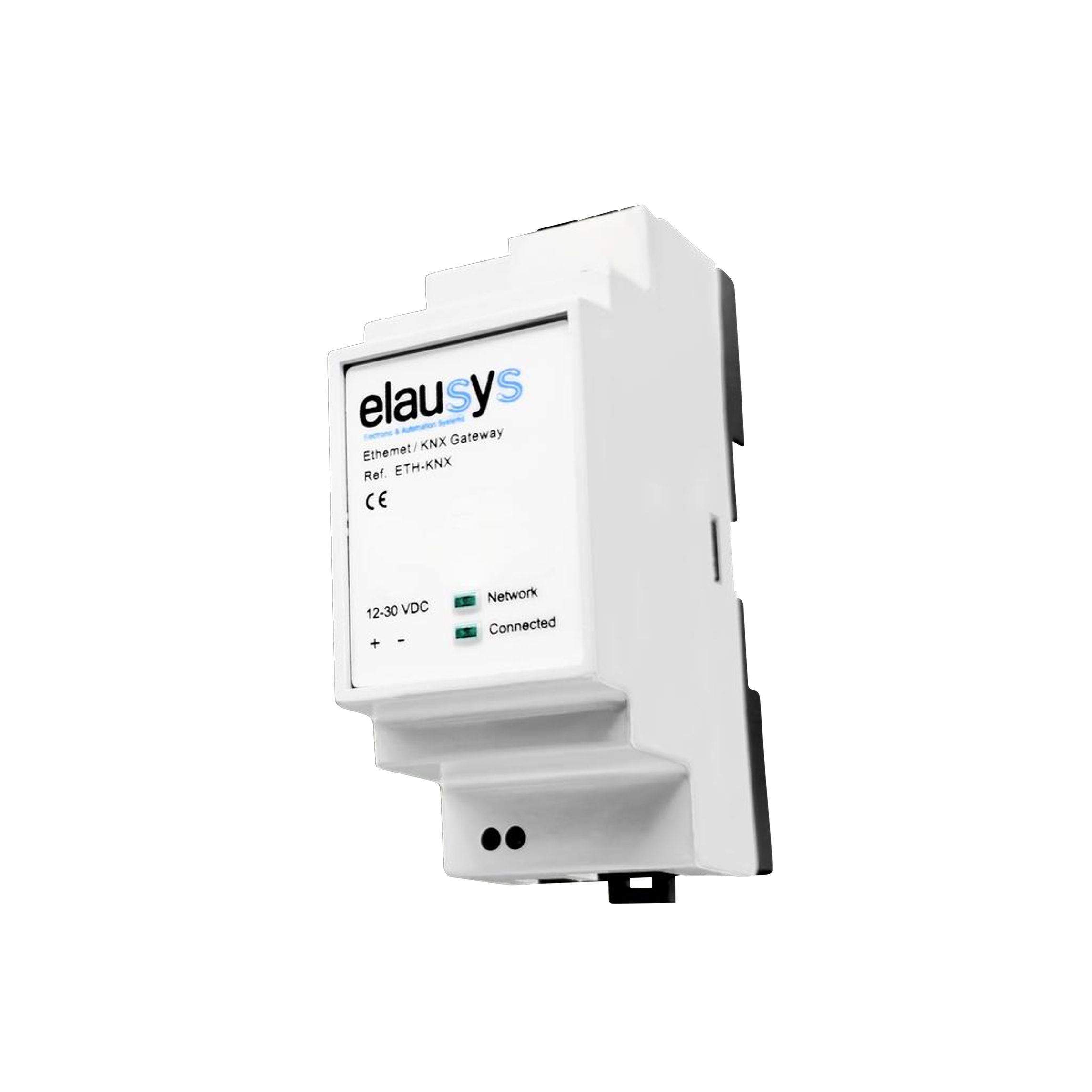
Why does this matter for integrators?
Without a gateway, AJAX alarm systems and building automation platforms operate as separate islands. The alarm detects an intrusion, but the building doesn't respond. The client arms the system at night, but lighting and blinds don't adjust.
A Modbus TCP alarm gateway eliminates this disconnect. It maps AJAX alarm states to standard Modbus coils that any automation platform can read and act on.
Key terms to understand:
- Modbus TCP — an industry-standard communication protocol used by building management systems, PLCs, SCADA platforms, and home automation controllers to exchange data over Ethernet
- Coils — single-bit Modbus registers used by the gateway to represent alarm statuses (read-only) and control commands (read/write)
- Bidirectional communication — the gateway both exposes alarm statuses as readable coils and accepts arming/disarming commands via writable coils
- Zone status — the state of individual alarm sensors (motion detectors, door/window contacts, etc.) mapped to dedicated Modbus coils
- Area control — the ability to arm, partially arm (night mode), or disarm alarm partitions by writing to command coils
- SIA protocol — the standard alarm communication protocol used by AJAX to transmit events to the gateway over the local network
AJAX Meets Modbus TCP
Why AJAX — and why Modbus TCP?
AJAX Systems has become one of the most popular professional alarm platforms in Europe. Known for its wireless reliability, sleek design, and user-friendly app, AJAX is increasingly specified in residential and commercial projects alongside automation platforms of all kinds.
After the success of the AJAX-KNX Gateway, integrators working with Loxone, Control4, Homey, Node-RED, and PLC-based systems asked for the same integration capability. Modbus TCP was the natural answer — it's the common language that connects virtually every automation platform on the market.
What the AJAX-MBTCP Gateway delivers
The Elausys AJAX-MBTCP Gateway provides a full integration layer between AJAX Hub systems and any Modbus TCP master:
- Up to 4 area controls — arm and disarm AJAX partitions by writing to command coils from any Modbus TCP master
- Global commands — arm all areas, disarm all areas, or activate/deactivate night mode (partial arm) with dedicated global coils
- 6 area status feedbacks per area as read-only coils — disarmed, armed, partial armed (night mode), fire alarm, panic alarm, intrusion alarm
- Up to 96 detector statuses mapped to individual Modbus coils — monitor every AJAX sensor (MotionProtect, DoorProtect, GlassProtect, etc.) from your automation platform when the system is armed or when zones are set to Always Active
- Power supply monitoring — AC failure and battery failure status available as Modbus coils
- Standard Modbus TCP protocol on port 502, supporting up to 2 simultaneous client connections
Who can use this today?
The gateway operates as a standard Modbus TCP server (slave). Any device or software that supports Modbus TCP client communication can integrate immediately:
- Loxone — read AJAX alarm states and control arming directly from the Miniserver via its Modbus TCP extension
- Control4 — bring AJAX alarm status into your Control4 project via a Modbus TCP driver
- Homey — integrate AJAX events into your home automation flows using the Modbus TCP community app
- Node-RED — pull AJAX coils into your flows using standard Modbus TCP nodes for unlimited automation logic
- PLCs — Siemens, Beckhoff, Wago, Schneider, or any PLC with Modbus TCP support can monitor and control AJAX natively
- BMS and SCADA — any building management system or SCADA platform with Modbus TCP support can integrate AJAX alarm events into centralised monitoring and control
If your system can read a Modbus coil, it can integrate AJAX.
Practical Implementation: How to Set Up the AJAX-MBTCP Gateway
Step-by-step integration process
Step 1 — Hardware installation
Mount the AJAX-MBTCP Gateway on a DIN rail (2 SU). Connect the external 12–30VDC power supply and the RJ45 Ethernet cable on the bottom side of the module. The gateway communicates with the AJAX Hub over the local network to receive events. For arming and disarming commands, internet access is required — the connection is established through the AJAX secured cloud using a fully encrypted protocol, identical to the one used by the AJAX mobile application.
Step 2 — Configure the AJAX Hub for SIA Events
On the AJAX side, configure your AJAX Hub to send SIA Events to the gateway's IP address on port 2410. Open the Space Settings, then Security Companies, then Monitoring Station and enter the gateway's IP address, port 2410, and a 3-letter object number of your choice.
Step 3 — Invite Elausys as Security Company (for area control)
If you need bidirectional control — meaning you want to arm or disarm AJAX areas from your automation platform — you must invite Elausys as a Security Company using the email address provided in the manual in the AJAX app. This grants the gateway the necessary permissions to send commands back to the AJAX Hub.
The security company will remain in "Waiting for approval" state — this is normal and expected.
Step 4 — Configure the gateway via web interface
By default, the gateway's IP address is 192.168.1.51. Connect a laptop to the gateway and open a web browser to access the configuration page.
- Set a fixed IP address appropriate for your network
- Enter the AJAX Hub ID (8 characters, found at the bottom of Hub status in the AJAX app)
- Set the Partition Mode to match your AJAX Group mode from the Space Settings (Partition OFF for global hub mode, Partition ON for group mode)
- Set the number of areas to match the group configuration in the AJAX system
The Modbus TCP interface is enabled by default on port 502 with Unit ID 1 and requires no additional configuration.
Step 5 — Configure your Modbus TCP master
On your automation platform (Loxone, Control4, Homey, Node-RED, PLC, etc.), add a new Modbus TCP connection pointing to the gateway's IP address on port 502 with Unit ID 1. Map the relevant coils to your automation logic:
- Command coils (0x0000–0x000A): write to these to arm, disarm, or activate night mode
- Area status coils (0x000B–0x002E): read these to get real-time area status (armed, disarmed, fire, intrusion, panic, partial armed)
- Detector status coils (0x002F–0x008E): read these to get individual zone/detector states
- System status coils (0x008F–0x0090): read these for AC and battery fault monitoring
Ensure your Modbus master's polling interval is shorter than 60 seconds to avoid the gateway's automatic connection timeout.
Real-world use cases
- Intrusion response: An intrusion is detected on Area 1 → the gateway updates the intrusion alarm coil → your Loxone Miniserver, Control4 controller, or PLC reads the status change and triggers your programmed response: escape route lighting activates, exterior lights illuminate the perimeter, and blinds open. The building doesn't just sound a siren — it responds through your automation platform.
- Fire alarm coordination: A fire alarm triggers on Area 2 → the fire alarm coil goes active → your automation system reads the change and executes the emergency sequence: all blinds open to clear escape routes, emergency lighting activates, ventilation shuts down. One alarm event, full building response — orchestrated by your Node-RED flow, PLC logic, or BMS programming.
- Night mode activation: The client arms the system from the AJAX app → the gateway updates the armed status coil → your Homey, Loxone, or Control4 reads the new state and triggers the night routine: all lights off, blinds close, heating shifts to setback mode, presence simulation activates. Or the reverse — your automation platform sends an arm command via the global command coil, and the entire building shifts to security mode from a single button press on a wall panel.
Common mistakes to avoid
- Not understanding zone reporting behaviour — AJAX sensors only report zone status when the system is armed or in night mode. Setting devices to Always Active enables daytime reporting, but also means those zones will trigger the alarm when the system is disarmed. Plan which zones genuinely need 24/7 reporting.
- Not inviting Elausys as Security Company — area control (arm/disarm commands) will not work without this step. Internet access is also required for arming/disarming commands.
- Incorrect area count with AJAX groups — when groups are enabled in AJAX, at least two areas must be configured on the gateway to switch from global to individual group commands. Configuring only one area when groups are active will result in incorrect behaviour.
- Expecting disarm to exit Night Mode — when groups are enabled, disarming a group does not disable Night Mode. You must explicitly send a Partial Arm OFF command. Design your automation logic to handle this independently.
- Modbus TCP connection timeout — the gateway automatically closes idle connections after 60 seconds. Ensure your Modbus master polls at intervals shorter than 60 seconds to maintain the connection.
- Writing to read-only coils — attempting to write to status coils (addresses 0x000B and above) will return a Modbus exception. Only command coils (0x0000–0x000A) accept write operations.
Frequently Asked Questions
What AJAX systems are compatible with the AJAX-MBTCP Gateway?
The AJAX-MBTCP Gateway is compatible with AJAX Hub systems that support SIA event transmission over the local network. This includes all AJAX Hub, Hub Plus, and Hub 2 models.
Can I arm and disarm the AJAX system from my Loxone, Control4, or Homey?
Yes. Once you invite Elausys as a Security Company in the AJAX app, the gateway accepts arm, disarm, and partial arm (night mode) commands via Modbus TCP command coils. Any Modbus TCP master on the network — whether it's a Loxone Miniserver, a Control4 controller, a Homey hub, or a PLC — can write to these coils to control the AJAX system.
How does the Modbus TCP communication work?
The gateway operates as a Modbus TCP server (slave) on port 502 with Unit ID 1. It supports Read Coils (function code 0x01) for reading status and Write Single Coil (function code 0x05) for sending commands. All data is mapped to single-bit coils — 145 coils in total covering area commands, global commands, area statuses, detector statuses, and system status.
Can I use AJAX motion detectors for automation (e.g., lighting control)?
Yes, but with an important limitation. By default, AJAX motion detectors only report status when the system is armed or in night mode. If you need motion detection while the system is disarmed (e.g., daytime corridor lighting via Loxone or Node-RED), you can set individual MotionProtect devices to Always Active (24hrs) in the AJAX app. Be aware that Always Active zones will also trigger the alarm when the system is not armed — use this setting selectively.
How many zones and areas does the gateway support?
The gateway supports up to 96 detector statuses mapped to individual Modbus coils and up to 4 areas with full control (arm/disarm) and 6 status feedback coils per area. Global command coils allow arming, disarming, and night mode control across all areas simultaneously.
Can I use the gateway with Node-RED?
Absolutely. Node-RED's Modbus TCP nodes can connect directly to the gateway on port 502. You can read detector status coils, monitor area statuses, and write to command coils — all within standard Node-RED flows. This gives you unlimited flexibility to build custom automation logic around AJAX alarm events.
Does the gateway require cloud connectivity?
The gateway communicates with the AJAX Hub over the local network via Ethernet to receive alarm events — no cloud dependency for monitoring. If arming or disarming commands are used, the connection is established through the AJAX secured cloud using a fully encrypted protocol, identical to the one used by the AJAX mobile application.
Can I connect multiple Modbus TCP masters simultaneously?
Yes. The gateway supports up to 2 simultaneous Modbus TCP client connections. This allows, for example, a Loxone Miniserver and a BMS to both read alarm statuses at the same time. Idle connections are automatically closed after 60 seconds of inactivity.
What happens if the Ethernet connection between the gateway and the AJAX Hub drops?
The front panel Connected LED will turn off, indicating communication loss. Detector status coils will hold their last known state until communication is restored.
Can I use the AJAX-MBTCP Gateway alongside a security company that already receives SIA events?
Yes. The AJAX Hub can only send SIA events to a single destination. If the hub is already configured to report SIA events to a monitoring station or security company, you will need to redirect SIA event reporting to the AJAX-KNX Gateway instead. This means the gateway and an external SIA-based monitoring service cannot operate simultaneously on the same AJAX Hub. If the site requires a monitoring service, the Ajax system can be connected to the security company’s central monitoring station (CMS) using Cloud Signaling.
How is the gateway physically installed?
The AJAX-MBTCP Gateway is DIN rail mounted (2 SU), requires an external 12–30VDC power supply, and connects to the local network via a standard RJ45 Ethernet cable.
Conclusion & Next Steps
The AJAX-MBTCP Gateway opens AJAX alarm systems to the entire Modbus TCP ecosystem — from Loxone and Control4 to Homey, Node-RED, PLCs, and enterprise BMS platforms. One gateway, one standard protocol, and your automation platform gains full visibility into alarm events and bidirectional control over the AJAX system. No proprietary middleware, no custom APIs — just Modbus coils that any master can read and write.
Whether you're a Loxone integrator looking to add AJAX security to your projects, a Control4 programmer bridging alarm and home automation, or a building manager connecting AJAX to your SCADA platform, the AJAX-MBTCP Gateway makes it possible with the protocol you already know.
Ready to integrate AJAX into your automation platform?
→ Download the AJAX-MBTCP Gateway User Manual — everything you need to start your first project
→ Shop AJAX-MBTCP Gateway — find the gateway in our shop
→ Contact Elausys support — get help with configuration, commissioning, or multi-platform setups
Topics: AJAX Modbus TCP gateway, AJAX Loxone integration, AJAX Control4 integration, AJAX Homey integration, AJAX Node-RED, Modbus TCP alarm gateway, AJAX alarm building automation, AJAX smart building, Modbus TCP security integration, alarm system Loxone, alarm system Control4, alarm system Node-RED, Modbus TCP zone monitoring, bidirectional alarm communication, SIA protocol Modbus, AJAX PLC integration, AJAX BMS SCADA, intrusion detection Modbus TCP