01 / Project design
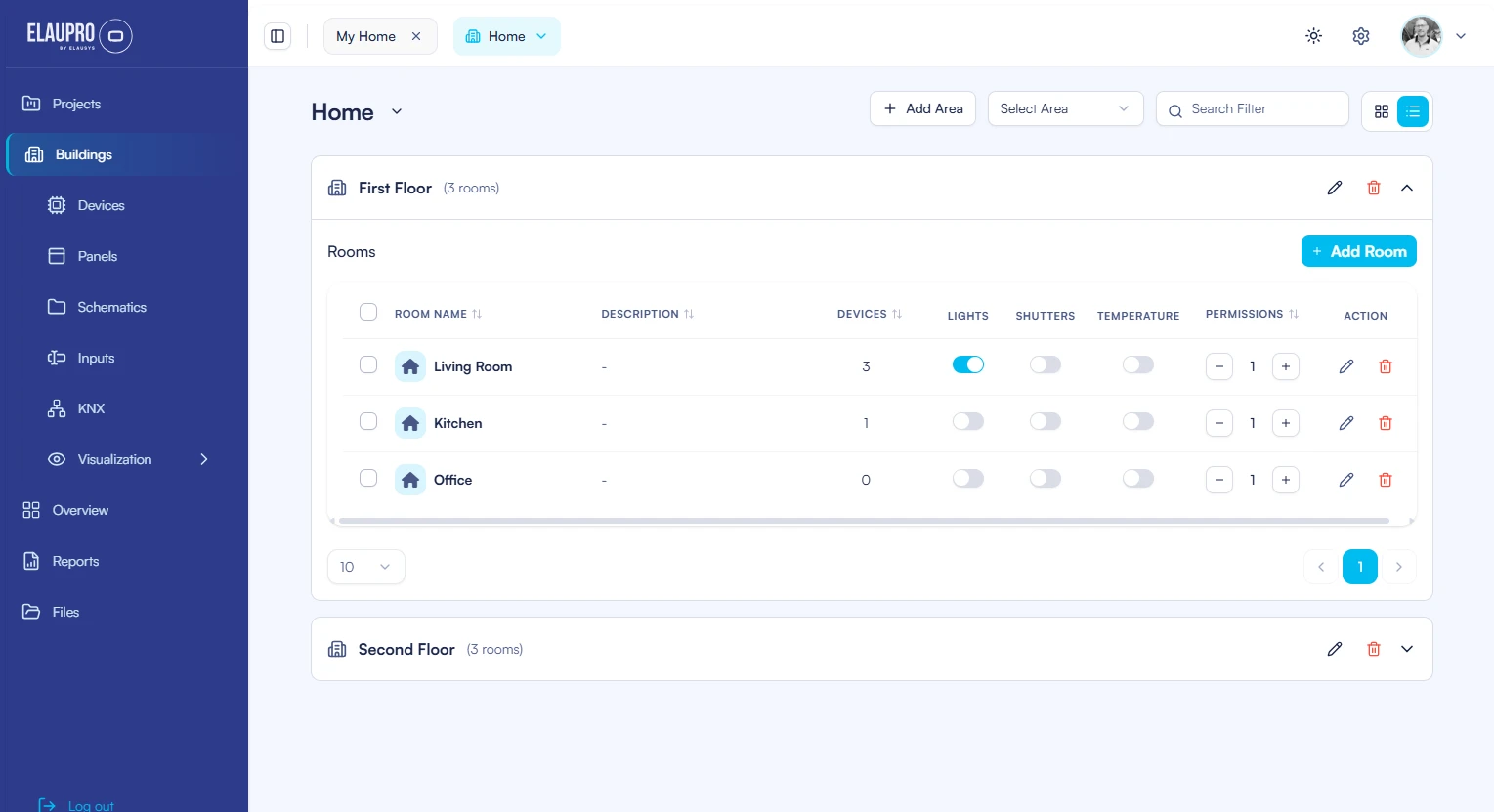
Define the building.
Organise buildings, floors and rooms. Add the devices and functions that belong in each space.

Design the project. Connect every detail.
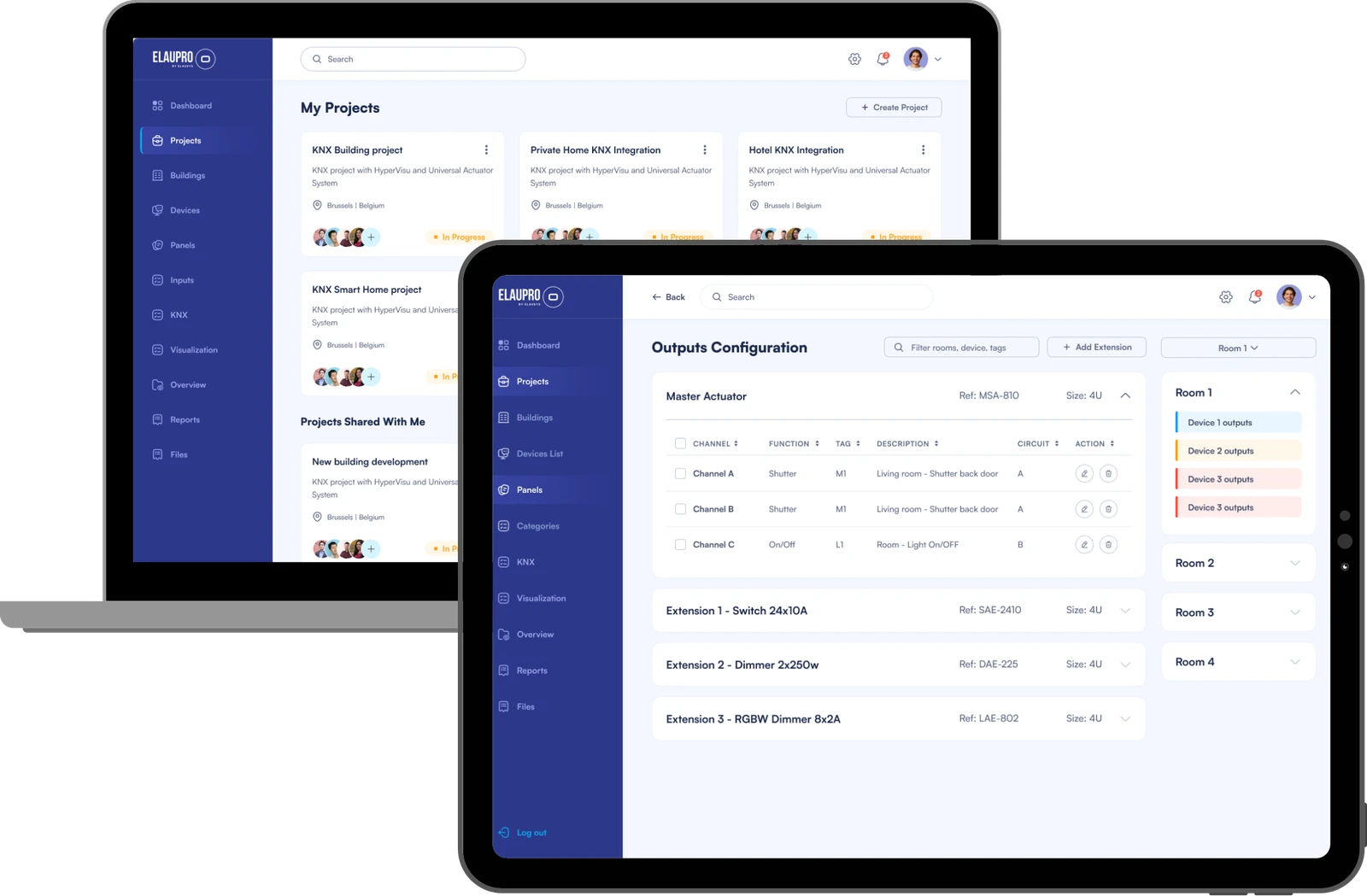
Plan rooms, devices and actuator panels in one KNX project. Prepare group addresses, ETS exports and installation documents, then configure the HyperVisu views from the same design.
From the plan to the panel
Work through the installation in the same order you design it: spaces, equipment, circuits and controls.
01 / Project design
Organise buildings, floors and rooms. Add the devices and functions that belong in each space.
02 / Project design
Select the master actuators, extensions and other panel equipment. Review the space and channel capacity your project needs.
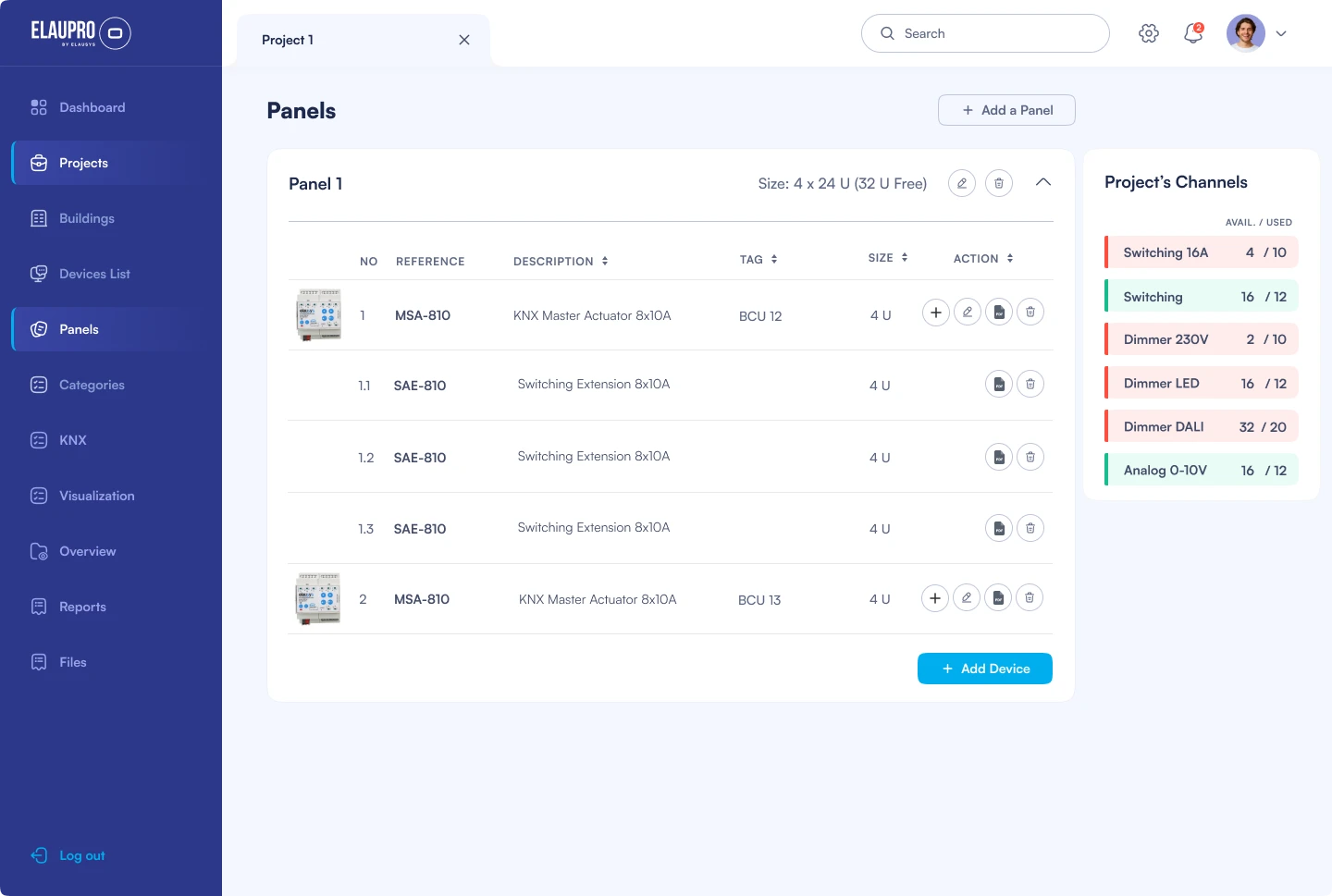
03 / Project design
Connect each device to an actuator channel. Name the circuits so the configuration stays clear on site.
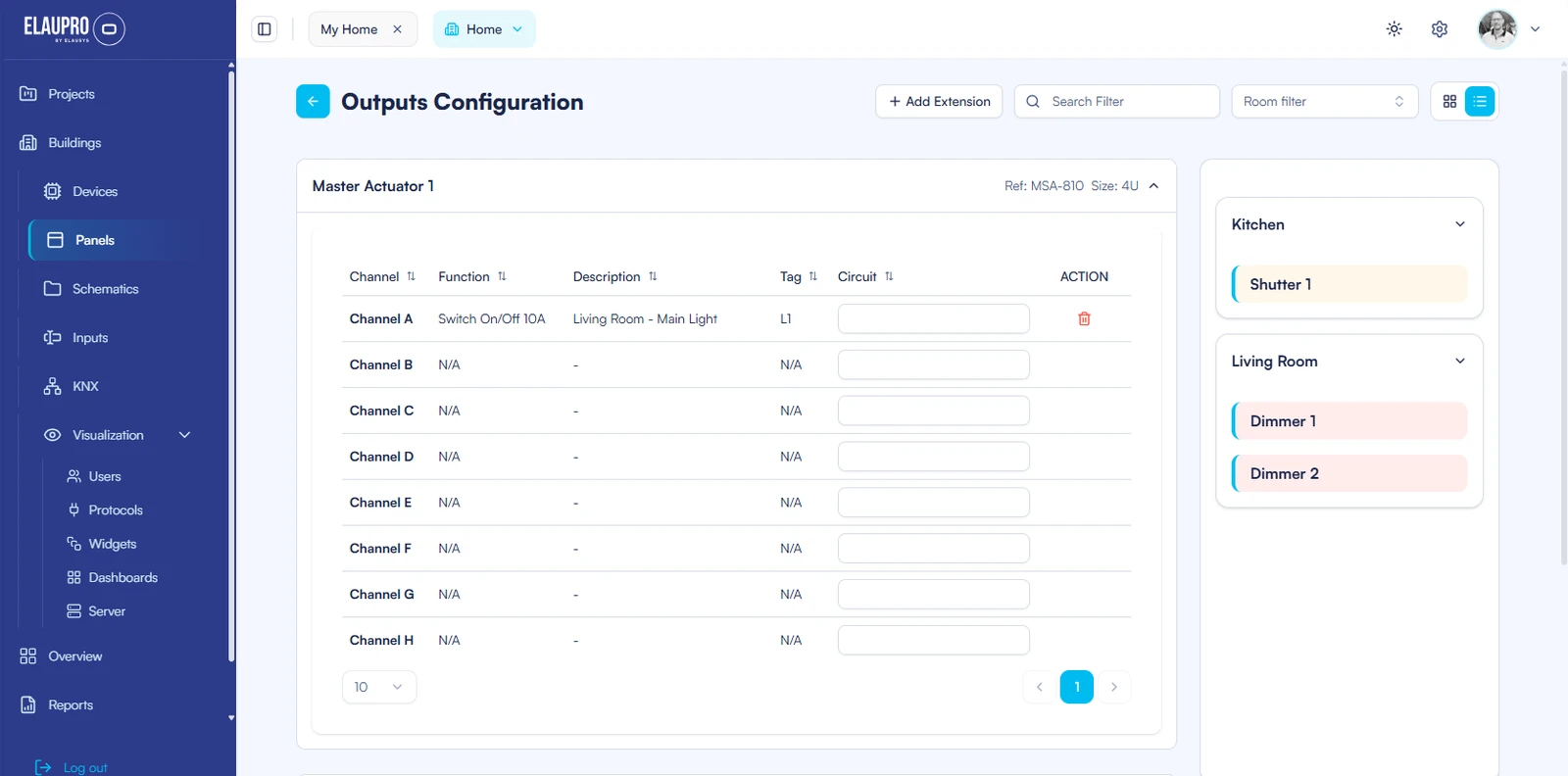
04 / Project design
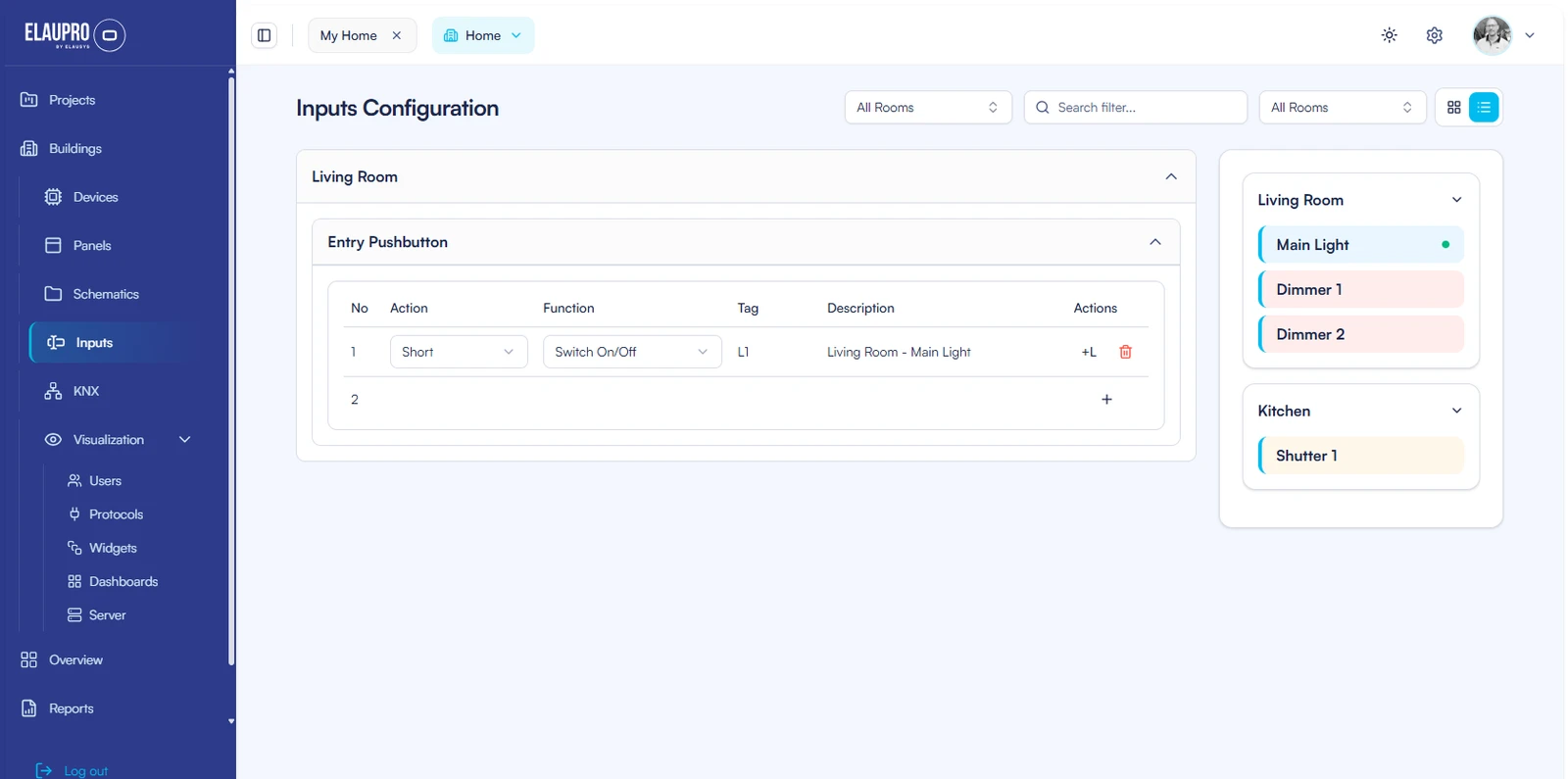
Document which buttons operate which devices, including short-press and long-press actions.
Build your channel configuration around the Elausys master-and-extension system.
Explore KNX actuatorsThe design becomes the deliverable
Carry the project information into the tools and documents used by the people on site.
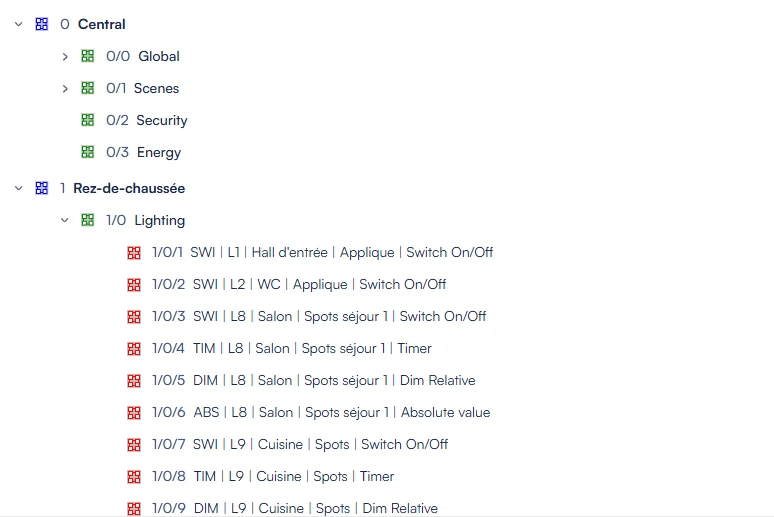
Generate addresses using your naming rules. Export the project to ETS for programming, and import additional ETS group addresses when extending the visualisation.
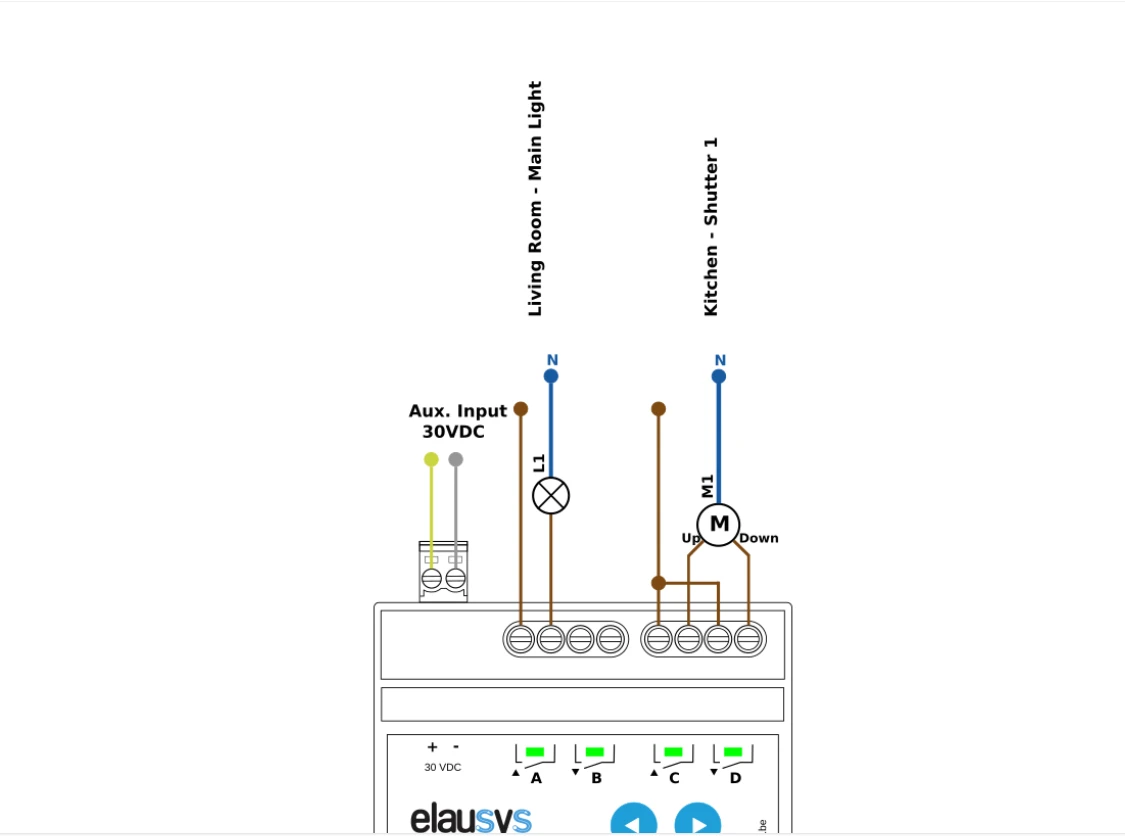
Generate electrical drawings from the actuator configuration, with circuit names and locations. Export a PDF for the installation team.
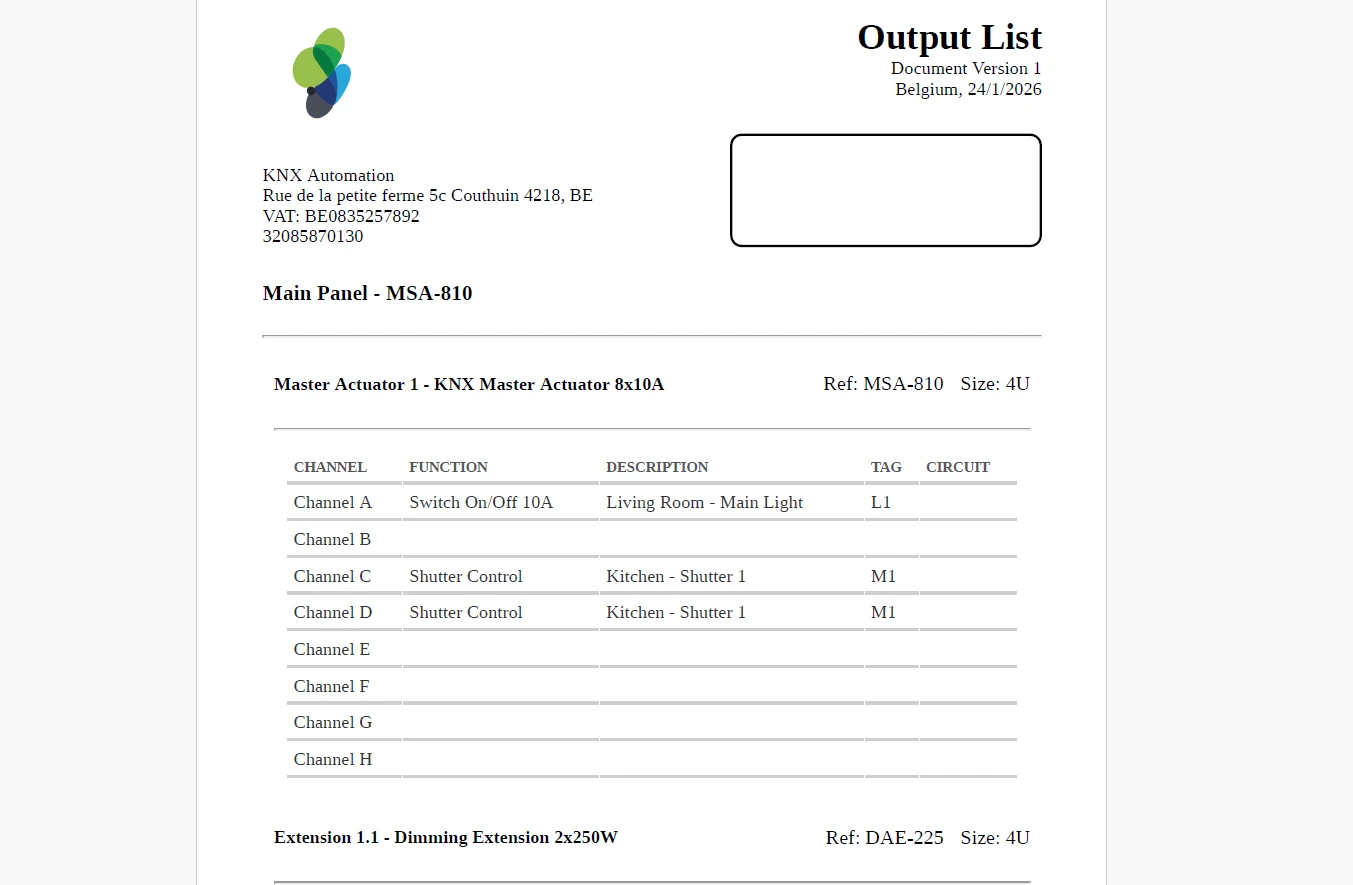
Share equipment lists, channel assignments and input mappings so the completed design remains understandable after commissioning.
From project design to everyday control
ElauPro creates visualisation widgets from the devices in your project. Review the controls, organise rooms and categories, and adapt visibility for the people using the building.
Transfer the configuration to the HyperVisu server, then check the finished experience in the app.
Discover HyperVisu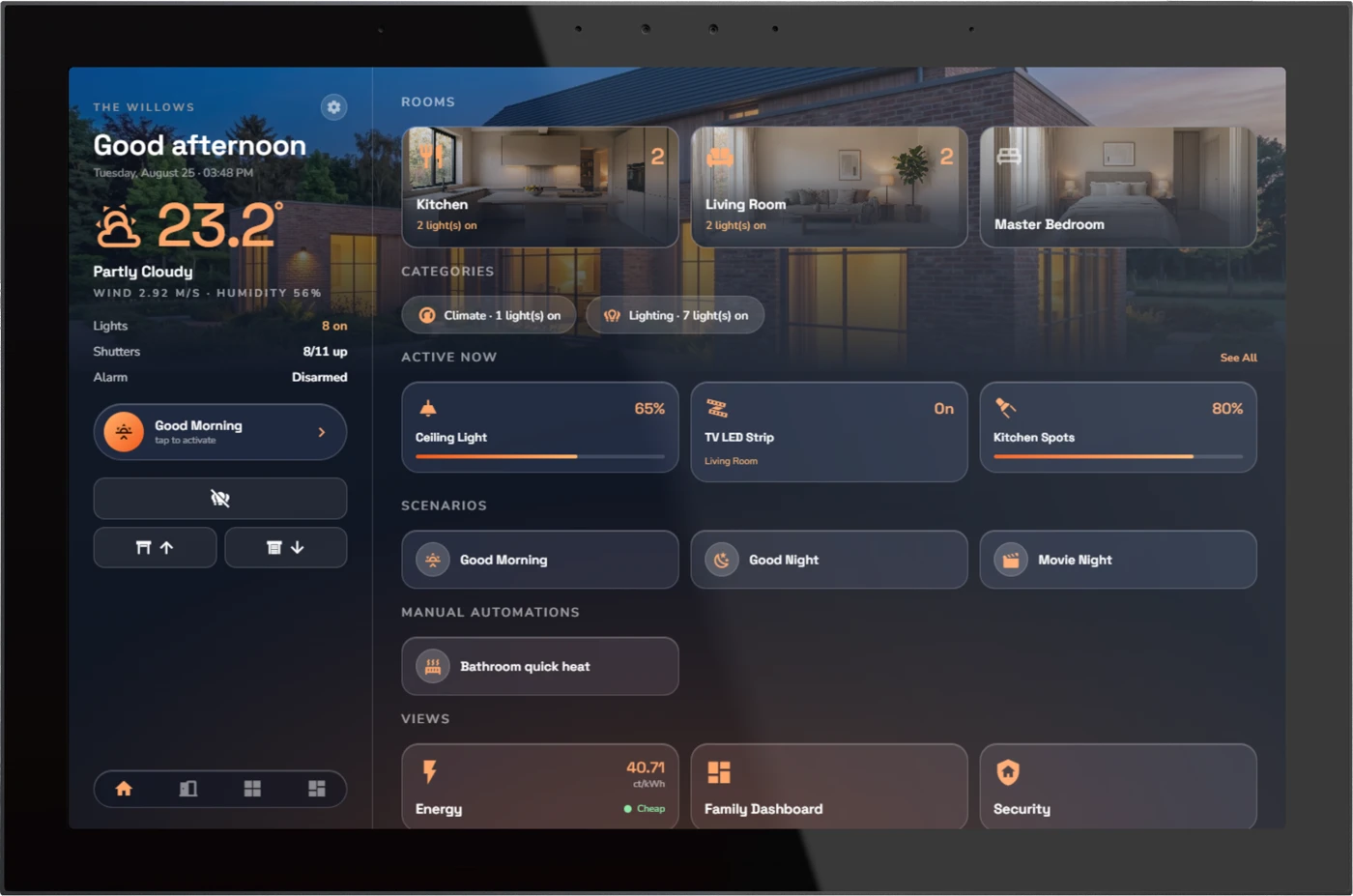
ElauPro prepares the configuration. The HyperVisu server runs the building’s visualisation and services.
One project to keep working from
Keep the structure, equipment and configuration together as the installation evolves.
Share projects with colleagues and external contacts. Set permissions around their role in the project.
Project sharing guideElauPro helps organise building spaces, devices, panels and controls in one project. It prepares group addresses, ETS exports and installation documents, and supports configuration of HyperVisu views. The workflow links project design to the information needed for programming and handover.
No. ElauPro prepares the design and generates the ETS project export for the supported configuration. ETS is still used to program and commission the KNX installation. Review the exported project and test the actual devices before handing over the building.
Use consistent naming and grouping for the project's functions. ElauPro generates addresses using your naming rules; it does not require one universal hierarchy. You can also import group addresses exported from ETS and use them when configuring visualisation widgets.
Yes. Plan the master actuators, extensions and other panel equipment, review space and channel capacity, and assign devices to outputs. Generate wiring schematics and share equipment lists, channel assignments and input mappings. Check the actual equipment requirements before installation. Modular KNX actuators.
Connect the project to the HyperVisu server and transfer its configuration from ElauPro. A manual export/import route is also available through server administration. ElauPro prepares the design online; the configured server runs the building's visualisation and services locally. Explore HyperVisu.
Open ElauPro to access the online planning tool and check the current account and usage terms. Project sharing lets you give colleagues or external contacts appropriate permissions. For a specific team or project requirement, contact Elausys before choosing your workflow.
Give its rooms, circuits and controls one place to take shape.