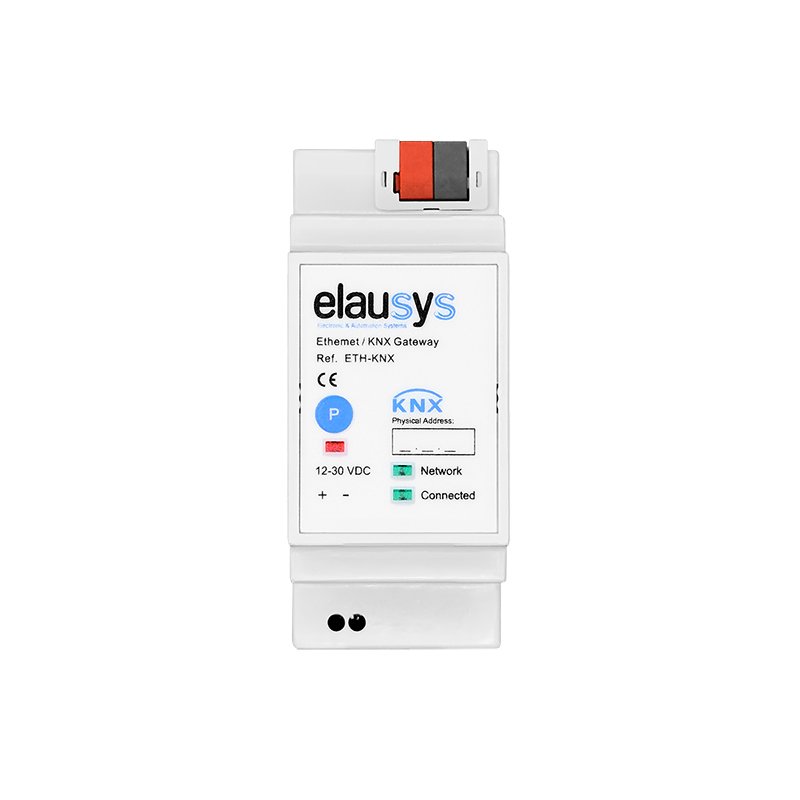
ELAUSYS | INV-KNX-SE
KNX gateway for SolarEdge Inverters
299.00 €+ VAT
Pro discounts availableIn stock
30-day money back guarantee
UPS Worldwide shipping
2-Year warranty
KNX Gateway for integration of SolarEdge's solar inverters on the KNX bus. The gateway is based on the SunSpec Modbus TCP interface and is compatible with all SolarEdge SetApp inverters and LCD inverters with firmware 3.xxxx or later.
Read a SolarEdge inverter from KNX
The INV-KNX-SE puts a SolarEdge inverter on the KNX bus through the local network. Production, grid exchange, battery state and string data become ordinary KNX group objects in ETS, refreshed every 1 to 255 minutes — for a HyperVisu dashboard, a KNX energy manager or plain logic that switches loads when the sun is out. It connects over the inverter's own Ethernet port (Modbus TCP, port 502).
What it does
Publish production on the bus. AC power, daily and total energy, voltage and current per phase, frequency, power factor and inverter temperature — each as a typed KNX object.
Follow the battery. Charging/discharging power and SOC on the bus for load shifting and backup logic.
Know the grid balance. The inverter's power meter delivers grid import or export as one signed object — the value the self-consumption logic needs.
Act on it without a server. 64 logic functions in the gateway: gates with 8 inputs, 4-step sequences, weekly calendar triggers and maths — e.g. "surplus above 2 kW for 5 min → switch the water heater".
What it spares you
- No SolarEdge cloud API, no account, no internet dependency: the gateway reads the inverter on the local network.
- No PC, software bridge or visualisation server between the inverter and the bus.
- No new ETS application to learn: all Elausys inverter gateways share one application; only the inverter model differs.
- No separate 12 V rail: any 12–30 VDC supply, such as the Elausys PSA-15W.
Scenarios
-
The SolarEdge inverter exports more than 2 kW: the gateway's logic switches the water heater through an Elausys SAE-816 channel.
-
Surplus at noon: the EV charger enable and the pool pump start from KNX; both stop when a cloud passes for more than 10 minutes.
-
Battery SOC above 90 % in the afternoon: the KNX heating switches to comfort setpoint to store heat in the slab.
-
HyperVisu shows production, consumption and grid exchange next to the lighting and heating of the house.
-
A KNX push-button LED turns green while the house is exporting.
Technical proof
- Inverter side: SolarEdge inverters with SunSpec Modbus — all SetApp models, LCD models from firmware 3.xxxx; the SunSpec Modbus TCP interface over Ethernet RJ45
- Inverter setting: enable Modbus TCP in SetApp / the inverter web interface
- Battery: 1 (power, SOC); power meter: SolarEdge meter connected to the inverter
- KNX side: refresh rate 1–255 min; single- or three-phase network selectable in ETS
- Logic: 64 functions — logic gates (8 inputs), 4-step sequences, triggers with weekly calendar, math operations
- Power: 12–30 VDC external on screw terminal; KNX bus < 16 mA @ 29 VDC; galvanic isolation between Ethernet and bus
- Housing: 2 SU (35 mm) for 35 mm DIN rail; +5 to +45 °C
- KNX connection: pluggable micro terminal, push-wire 0.6–0.8 mm solid conductor
- Network settings on the embedded web page (default IP 192.168.1.51); firmware update from the same page
- Configuration: ETS5 / ETS6
KNX group objects
| GO | Object | Description |
|---|---|---|
| 3 | AC Current | Total AC current |
| 4 | AC Current A | Phase A |
| 5 | AC Current B | Phase B |
| 6 | AC Current C | Phase C |
| 7 | AC Voltage | Total AC voltage |
| 8 | AC Voltage AB | Line-line AB |
| 9 | AC Voltage BC | Line-line BC |
| 10 | AC Voltage CA | Line-line CA |
| 11 | AC Voltage AN | Phase A–N |
| 12 | AC Voltage BN | Phase B–N |
| 13 | AC Voltage CN | Phase C–N |
| 14 | DC Current | Total DC current |
| 15 | DC Voltage | Total DC voltage |
| 24 | AC Power | Active power output |
| 25 | DC Power | DC input power |
| 26 | AC Frequency | Grid frequency |
| 27 | AC VA | Apparent power |
| 28 | AC VAR | Reactive power |
| 29 | AC PF | Power factor |
| 30 | AC Energy | Total AC energy |
| 33 | Temperature | Inverter temperature |
| 42 | Battery 1 Power | > 0 charging / < 0 discharging |
| 43 | Battery 1 SOC | State of charge (%) |
| 55 | Powermeter | Grid power: > 0 import / < 0 export |
Local, standard, independent
Every value is a standard KNX group object in ETS — nothing hidden in a proprietary app. The gateway polls the inverter on the local network; no internet connection, account or subscription is involved. The SolarEdge monitoring portal keeps working alongside.
FAQ
Which SolarEdge inverters are supported? Any model with the SunSpec Modbus interface: all SetApp inverters, and LCD inverters from firmware 3.xxxx.
Does it read the SolarEdge meter? Yes. Grid import/export from the meter connected to the inverter is one signed object (GO 55).
Does it work with a SolarEdge Home Battery? Yes — battery power and SOC are on the bus.
Does it work with HyperVisu? Yes. The objects are standard KNX objects; HyperVisu reads and charts them like any other.