Bring in the device.
Connect a supported device or service to HyperVisu, using Modbus TCP, Home Assistant, Node-RED or an HTTP API.

Your KNX installation. More possibilities.
Map equipment controls and measurements to KNX group addresses. The Universal KNX Bridge runs on HyperVisu and acts as a universal bidirectional gateway between KNX and building functions from Modbus TCP, MQTT, HTTP, Home Assistant and other protocols.
A core feature of the HyperVisu server.
Play / pause command
1/0/1Playback state
Start the music from a KNX switch. Map the supported playback controls and feedback through HyperVisu.
From device to group address
The bridge brings device capabilities into the group-address structure of your project.
Connect a supported device or service to HyperVisu, using Modbus TCP, Home Assistant, Node-RED or an HTTP API.
Map a control, status or measured value to a standard KNX group address. Give the KNX installation access to that function.
Use the mapped function from KNX switches, displays and logic. Commands and feedback travel through the bridge where the device supports them.
Beyond the bus
Bring the useful controls, events and measurements into the installation, wherever they originate.
Bring meter readings or supported equipment values onto KNX displays and into building logic.
Use supported device capabilities from your Home Assistant integrations within the KNX project.
Trigger KNX actions from your flows and bring KNX into automation across systems.
Map functions exposed by a supported API to KNX group addresses.
Use KNX switches for supported audio functions, such as playback and volume.
Available controls and feedback depend on the connected device and its integration.
Built into HyperVisu
The Universal KNX Bridge works alongside the visualisation and the other HyperVisu services. Your KNX devices stay on the bus; the server connects through a KNX/IP interface or router on the local network.
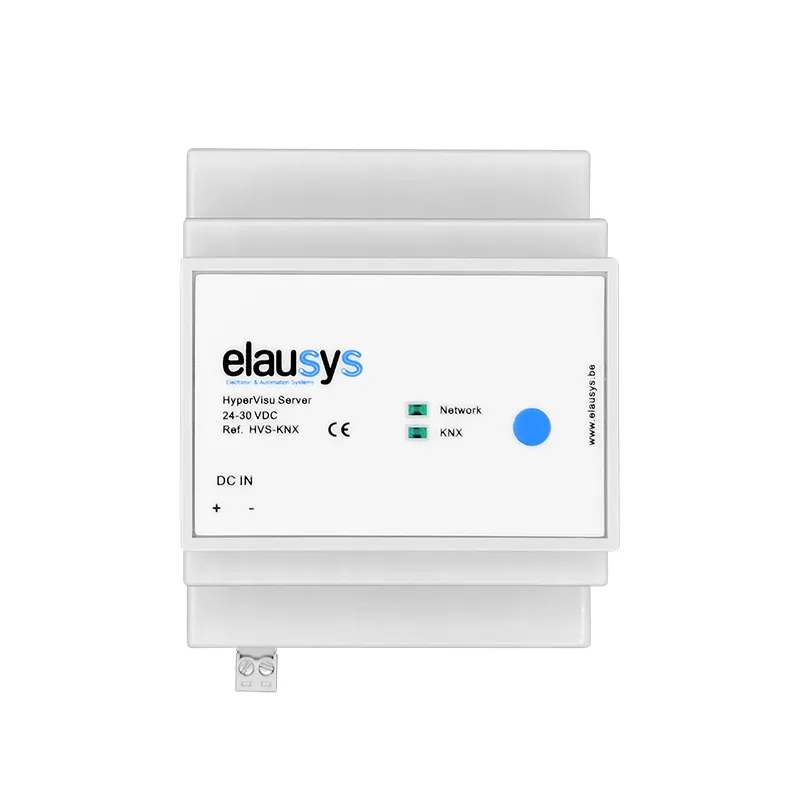
Connect supported equipment to HyperVisu and map the required values or commands to KNX group addresses. Check the device's registers, data types and supported operations. For supported solar inverters, a dedicated INV-KNX gateway supplies the register mapping and operates without the HyperVisu server. KNX energy gateways.
It can map KNX commands to supported devices and return their states or measurements to KNX. The direction depends on the function: a read-only meter provides measurements, while other equipment may accept commands. Configure and test each direction needed by the project.
Yes. Map the connected functions to standard group addresses and configure the switches, displays and logic that will use them. Existing hardware can remain in place, but address assignments and supported data-point types still need to match the required behaviour.
The bridge is part of the HyperVisu server. It connects supported functions through Modbus TCP, Home Assistant, Node-RED and HTTP APIs. Check the equipment and the intended commands or feedback; protocol support alone does not mean every function can be mapped. Explore HyperVisu.
No. A device must expose usable functions through a supported protocol or integration. Connect it, select the needed capabilities and map them in the project. Proprietary or cloud-only equipment requires a compatible integration, and its own network or cloud dependencies remain.
Yes, where the equipment exposes supported measurements through Modbus TCP or another supported integration. Map those readings for displays and logic. SG-Ready contacts are a separate control method requiring an appropriate actuator or interface; they are not a Modbus connection.
Talk to us about the devices and systems in your project.