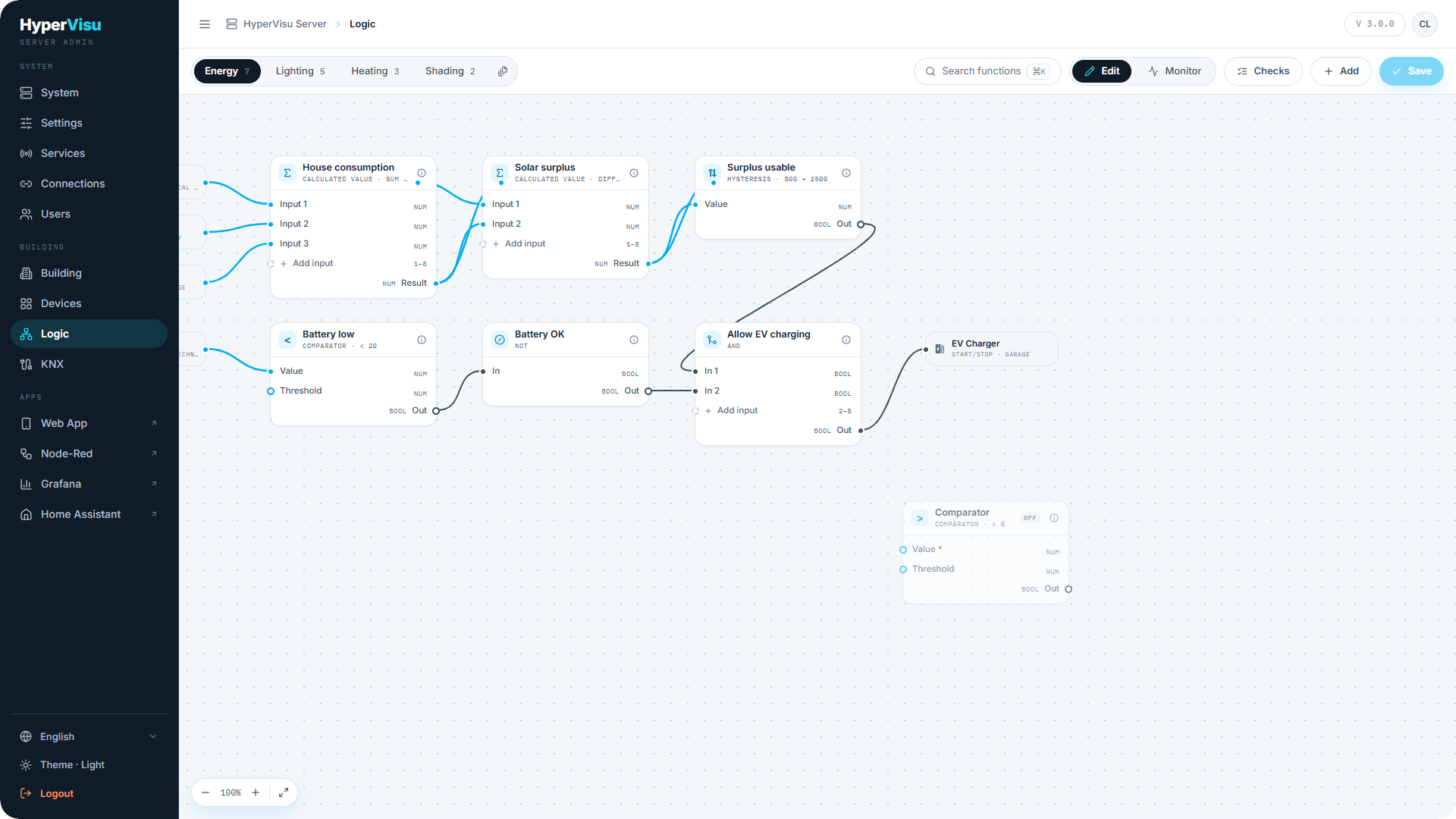
Open Logic from the admin sidebar. The page is a canvas of function cards connected by wires, organized in sheets. Everything you edit stays local in the browser until you click Save.
Concepts
- A function is one configured instance of a logic block from the catalog — one Thermostat, one Staircase timer. The catalog ships with the server; a server update is what adds new block types.
- Functions live on sheets — tabs that organize the canvas ("Heating", "Shading", …). A special Unfiled sheet collects functions that belong to no sheet.
- A function's inputs bind to one of four source kinds:
- a device object (a widget's communication object),
- another function's output (a wire on the canvas),
- a fixed constant,
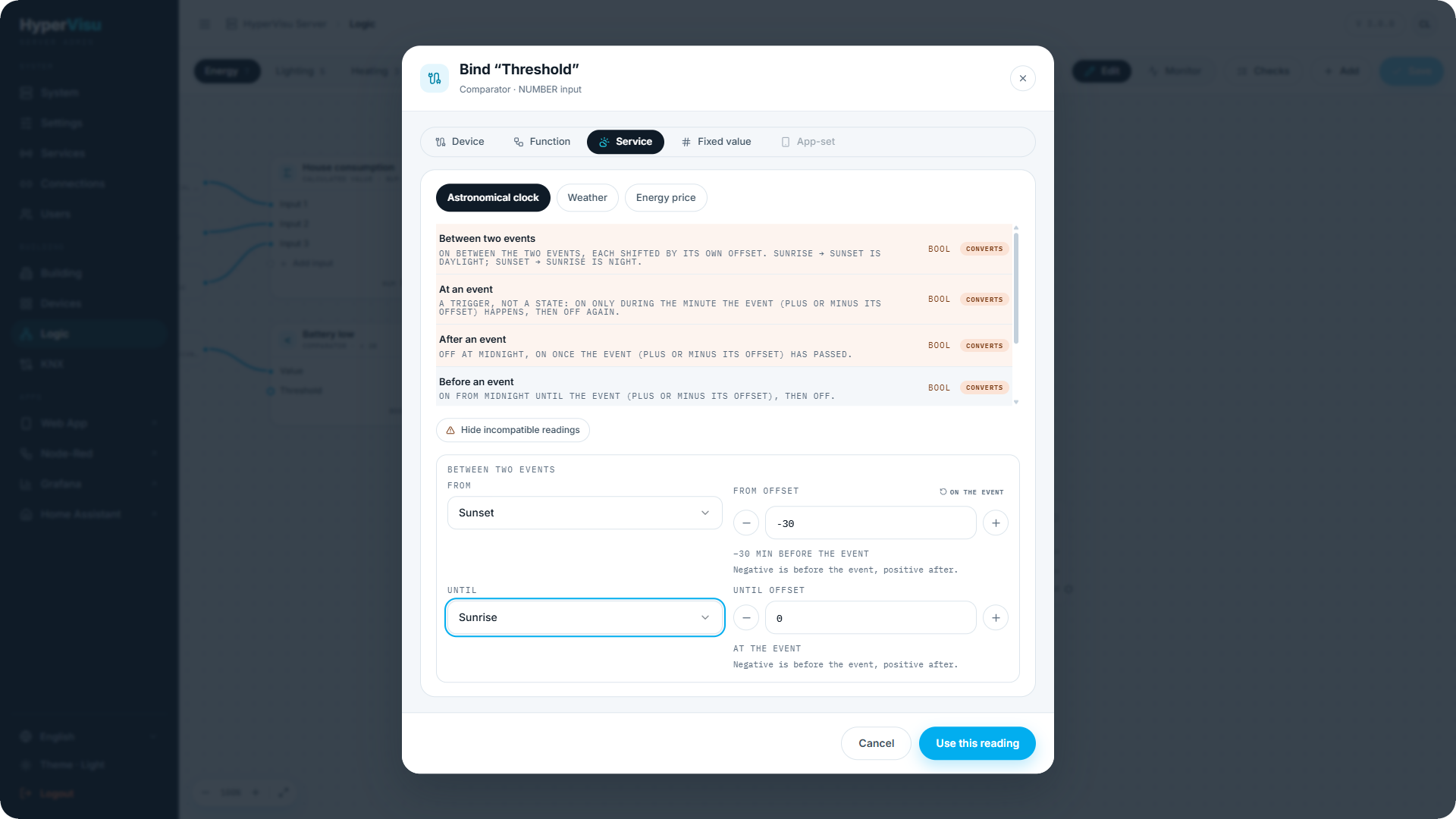
- a service reading — astronomical clock, weather or energy price.
- A function's outputs write to device objects, trigger actions — a scenario, an automation, a global command, a notification, an e-mail (see “Function Setup & Outputs”) — or feed other functions.
- Edit and Monitor are two modes of the same canvas: Edit changes the wiring, Monitor shows it running (see “Logic Validation, Monitoring & Safety”). Switch between them in the page header.
- Nothing reaches the server until you click Save. The button shows how many functions you touched, e.g. Save (3).
📘 Note: Sheets are organization only — a function runs the same wherever it is filed.
The canvas
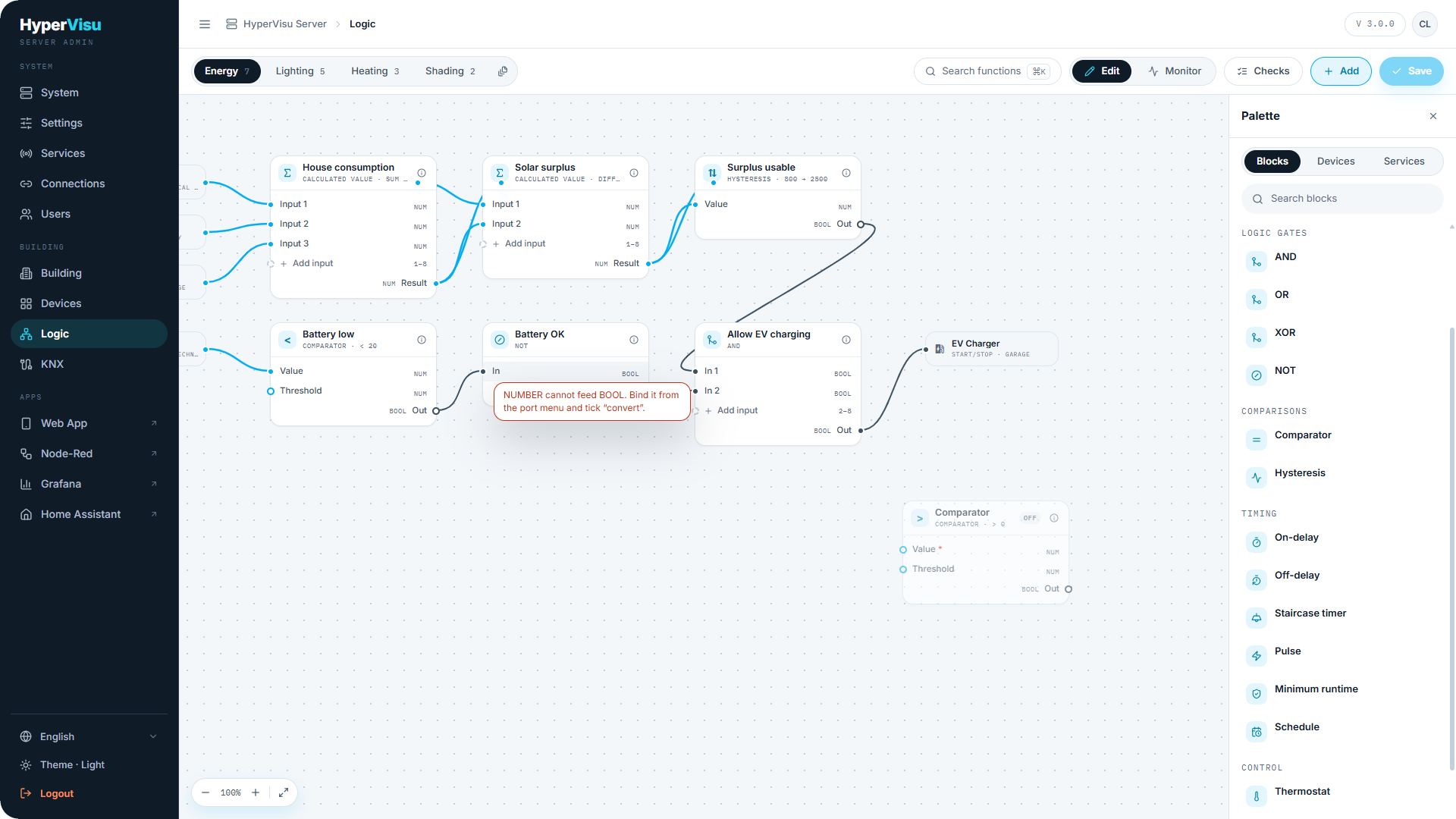
Placing functions. Open the palette drawer; it has three tabs:
| Tab | Contains |
|---|---|
| Blocks | The block catalog, in seven groups (see “Logic Block Reference”). Drag a block onto the canvas to create a function. Each block has a help panel explaining how it behaves. |
| Devices | Your widgets and their objects — drag one onto the canvas to use it as a source or a target. |
| Services | Astronomical clock, weather and energy price readings. |
Wiring. Drag from an output port to an input port. Wires are typed: connecting incompatible ports is refused at the moment you drop the wire, with the reason shown. Where a conversion makes sense (e.g. BOOL → NUM), you can explicitly choose a coercion instead.
Variadic inputs. Some blocks accept a variable number of inputs (gates, Calculated value, Selector, Radio buttons). Use add input on the card, up to the block's maximum.
Per-input options. Each bound input can carry:
- a type coercion (as above);
- a stale-input watchdog — a timeout in seconds after which a silent source is treated as failed, with a policy: hold the last value or force off. Use it on safety-relevant sensors (wind, presence).
Find. Press Ctrl/⌘ K to search every sheet at once — by function name, block type, category, room, or state (error, suspended). Picking a result jumps to it.
Sheets. Create, rename, reorder and delete sheets from the sheet tabs. Deleting a sheet does not delete its functions — they move to Unfiled and keep running.
Service sources
The Services tab of the palette offers server-side readings as input sources — no physical sensor needed:
| Source | Readings |
|---|---|
| Astronomical clock | Between two events, at an event, before/after an event with a ± minutes offset, sun elevation, sun azimuth. |
| Weather | Current readings from the weather service (temperature, brightness proxy, wind, …). |
| Energy price | The current electricity price and tier. |
Each source reports whether it is available on this server — and if not, why (weather service not configured, no energy-price API key, location not set). Configure the underlying services in “Weather Service” and “Energy Price Service”; sun calculations depend on the coordinates set in “Network & Time Settings”.