
Validation & save
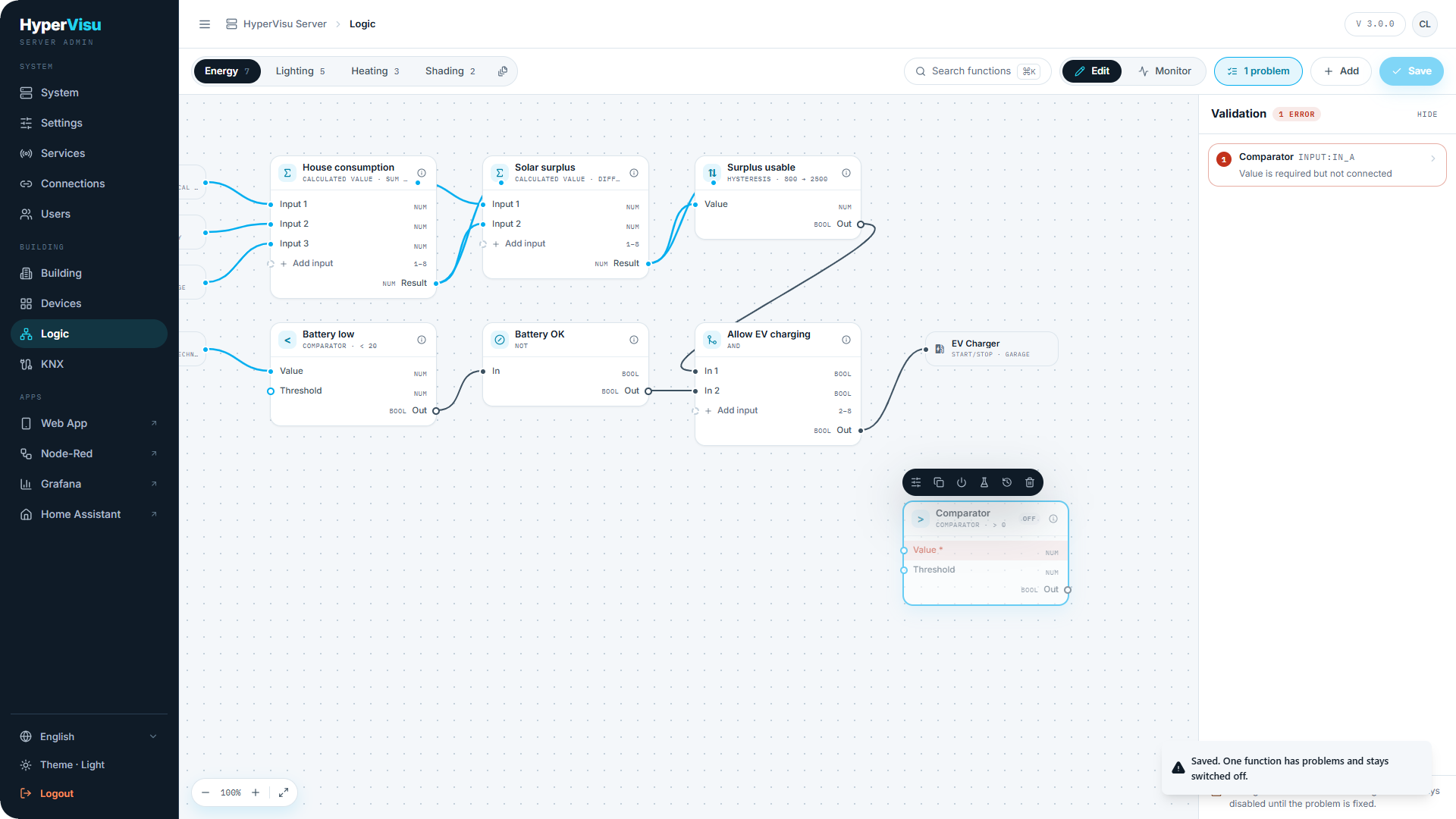
When you save, every touched function is checked:
- Required input unbound — a mandatory port has no source.
- Type mismatch — a wire or binding whose types do not fit (and no coercion chosen).
- Forbidden target — an output pointed at an object it must not write.
- Cycle without a timing block — a feedback loop that would run unbounded; insert a timing block to make it legal.
Saving is always allowed — but a function that fails validation is saved disabled ("disabled by validation") and does not run until you fix it. The result is announced ("Saved. One function has problems and stays switched off.") and the validation panel lists each problem and points at the exact card, port or wire.
📘 Note: This is deliberate: you can save a half-finished sheet at the end of the day without breaking what already runs.
Monitoring & maintenance
Switch the canvas to Monitor to watch the logic run: live values appear on ports and wires, and each card gets a health footer:
| State | Meaning |
|---|---|
| OK | Running normally; shows the last run time. |
| SUSPENDED | A manual override from the app paused it (a resident moved the shutter by hand). Shows the remaining countdown and a Resume now button. |
| DISABLED | Switched off — by you, or by validation. |
| ERROR | Something is wrong, in plain language — e.g. a stale input: "sensor silent for 18 min — output held". |
Execution history. Open a function's history to see its last runs — each with the input values and the outputs they produced — and export the log. This is your answer to "why did the shutters move at 14:02?".
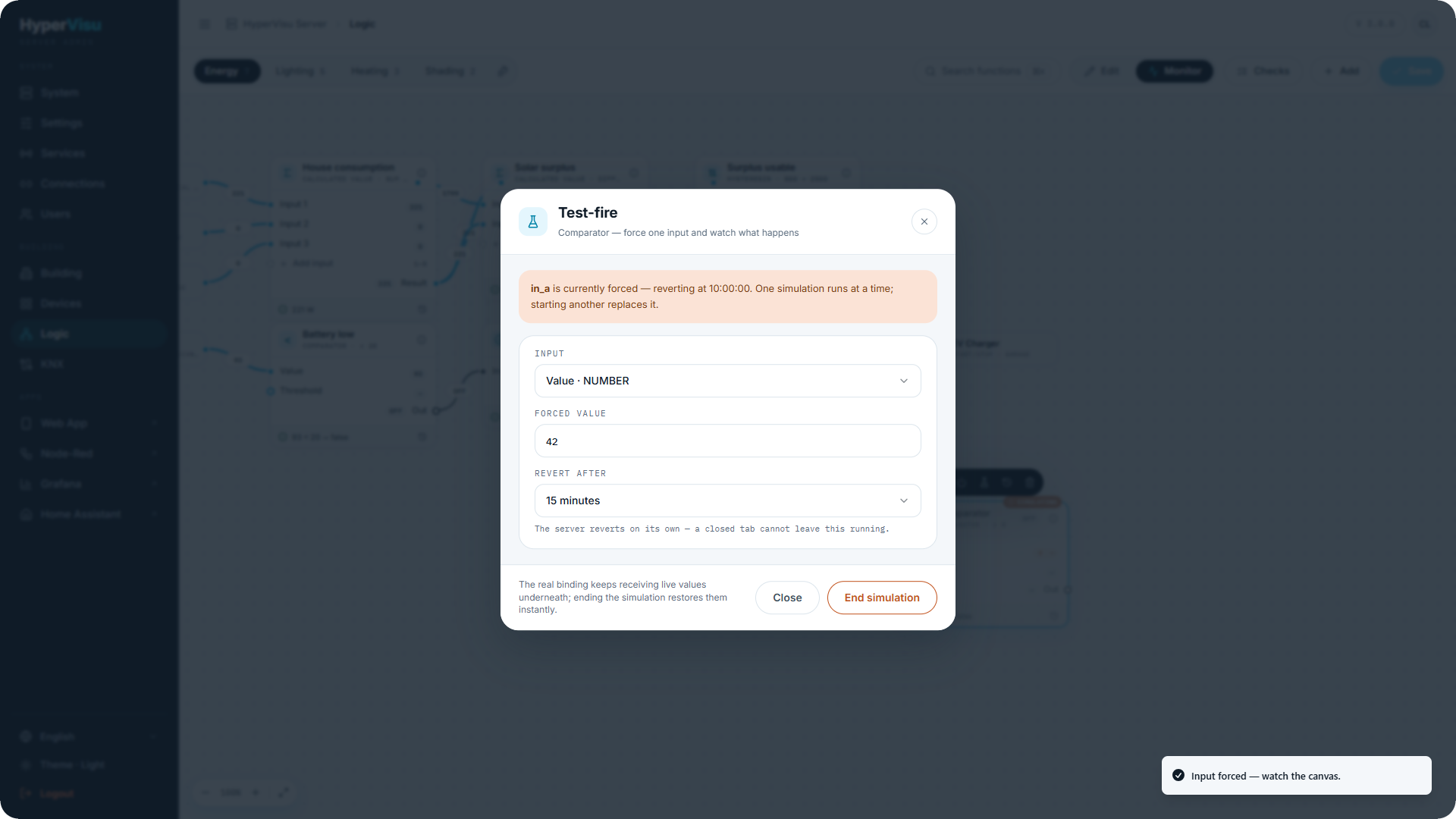
Test-fire / simulation. To test without waiting for real conditions, force an input value:
- Open the function's test-fire dialog and pick the input port.
- Enter the forced value and a Revert after duration (default 15 minutes, maximum 1 hour).
- Click Force the value. The port is marked SIM; the real binding is untouched underneath.
The server reverts the forced value on its own timer — a closed browser tab cannot leave a simulation running — and the simulation start and end both appear in the execution history.
Deleting a function. Delete shows an impact dialog first: which functions consume its outputs, and which materialized widgets it created — for each widget you choose to keep it (it lives on as a normal virtual device) or delete it too.
Safety rails
The engine protects the installation from logic mistakes:
- Loop breaking — a propagation depth cap stops chains that loop through devices from running forever.
- Rate limiting — a runaway function (20 runs within 10 seconds) is automatically suspended for 60 seconds and flagged in Monitor mode, instead of flooding the bus.
- Sizing — soft guidance is about 200 functions per installation. Beyond that, prefer consolidating (one Calculated value with 8 inputs instead of a tree of sums) and question whether some logic belongs in the devices themselves.
📘 Note: These rails limit damage; they do not replace design. Anything that must never fail unsafe (wind, frost) should also be protected in the actuator's own parameters.