
Automations
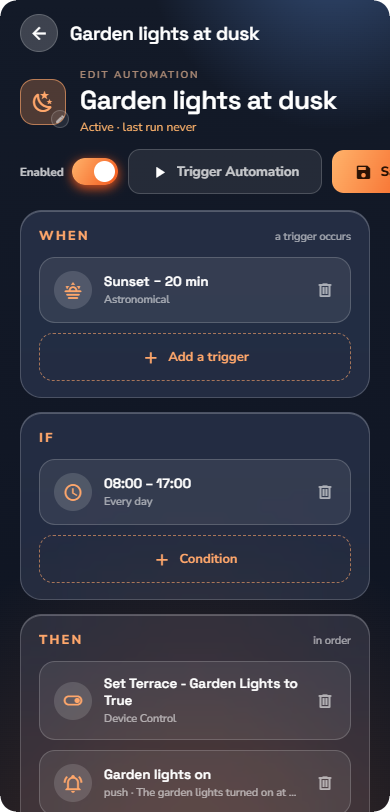
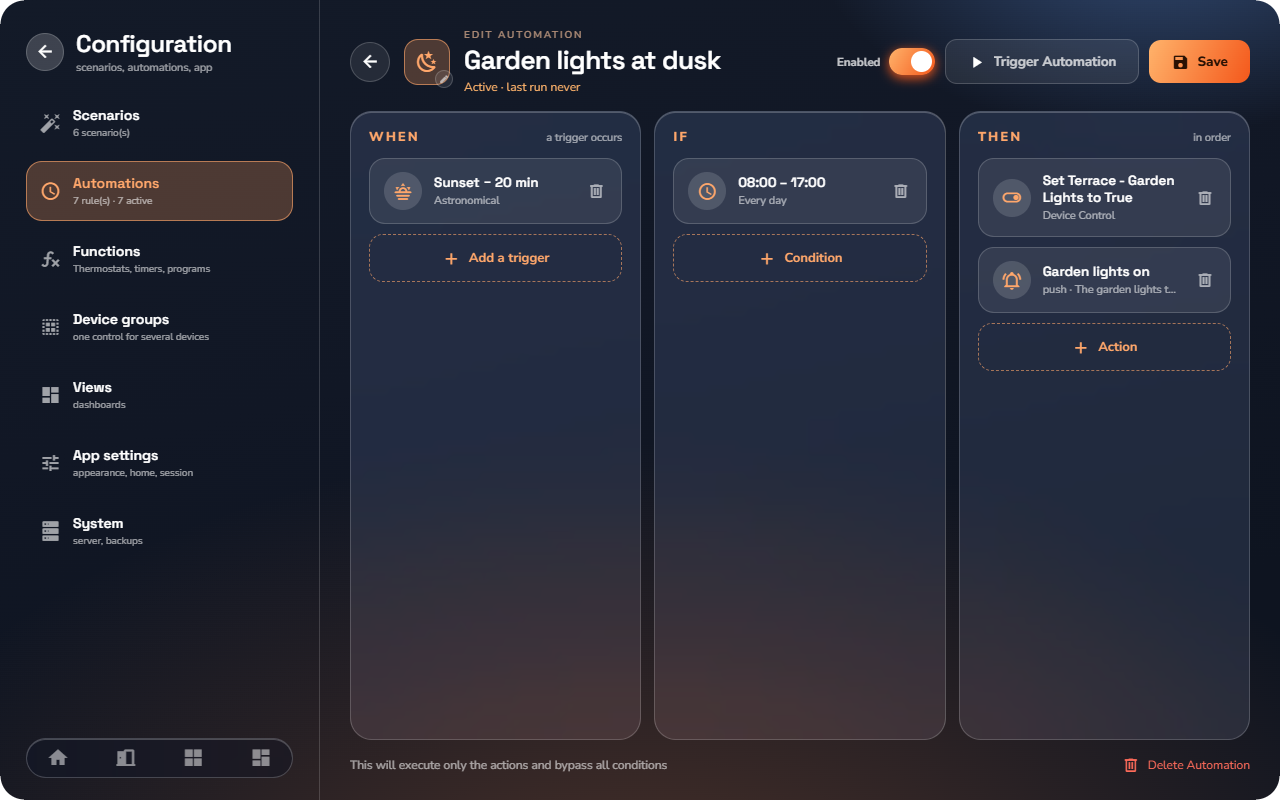
An automation is a rule the house follows on its own: When something happens, If the circumstances are right, Then do these actions. Open them from Configuration → Automations.
The rule model
- When — the triggers. If there are several, any one of them starts the rule (OR).
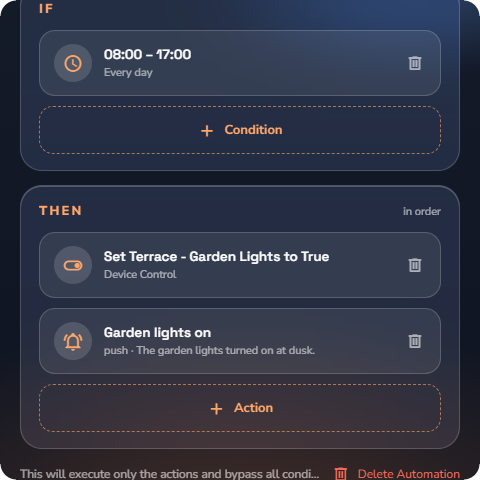
- If — the conditions, checked before the actions run. Optional: "without conditions, the automation runs on every trigger". Under All conditions must be: you choose whether all conditions must be true (AND) or any one of them (OR).
- Then — the actions, executed in order.
Triggers — what starts the automation
Tap Add a trigger and choose:
| Trigger | What it does |
|---|---|
| Time | Runs on a schedule: Every day at a time, Chosen days, One date, or an Interval in minutes. |
| Device State | Runs when a device parameter changes: choose the device, the parameter, and the condition (Becomes equal to a value, not equal, above, below, or simply changes). For at least adds a hold time so brief blips don't trigger the rule. |
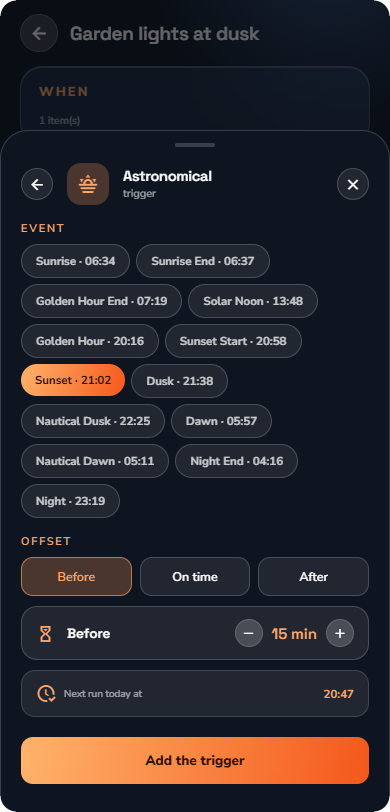
| Astronomical | Runs at a sun event — Sunrise, Sunset, Dawn, Dusk, Solar Noon, Golden Hour, Nautical Dawn and the other sun events — with an Offset in ± minutes. The builder shows today's computed time ("Next run today at 21:14"). |
| Weather Forecast | Runs when a forecast crosses a threshold (temperature, wind, precipitation, cloud cover…). |
| Energy Price | Runs on the electricity price (see this article for the shape). |
| Manual | No automatic start — you run it by hand, from the list or from a view. |
📘 Note: The Weather Forecast and Energy Price triggers appear only when the corresponding service is enabled on the server (see “Weather Service”, “Energy Price Service”).
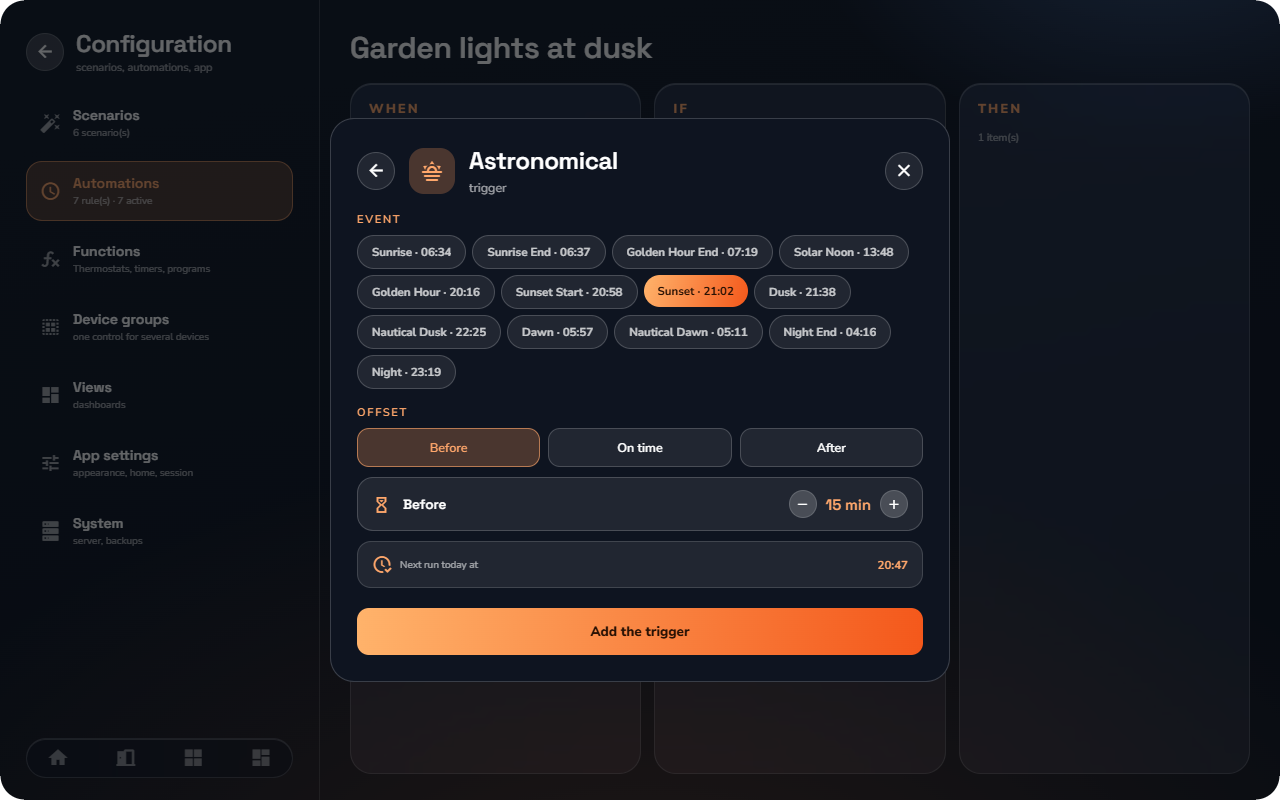
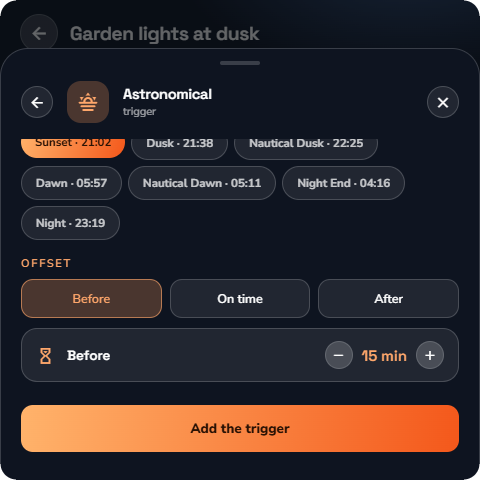
Conditions — checked before the actions run
Tap Add a condition and choose:
- Device State — a device's current value compared to a threshold.
- Time Range — only between a start and end time, optionally on selected days.
- Date range — a period of the year ("a season — from 15 June to 15 Sept."). If the end date comes before the start date, the range crosses into the next year. Choose Repeat every year or limit it to one year.
- Astronomical — only between two sun events, for example after sunset and before dawn (select a start and a stop event). The builder shows today's times.
- Weather Forecast — a forecast check over a window (Current, Next 1/3/6/12/24 hours, Tomorrow) with an Aggregation (Average, Minimum, Maximum, Any, All).
- Energy Price — the price over a window (Current Hour, next hours, Today, Tomorrow), either Absolute (above/below/between a value) or Statistical (Below Average, In Cheapest N Hours, percentile…).
Actions — what the automation does
Tap Add an action and choose:
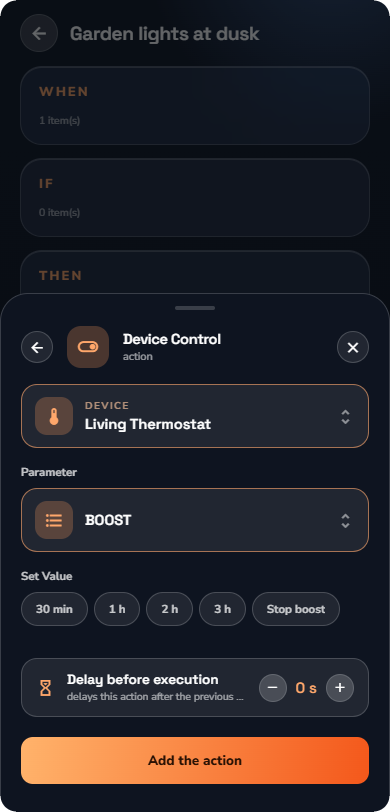
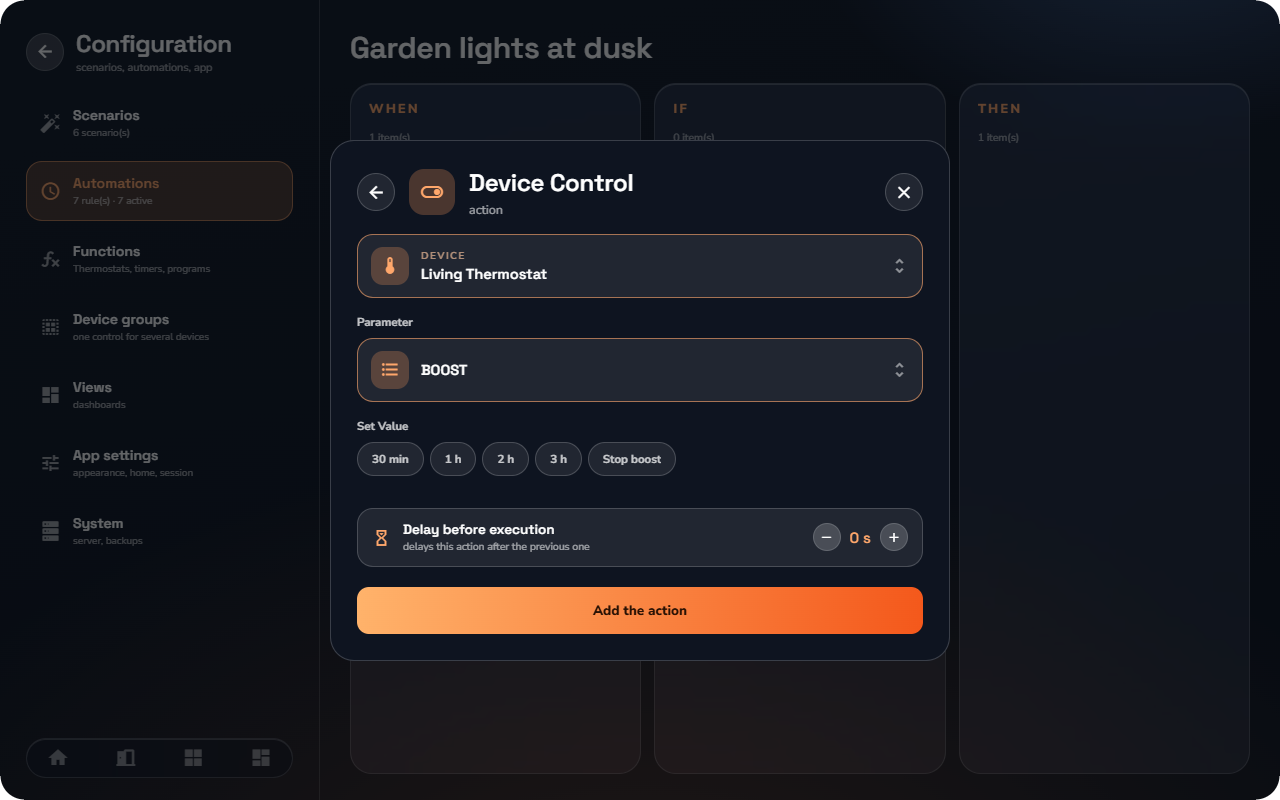
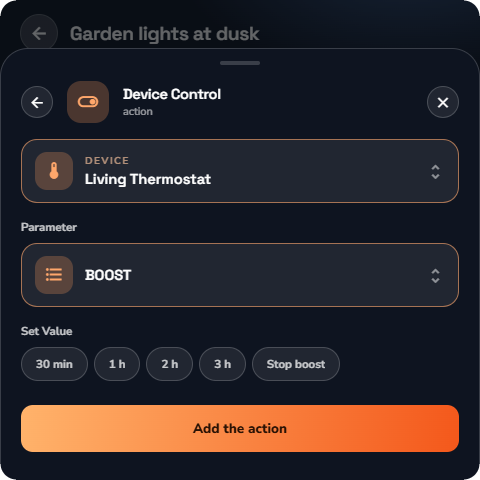
- Device Control — set a device parameter to a value. On a thermostat, the Boost parameter starts a boost of 30 min, 1 h, 2 h or 3 h (or Stop boost).
- Scenario — run an existing scenario.
- Global Command — lights or shutters of a whole Room or Category at once.
- Notification — send a push notification to the app.
- E-mail — send an e-mail with a custom subject and message to HyperVisu users. Requires the Email service (see “Email Service”) — the option is greyed out until it is configured. You choose the recipients, the channel (push or e-mail) and a priority.
Every action has an optional Delay before execution in seconds, shown as a chip on the action ("delays this action after the previous one").
Managing automations
From the Automations list:
- Active toggle — enable or disable a rule without deleting it.
- Trigger Automation — a test run: "This will execute only the actions and bypass all conditions."
- Duplicate — copy a rule to build a variant.
- Each row shows its trigger/condition/action counts, its next run (for time-based triggers) and its last run.
- Every automation can have its own icon (Choose an icon).
Automation & scenario vocabulary reference
The complete vocabulary of the rule editor and scenario schedules (see “Scenarios”), as compact tables.
Triggers (WHEN)
A rule fires when any one of its triggers fires — multiple triggers combine as OR.
| Trigger | Fires when | Parameters |
|---|---|---|
| Device state | A device's value matches the test | Device + object, operator: equals · not equals · above · below · changes |
| Time | The clock reaches a set time | Daily, weekly (chosen weekdays), or a specific date |
| Astronomical | A sun event occurs | One of the 13 sun events ± offset in minutes |
| Manual | You run the rule yourself | — (the rule appears as a button in the app) |
| Weather forecast | The forecast crosses a threshold | Forecast value, operator, threshold |
| Energy price | The electricity price crosses a threshold | Price operator + threshold |
Conditions (IF)
Conditions are checked after a trigger fires; the rule runs only if they pass. Conditions combine with AND / OR operators.
| Condition | Passes when | Parameters |
|---|---|---|
| Device state | A device's value matches the test | Device + object, operator, value |
| Time range | The current time is inside the window | Start–end time + weekdays |
| Period of the year | Today matches the date rule | Date range, operator: is · is not · is before · is after |
| Astronomical state | The sun state matches (e.g. after sunset) | Sun event / state |
| Weather forecast | The forecast in a window matches | Window: now · 1 h · 3 h · 6 h · 12 h · 24 h; aggregation: average · lowest · highest; operator + threshold |
| Energy price | The current price matches | Operator + threshold |
Actions (THEN)
Every action can carry an optional delay in seconds before it executes.
| Action | What it does | Parameters |
|---|---|---|
| Device control | Sets a device to a value | Device + target value |
| Thermostat boost | Starts (or cancels) a Boost on a thermostat | Duration in minutes; 0 cancels a running boost and restores the previous setpoint and mode |
| Scenario | Runs a scenario | Scenario to run |
| Global command | Runs a room or category command | Room or category; lights or shutters; on/off, up/down |
| Push notification | Sends a notification to phones | Message text |
| Sends an e-mail to HyperVisu users | Recipients (users), subject, message — requires the Email service (see “Email Service”) |
Astronomical events
The 13 sun events, computed daily from the server's coordinates (see “Network & Time Settings”). Every astronomical trigger accepts a ± offset in minutes.
| Event | Meaning |
|---|---|
| dawn | Morning civil twilight starts (sun −6°) |
| sunrise | The top of the sun reaches the horizon |
| sunriseEnd | The whole sun is above the horizon |
| goldenHourEnd | End of the morning golden hour |
| solarNoon | The sun at its highest point |
| goldenHour | Start of the evening golden hour |
| sunsetStart | The sun touches the horizon |
| sunset | The sun is fully below the horizon |
| dusk | Evening civil twilight ends (sun −6°) |
| nauticalDusk | Nautical dusk (sun −12°) |
| night | Astronomical night starts (sun −18°) |
| nightEnd | Astronomical night ends |
| nauticalDawn | Nautical dawn (sun −12°) |
Scenario schedules
| Property | Value |
|---|---|
| Schedules per scenario | Up to 3 |
| Schedule kinds | Weekly (chosen weekdays + time) or a specific date + time |
| Per-slot control | Each schedule slot can be enabled or disabled on its own |