
A scenario ("scene") sets several devices to a chosen state in one tap — "Movie night" dims the lights, closes the shutters and turns on the amplifier. This section covers running, creating and scheduling scenarios.
Running a scenario
You can run a scenario from three places:
- The Scenarios list (Configuration menu → Scenarios): tap the play button on the scenario's row.
- The home screen's Scene of the moment card — "tap to activate".
- Any view where the scenario has been placed (see “Custom Views”).
Creating or editing a scenario
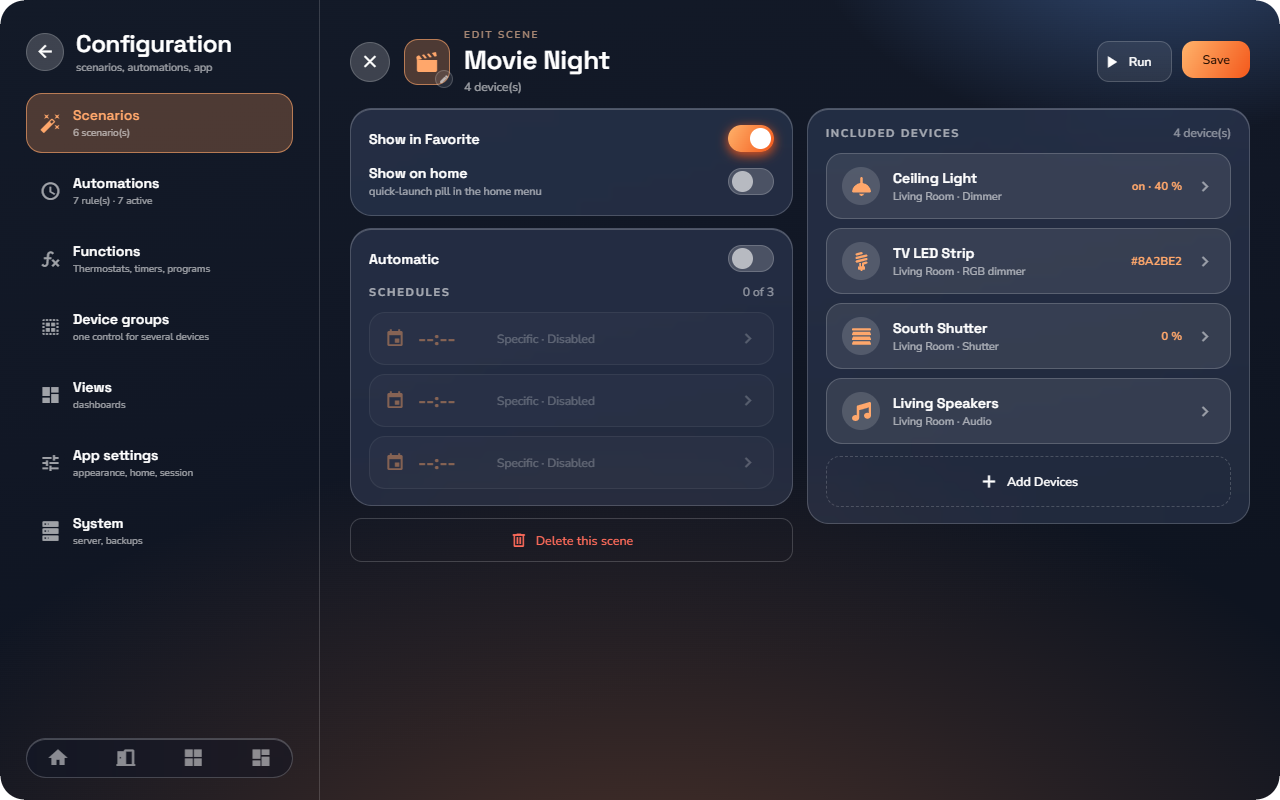
- Open Configuration → Scenarios and tap Create a scenario (or tap an existing one to edit it).
- Give it a name and tap the icon to open Choose an icon.
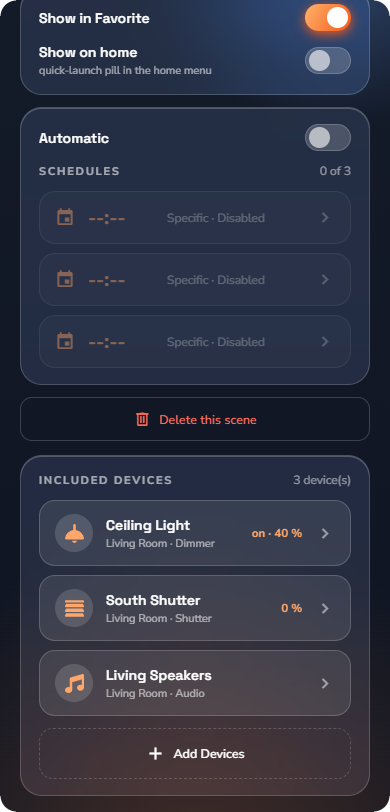
- Optionally enable Show in Favorite and Show on home (a quick-launch pill in the home menu).
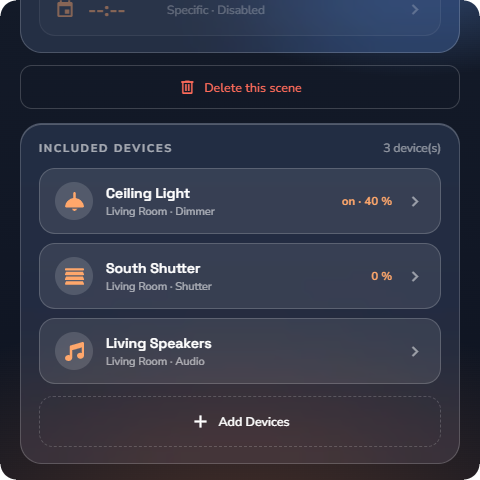
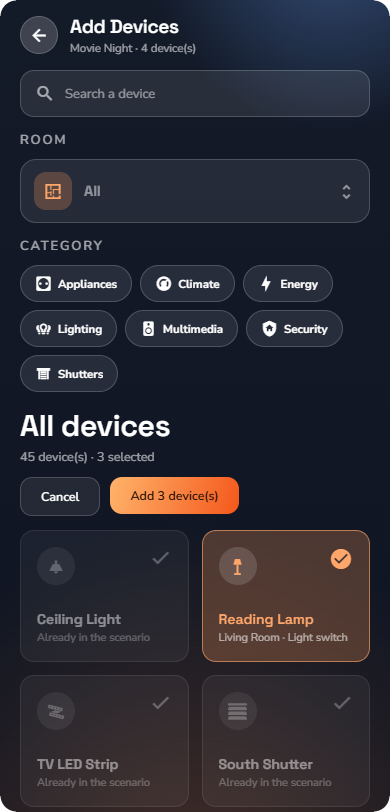
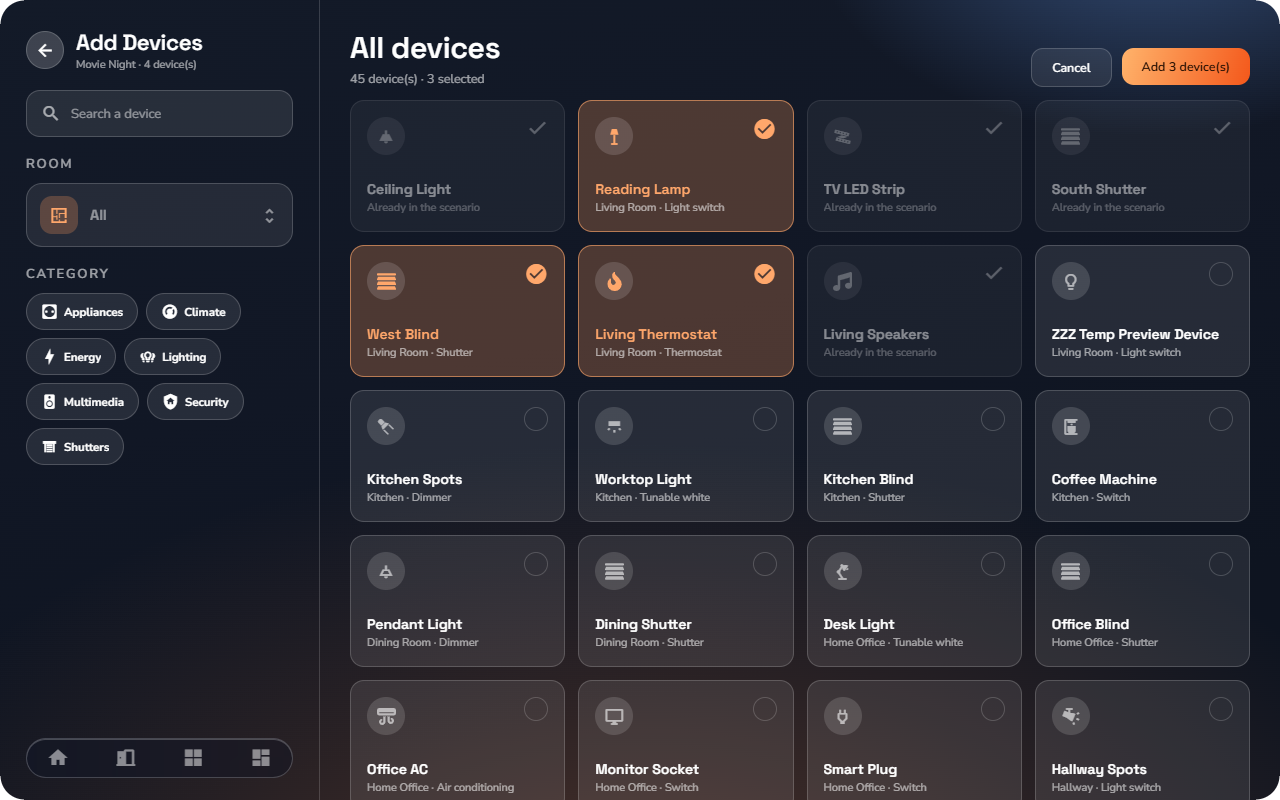
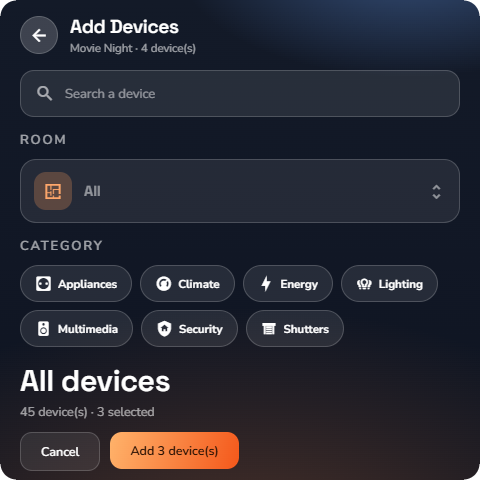
- Under Included Devices, tap Add Devices.
- Search with Search a device or narrow the list with the Room and Category filter chips, select the devices, then tap Add N device(s). Devices already included are marked "Already in the scenario".
- Set each device's target state by clicking the devices in the list. The editor matches the device type: on/off, level %, color, position, mode (Comfort / Standby / Night), fan speed (Low / Medium / High), volume, arm state (Arm / Partial / Disarm), Locked / Unlocked, Charging, and so on.
- Tap Save. Use Run to test the scenario immediately.
Automatic execution — schedules
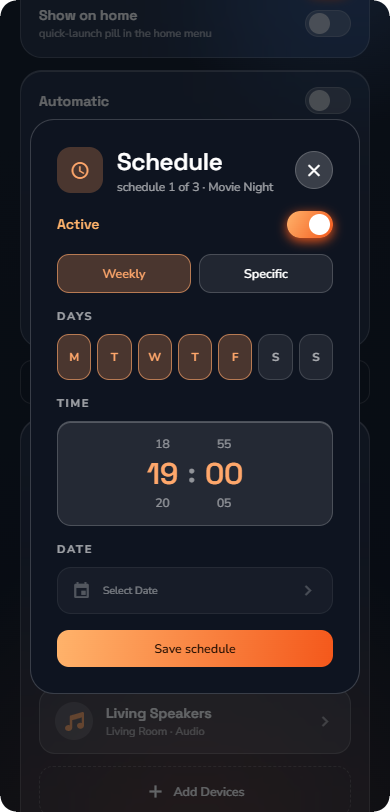
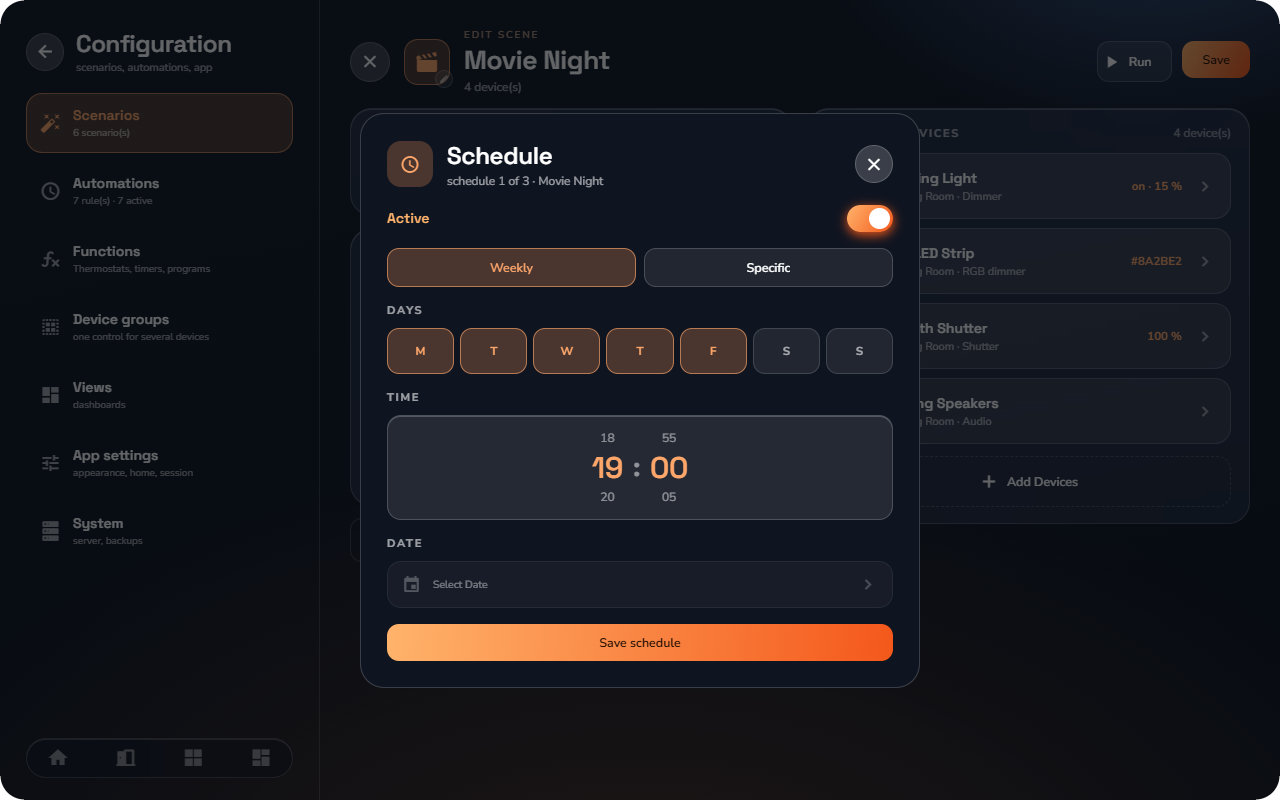
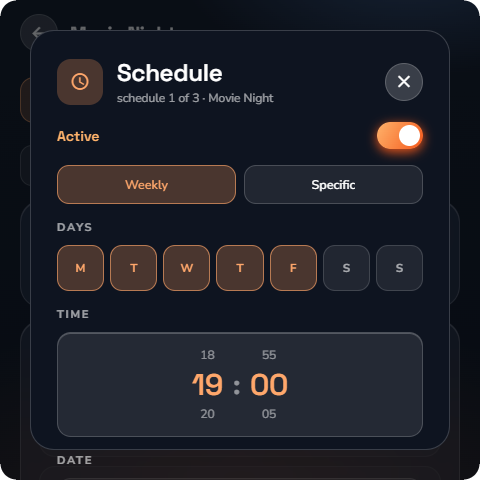
A scenario can run itself on up to 3 schedules. In the scenario, open Schedules (the counter shows, for example, "1 of 3").
For each schedule slot:
- Choose the type: Weekly (pick days on the weekday strip and a time on the wheel — minutes move in 5-minute steps) or Specific (one calendar date and a time).
- Turn the slot Active or leave it Disabled — each slot is enabled independently.
- Tap Save.
The scenario's row shows its next run ("next run Today at 19:00").
Duplicating and deleting
From the Scenarios list, open a scenario's menu to Duplicate it (a quick way to build variants) or Delete it. Deleting asks for confirmation: "This scenario will be permanently deleted."