
Before configuring the gateway, the AJAX alarm system must be prepared. Follow the steps below in order.
Configure the AJAX Hub for SIA Events
On the AJAX side, configure your AJAX Hub to send SIA Events to the gateway’s IP address. This is the communication protocol the gateway uses to receive alarm statuses and zone events in real time.
The SIA heartbeat event is used by the gateway to confirm active communication between the gateway and the AJAX Hub.
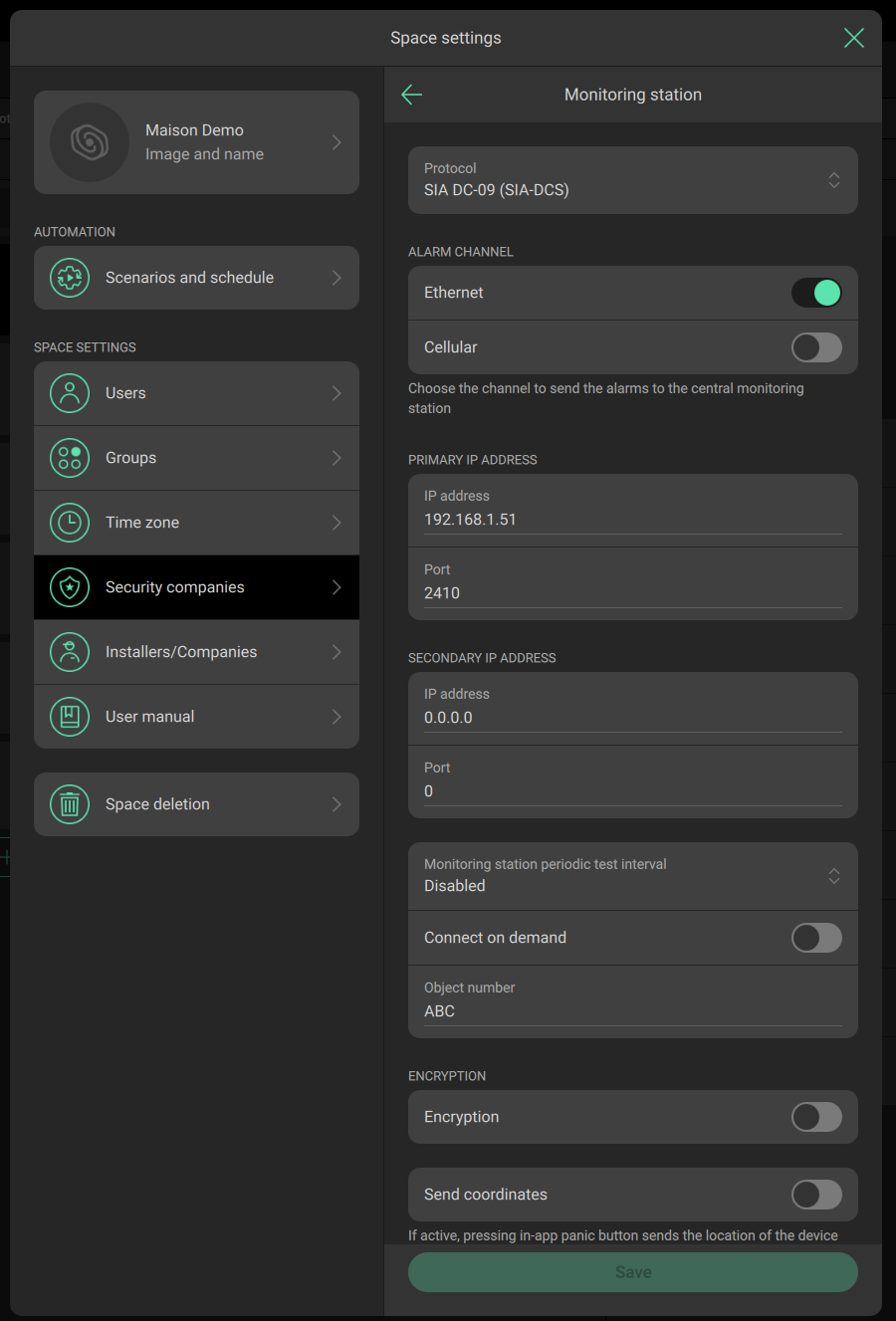
Open the Space Settings, then Security Companies, then Monitoring Station and set:
- IP Address of the Gateway and port 2410 (see Network Configuration under Configuring the gateway).
- Object number : 3 letters of your choice (not relevant).
Important: The AJAX Hub can only send SIA events to a single destination. If the Hub is already configured to report SIA events to a monitoring station or security company, you will need to redirect SIA event reporting to the AJAX-MBTCP Gateway instead. The gateway and an external SIA-based monitoring service cannot operate simultaneously on the same AJAX Hub.
Invite Elausys as Security Company
If you need bidirectional control — meaning you want to arm or disarm AJAX areas from Modbus TCP — use the email invitation option to invite Elausys as a Security Company using the email address info@elausys.be in the AJAX app. This grants the gateway the necessary permissions to send commands back to the AJAX Hub.
Arming and disarming commands from the gateway require internet access. The connection is established through the AJAX secured cloud using a fully encrypted protocol, identical to the one used by the AJAX mobile application.
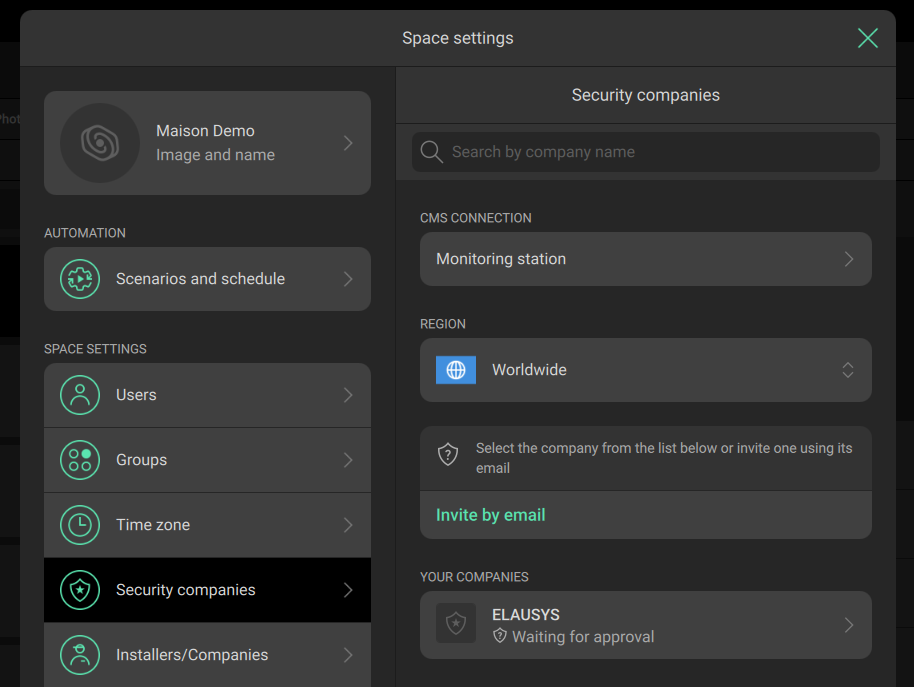
The security company ELAUSYS will remain in “Waiting for approval” state until approved by Elausys, only then will commands from Modbus be executed.
Note: If you only need zone monitoring and status feedback (one-way communication), this step is optional.
Understanding Zone Reporting Behaviour
By default, AJAX motion detectors (MotionProtect) and door/window contacts (DoorProtect) only report zone status to the gateway when the system is armed or in night mode. This means that in the disarmed state, motion and door events are not transmitted through Modbus TCP.
If you want zone status available through Modbus TCP at all times — for example, motion-triggered lighting during the day or door-triggered welcome scenes — you can configure individual devices as Always Active (24hrs) in the AJAX app.
Important: Setting a device to Always Active means it will also trigger the alarm even when the system is not armed. This is by design in the AJAX platform. Use this setting selectively and only on zones where permanent reporting is genuinely needed.
Understanding Night Mode (Partial Arming)
The Global Partial coil controls Night Mode for the complete Hub. Night Mode is a global function rather than an individual group command.
Night Mode operates differently depending if groups are enabled or not in the Space Settings of the alarm panel.
When groups are enabled the night mode is independent from the arming or disarming of individual groups:
- Disarming a group does not disable Night Mode. Night Mode remains active until explicitly disabled.
- To disable Night Mode, you must send the Partial Arm (OFF) command using the Global Partial coil.
When groups are disabled (1 area only) the night mode is automatically reset after arming or disarming of area 1.