
Skip to content
Elausys

Modbus TCP Gateways for Alarm Systems / AJAX-MBTCP User Manual

Firmware

Read the installed firmware version and install updates from the gateway webpage.

elausys · 18 September 2026

The gateway documentation applies to firmware versions V1.1.0.7 and above.

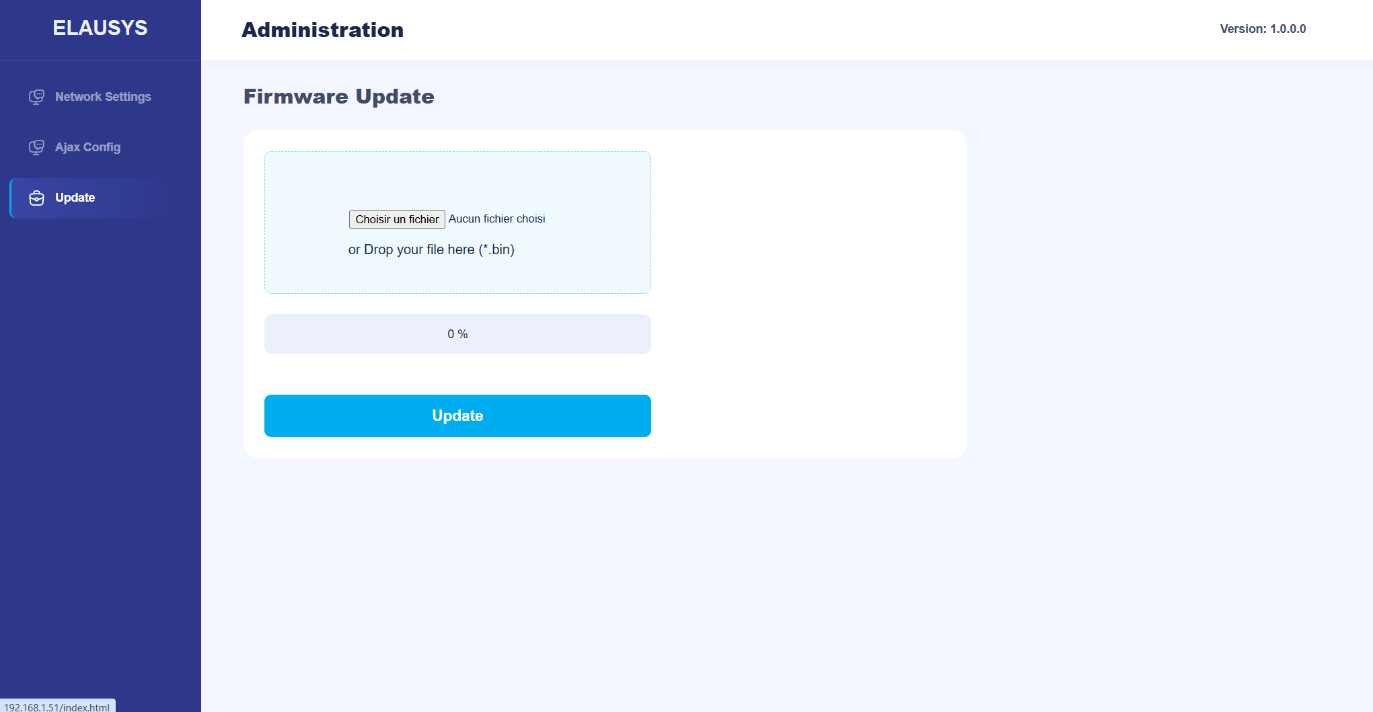
The firmware version can be read from the gateway web page using a web browser. It is displayed on the top right of the page.

If a new firmware version is available, the device can be updated from the Update page on the gateway’s web interface. Select the binary file and press the Update button.
ajax-mbtcp-2c50f666e87f4f6c.png

Frequently Asked Questions

Where is the installed firmware version displayed?

The installed version appears at the top right of the gateway webpage.

How do I install a firmware update?

Open the Update page in the gateway web interface, select the firmware binary file and press Update.

Keep exploring

Find the other guides for this product in the documentation.

Back to AJAX-MBTCP User Manual