
Network Configuration
By default, the IP address of the gateway is set to 192.168.1.51.
Using a laptop connected to the gateway, open a web browser and navigate to the IP address of the gateway. Set a fixed IP address of your choice.
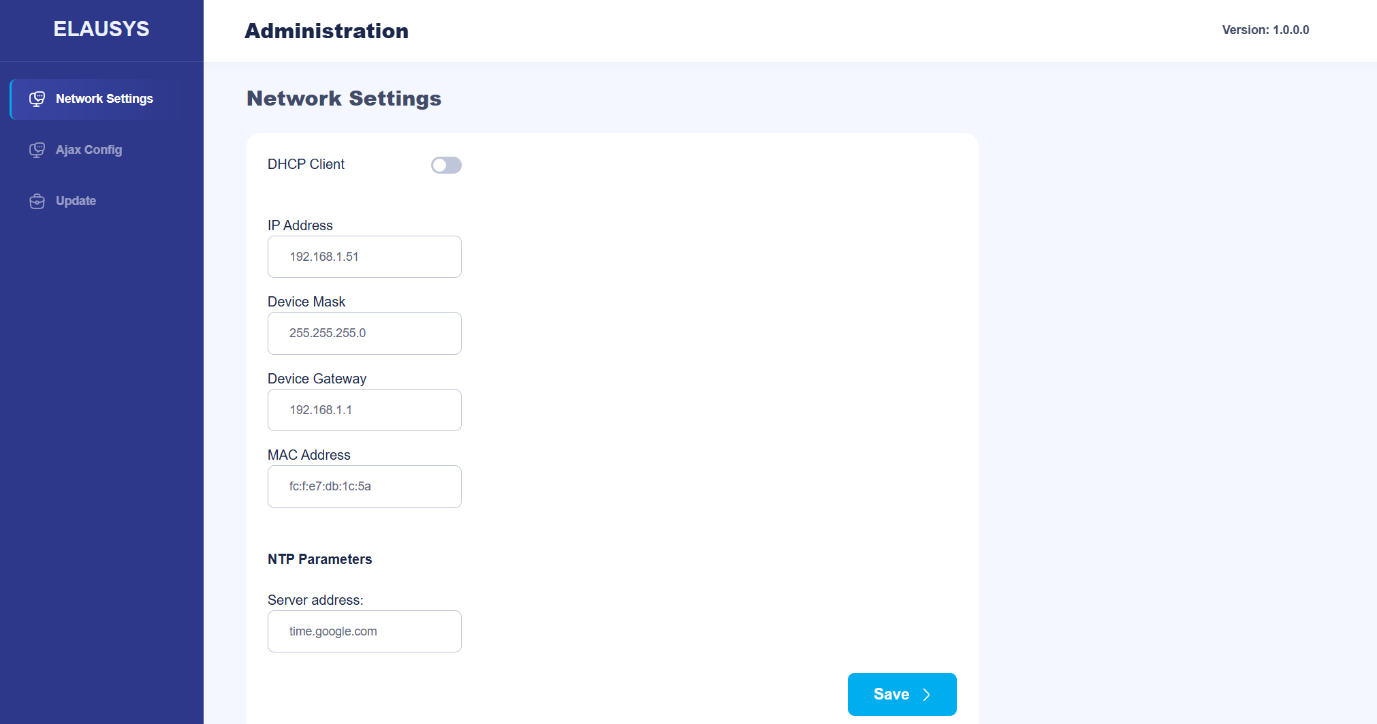
Note: Ensure your computer is on the same subnet as the gateway. If you are using DHCP and the network ranges differ, temporarily assign your computer a static IP in the 192.168.1.x range to access the gateway. Once the gateway's IP address has been updated, you may revert your computer to its original network settings.
Ajax Settings
- The Ajax Settings must be set on the Ajax Config page.
- The hub ID is made of 8 characters and can be found at the bottom of Hub status, below the version.
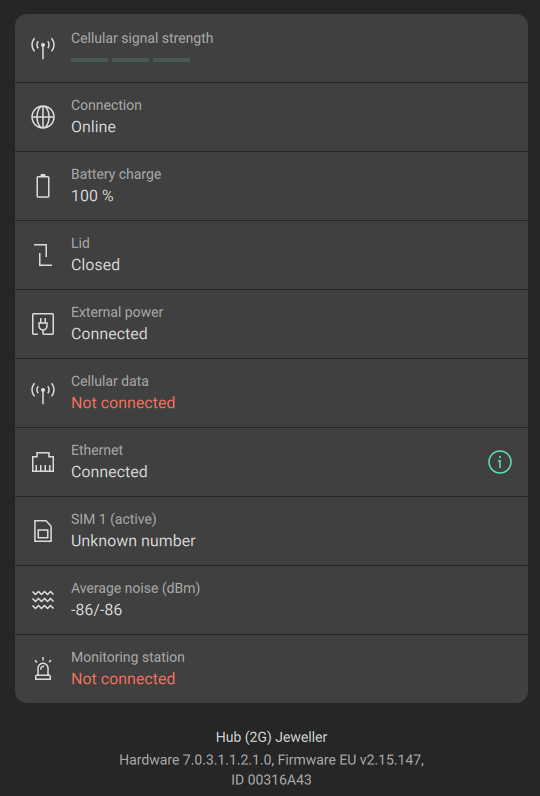
Note: If you only need zone monitoring and status feedback (one-way communication), this step is optional.
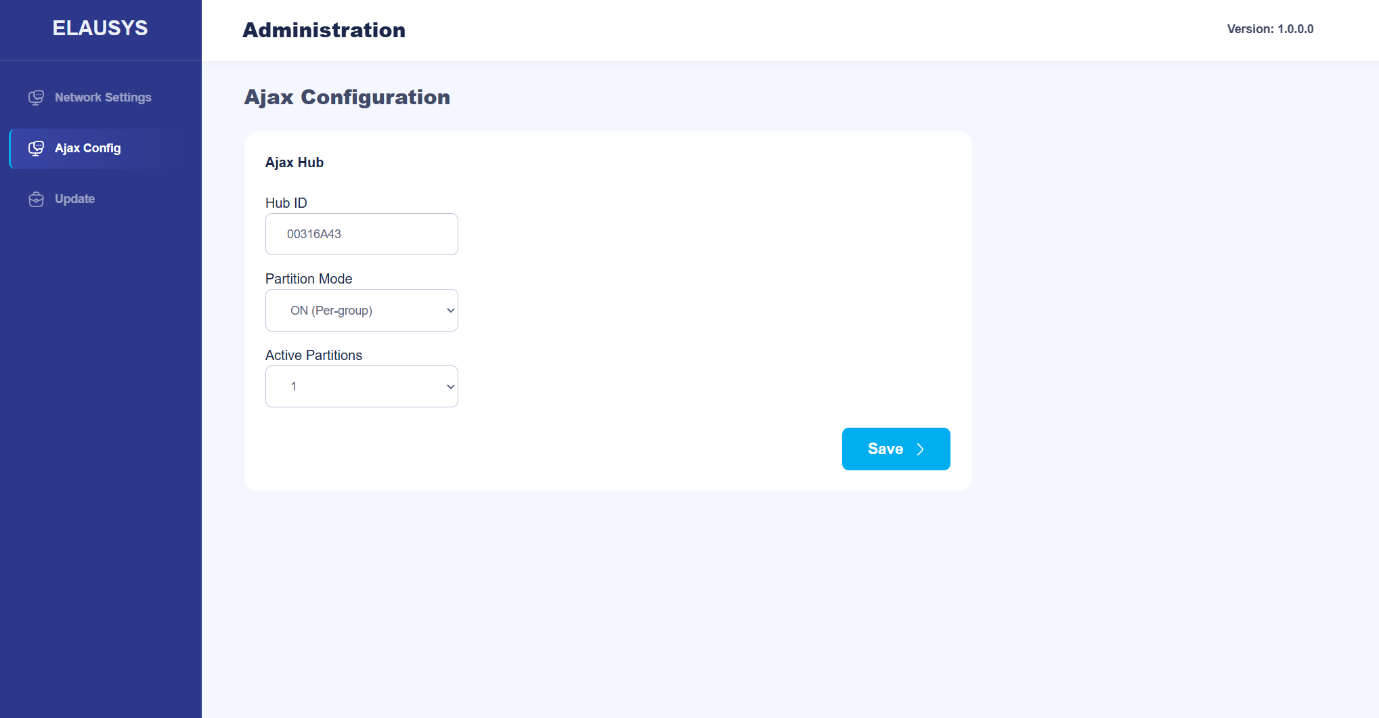
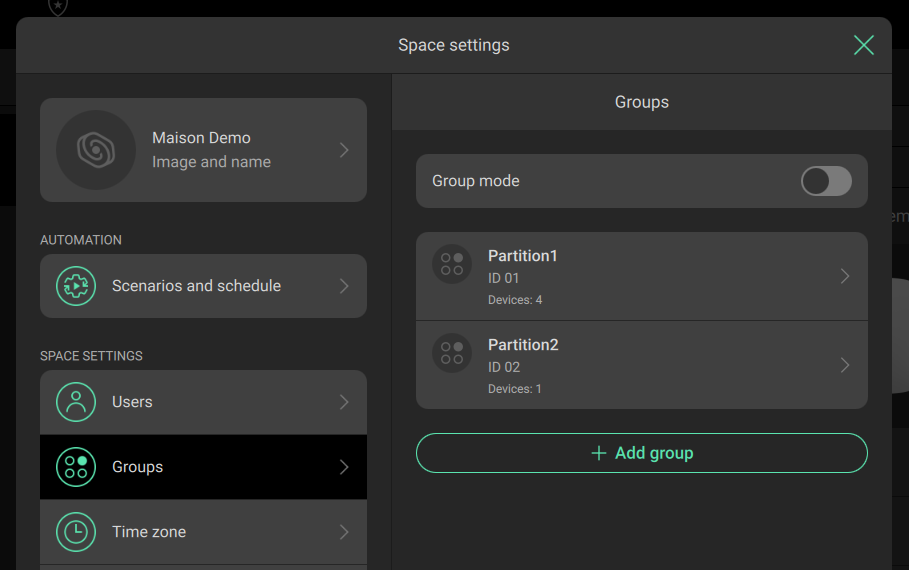
- The partition Mode should match the AJAX Group mode from the Space settings :
Modbus TCP Settings
- The Modbus TCP interface is enabled by default and requires no additional configuration. The gateway operates as a Modbus TCP server with the following fixed parameters:
| Parameter | Value |
|---|---|
| Protocol | Modbus TCP |
| TCP Port | 502 |
| Unit ID | 1 |
| Simultaneous connections | 2 |
| Inactivity timeout | 60 seconds |
| Register type | Coils only (bits) |
- The number of areas is configured on the gateway’s web interface. Ensure that the number of areas matches the group configuration in the AJAX system.
Verification and Commissioning
After configuring the gateway, verify its operation:
- Check the front panel LEDs: Network LED confirms Ethernet connectivity; Connected LED confirms active communication with the AJAX Hub.
- Test area commands: Write to the area command coils (0x0000–0x0007 or global coils 0x0008–0x000A) and verify that the AJAX system responds.
- Verify area statuses: Change area statuses from the AJAX app and read the area status coils (0x000B–0x002E) to confirm correct feedback.
- Test zone triggers: Trigger detectors from the AJAX system and verify that the corresponding Modbus coils update correctly by reading detector status coils (0x002F–0x008E). Only active when the system is armed or if set to always active.
Intrusion Alarm Behaviour
The Intrusion Alarm status is activated when the partition is armed (either partial or total) and a detector from that group sends an alarm event. The Intrusion Alarm is automatically reset when the partition is disarmed.