
The Project Overview section provides a comprehensive summary of your project configuration, allowing you to quickly assess the devices deployed across your installation and generate material lists for procurement.
Device Summary
Viewing Devices by Category and Room
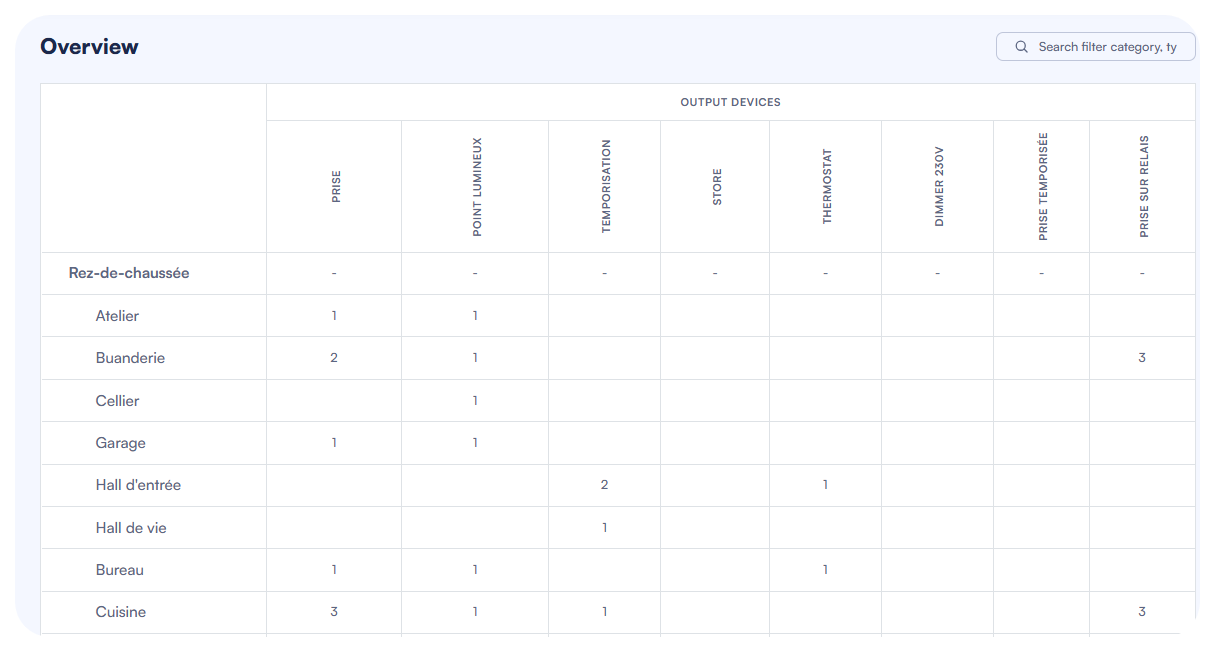
The Overview page displays a consolidated view of all devices configured in your project, organized in a table format:
- The top section shows a matrix view of your installation with:
- Rooms and floors listed in rows on the left side
- Device categories displayed as columns (INPUT DEVICES and OUTPUT DEVICES)
- Specific device types shown as sub-columns (e.g., BUTTONS, LIGHT, LED LIGHT)
- The quantity of each device type is shown at the intersection of rows and columns
This layout provides an at-a-glance understanding of:
- How many devices of each type are installed in each room
- The total count of devices by category
- The distribution of devices across different floors and rooms
The summary view is particularly useful for:
- Project quotation while preparing a price offer
- Identifying rooms that may need additional devices
- Quick validation of the project scope and completeness
Using Filters and Search
To efficiently navigate the Overview section, especially for larger projects:
Use the search field in the top-right corner to find specific devices or rooms
- Enter keywords related to devices or rooms
- Results will filter dynamically as you type
Material List
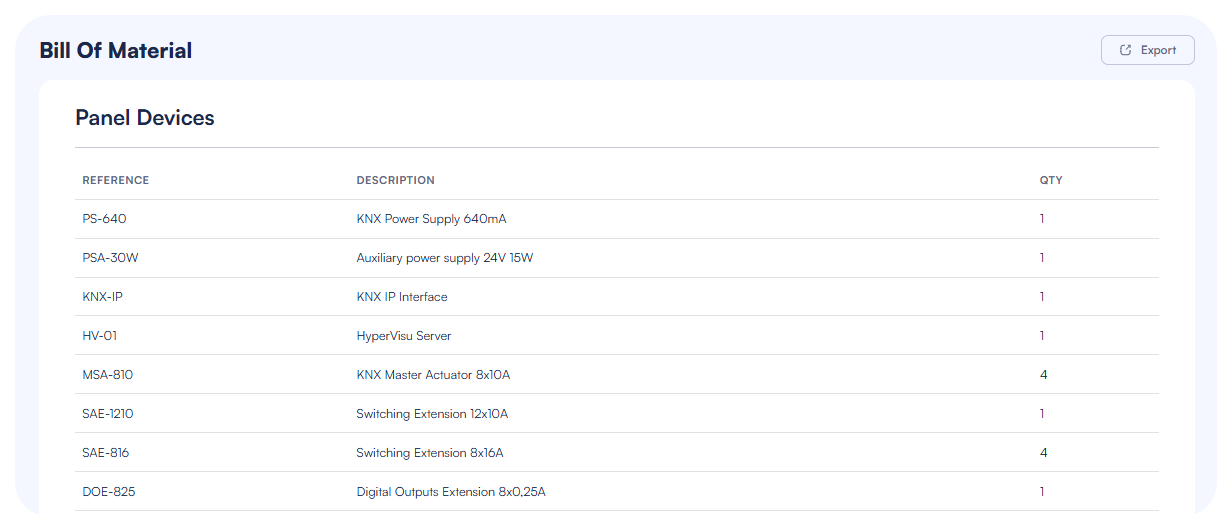
The "Bill Of Material" section, located below the device summary matrix, provides a detailed inventory of all Elausys components required for your installation.
Panel Devices Inventory
The Panel Devices table displays:
- Reference: The product code/reference number for each component
- Description: Detailed description of the component (e.g., "KNX Power Supply 640mA", "HyperVisu Server")
- QTY: The quantity required for your installation
The material list includes all components configured in your project:
- KNX power supplies
- Auxiliary power supplies
- HyperVisu servers
- KNX IP interfaces
- Master actuators
- Extension modules
Exporting to CSV
To use the material list for procurement or documentation:
- Click the "Export" button in the top-right corner of the Bill Of Material section
- The system generates a CSV file containing all component information
- This CSV file can be:
- Imported directly into the Elausys online store shopping cart for convenient ordering
- Used for inventory management and project budgeting
- Included in project documentation for reference
The export functionality streamlines the procurement process by ensuring that all required components are accurately listed and quantified, reducing the risk of ordering errors or omissions.
Note: The device summary and material list are automatically updated as you modify your project configuration, ensuring that the Overview section always reflects the current state of your design.