
Security & access
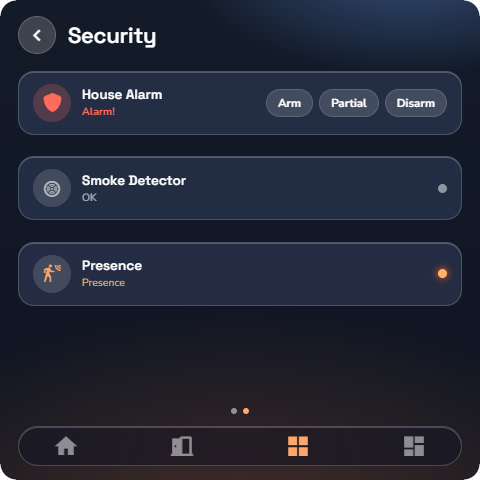
Alarm
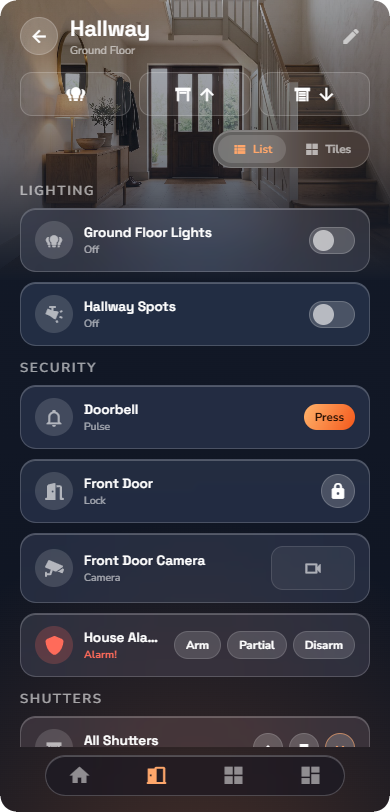
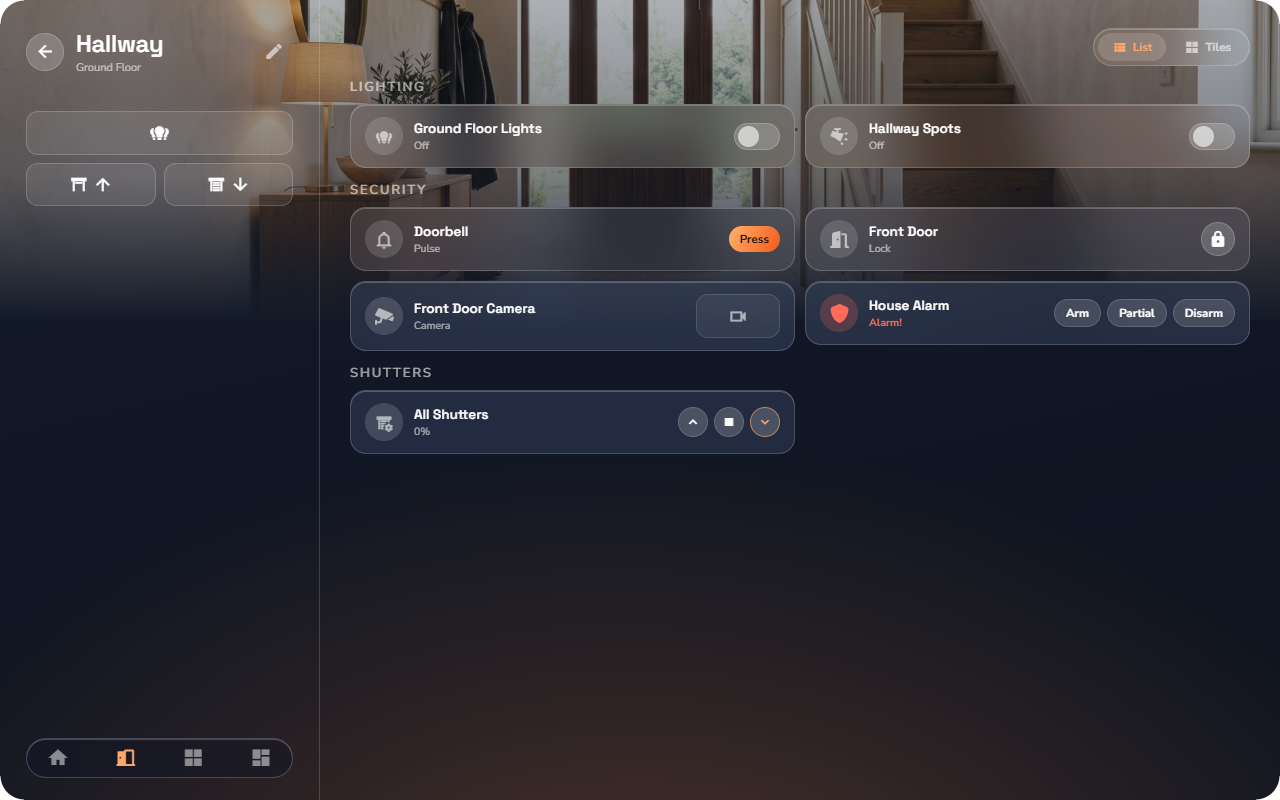
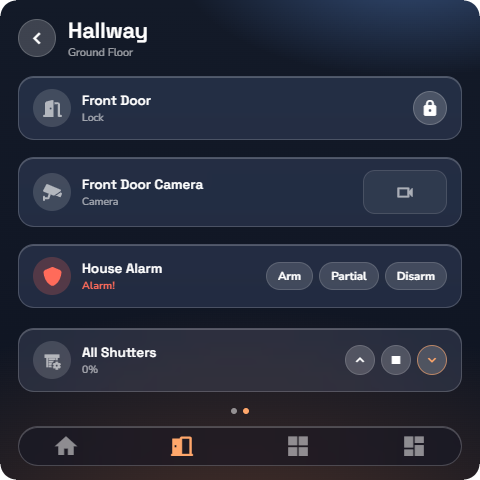
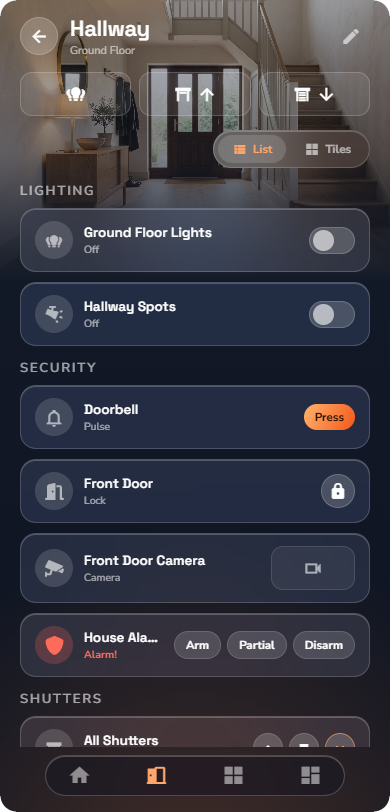
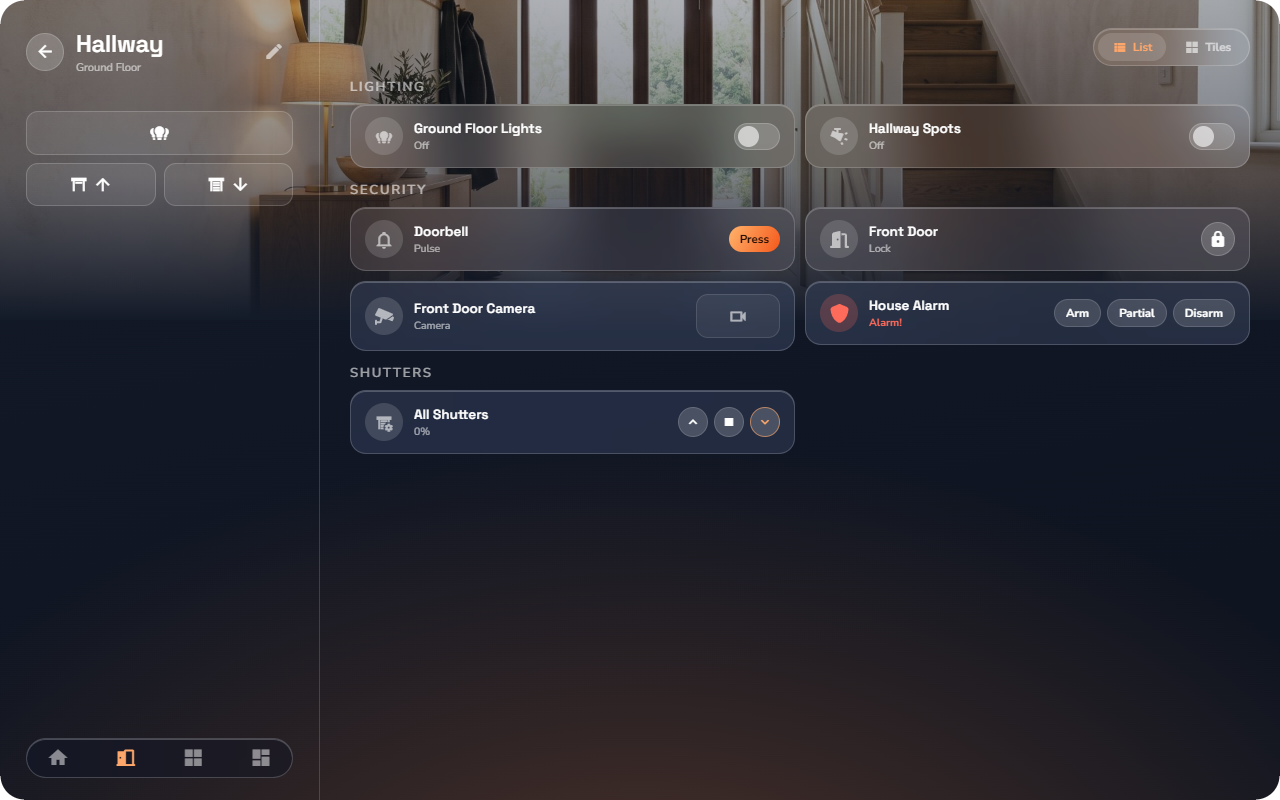
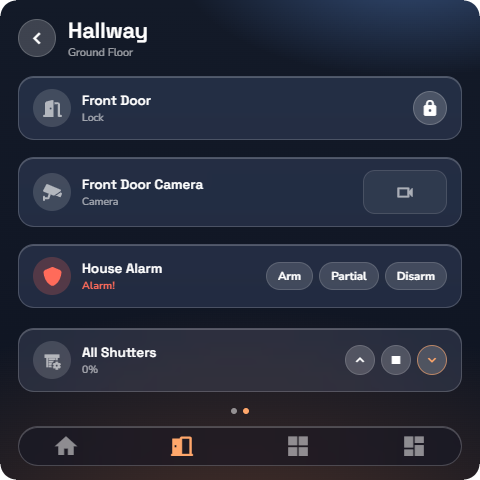
Shows and controls your alarm system.
At a glance: name, the current state word, and the arming buttons. The state shown follows a strict priority: an alarm (triggered) always wins over armed, which wins over partial, which wins over disarmed — so the tile always shows the most important thing first.
Controls:
| Control | What it does |
|---|---|
| Arm | Arms the whole system. |
| Partial | Arms part of the system (e.g. the perimeter, for staying home at night). |
| Disarm | Disarms the system. |
Sub-types (chosen by your installer):
- Full — all three buttons.
- Arm only — Arm and Partial, but no Disarm from the app (you disarm at the alarm panel itself).
- State only — a pure status display, no buttons.
PIN keypad. If your administrator protected the alarm with a PIN, a keypad appears before the protected commands. Which commands ask for the PIN depends on the configured mode: none, arming only, disarming only, or both. After you enter a correct PIN there is a grace window of about 2 minutes during which further commands go through without retyping — so you can disarm, let someone in, and re-arm in one go.
📘 Note: If you enter a wrong PIN, the keypad tells you and lets you try again. The PIN itself is set in the admin panel, not in the app.
Door lock
Locks and unlocks a door.
At a glance: name, the state word (locked / unlocked), and one round action button. The button always carries the opposite action — when the door is locked, the button unlocks it; when unlocked, it locks it.
No detail page.
Digital input
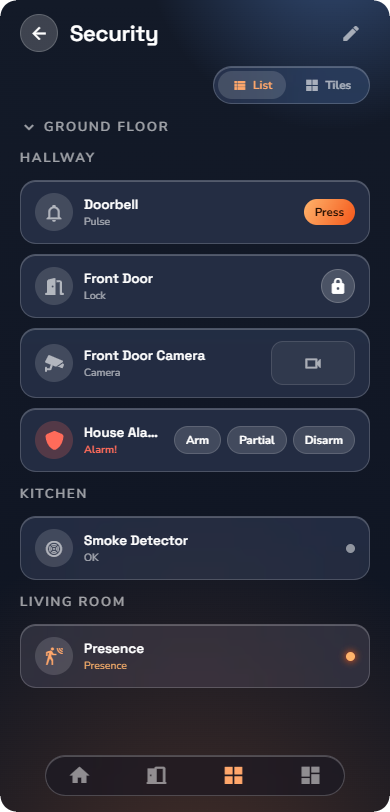
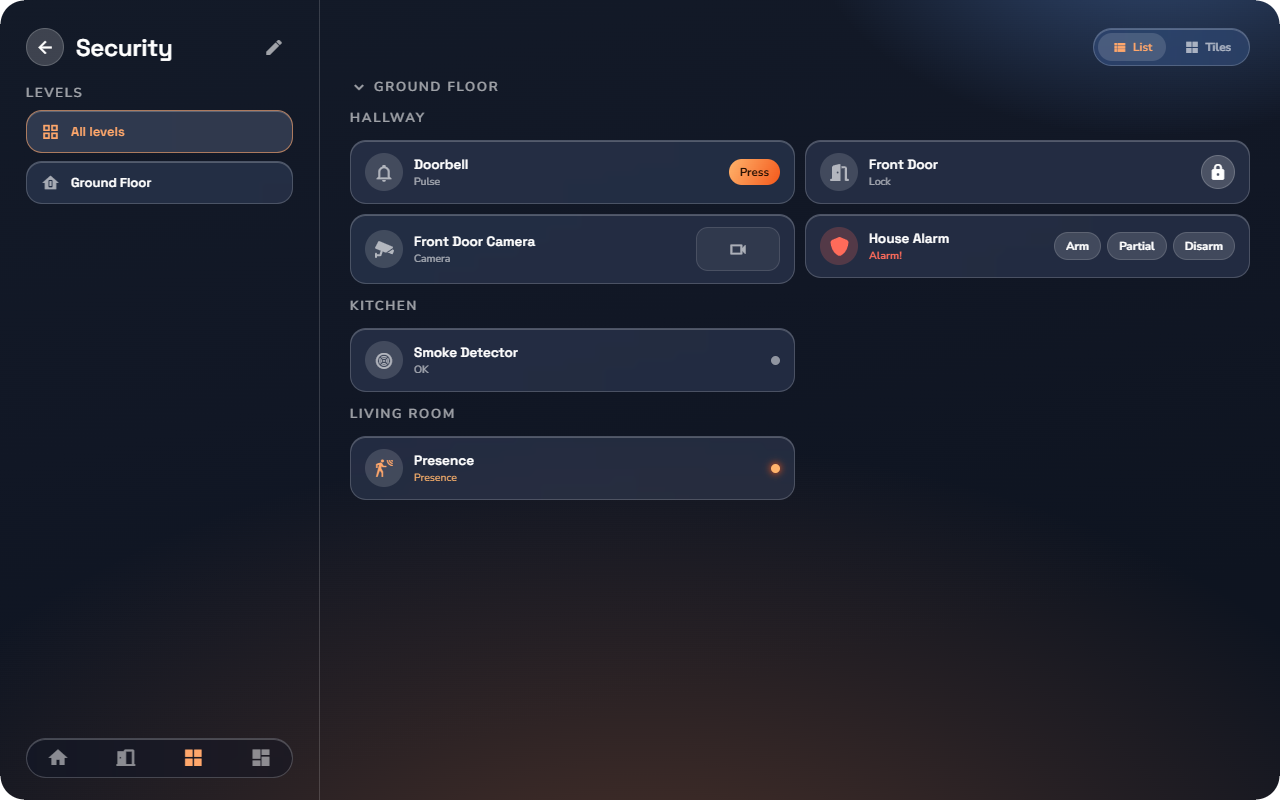
A read-only status display for anything that is simply on or off: a window contact, a leak sensor, a pump running.
At a glance: name, a live dot (lit when active), and the state in words. Your installer defines the labels — so a window contact can say "Open / Closed" and a pump "Running / Stopped".
There are no controls and no detail page — it only informs.
Camera
Shows a camera in your home.
At a glance: a preview tile.
Detail page: tap the preview to open the live stream — The stream works both at home and away through the cloud connection.
![Phone, a Camera preview tile in a room page. 📷 [SCR-17.4-06] Phone, the full-screen live camera stream — Phone layout.](https://prod-files-secure.s3.us-west-2.amazonaws.com/a84e0103-97a5-4471-9980-447248f607d7/00b30879-e19e-46b9-b3de-3f8b3395e5fb/SCR-17.4-05_phone_w-50.png?X-Amz-Algorithm=AWS4-HMAC-SHA256&X-Amz-Content-Sha256=UNSIGNED-PAYLOAD&X-Amz-Credential=ASIAZI2LB466ZA532R6M%2F20260929%2Fus-west-2%2Fs3%2Faws4_request&X-Amz-Date=20260929T134528Z&X-Amz-Expires=3600&X-Amz-Security-Token=IQoJb3JpZ2luX2VjEIT%2F%2F%2F%2F%2F%2F%2F%2F%2F%2FwEaCXVzLXdlc3QtMiJHMEUCIQDLy9Ena%2FHlHRYRVk6MMi6pzezjZgq6leJDQizaRt%2FrTgIgCPX5kaVJ%2Bidtv5Fi2XCUp3U2QN8plakAtWd3Pz8lZUsq%2FwMITRAAGgw2Mzc0MjMxODM4MDUiDJROcQEYpiUwiFltSyrcA3kzID0db6v6noztt8YlnKaafI1mhsgwYpShoQOl2TM%2BjW1RrxtppaqxK7l4Ltr7DHi5aDscZsl9EboFHFOptDc1jXiY2M3q6EJlDZYOmTnLIIVEfIPWK0E44Xwt59F4FZp3gVFUgdpscNp6NPh5GKosyFORfsW0fTRDsOTYCzUXznhCXKrm3ategK3WD72WnfwGlrtSEcHReUuMAwInpKLLNBNT51bWhTK%2BQR2UhbYKNqpEjA%2F9bAEpyJTkSSdkINWAmDcU9lpSHYXk7rn%2B61cioQN8ULk9HBDCuN%2FM%2FuxmMBUTku6dOjkbvhUv%2B%2FzhPXUz%2BN7QiJIFJhBf%2FUm9mk%2FrTM52An%2BKoxNPsKKL7s7j3w0j35Uxj1Rgm0o%2F01iYdWTONBiH9xA6ydEbGcZDWmesryWDv39BkSVJcsy5IEsamy9yYLqghdDhnkKM9YWxcQIlZwOBC3Yw%2FZK1B0R0F311xXYQ07OZLZ3nH8lR2lgFs7%2BXOvn3WZC9YXDlnRxlo3gRDpoYhCnEErZx2nSWe5tL3yA%2B%2F1txS4%2Bse8uvp1L%2BVjTZcTPDhV9U6LAjQ3dM0a5ICSptpghyTs3JuCY6TPRPgH%2BGBtxRIte04QXsANXUthlgexnhTJEnxG0iMK7T7tUGOqUBW2HdoqVvmHPxc06b50dboXD2ADED2jUghGz4%2BSj2ETBZfQA1XNyyOU53z6PVGL3jMkFImPzF9SNkQpuFQYNfYkctussRhya1y5ChPCucMpUOjYX9Oiat62AmnpWxZ53MorCZa4FjtQ97FuSfQPwoKC5Q5aQc0I9cFTOuaerLnrR6WduQF7jwjvz3ot1z3i5yzhuG7%2BjGK5dKVIZScRKQ%2FCbSonb2&X-Amz-Signature=c77bd9d5c997f8ea1c4631ee40c9b296fb4d472892d82a48b7c95009a52ff961&X-Amz-SignedHeaders=host&x-amz-checksum-mode=ENABLED&x-id=GetObject)
![Phone, a Camera preview tile in a room page. 📷 [SCR-17.4-06] Phone, the full-screen live camera stream — Tablet layout.](https://prod-files-secure.s3.us-west-2.amazonaws.com/a84e0103-97a5-4471-9980-447248f607d7/1cf5bef3-25b0-49d8-a02a-46e7cf7c8967/SCR-17.4-05_tablet_w-75.png?X-Amz-Algorithm=AWS4-HMAC-SHA256&X-Amz-Content-Sha256=UNSIGNED-PAYLOAD&X-Amz-Credential=ASIAZI2LB466ZA532R6M%2F20260929%2Fus-west-2%2Fs3%2Faws4_request&X-Amz-Date=20260929T134528Z&X-Amz-Expires=3600&X-Amz-Security-Token=IQoJb3JpZ2luX2VjEIT%2F%2F%2F%2F%2F%2F%2F%2F%2F%2FwEaCXVzLXdlc3QtMiJHMEUCIQDLy9Ena%2FHlHRYRVk6MMi6pzezjZgq6leJDQizaRt%2FrTgIgCPX5kaVJ%2Bidtv5Fi2XCUp3U2QN8plakAtWd3Pz8lZUsq%2FwMITRAAGgw2Mzc0MjMxODM4MDUiDJROcQEYpiUwiFltSyrcA3kzID0db6v6noztt8YlnKaafI1mhsgwYpShoQOl2TM%2BjW1RrxtppaqxK7l4Ltr7DHi5aDscZsl9EboFHFOptDc1jXiY2M3q6EJlDZYOmTnLIIVEfIPWK0E44Xwt59F4FZp3gVFUgdpscNp6NPh5GKosyFORfsW0fTRDsOTYCzUXznhCXKrm3ategK3WD72WnfwGlrtSEcHReUuMAwInpKLLNBNT51bWhTK%2BQR2UhbYKNqpEjA%2F9bAEpyJTkSSdkINWAmDcU9lpSHYXk7rn%2B61cioQN8ULk9HBDCuN%2FM%2FuxmMBUTku6dOjkbvhUv%2B%2FzhPXUz%2BN7QiJIFJhBf%2FUm9mk%2FrTM52An%2BKoxNPsKKL7s7j3w0j35Uxj1Rgm0o%2F01iYdWTONBiH9xA6ydEbGcZDWmesryWDv39BkSVJcsy5IEsamy9yYLqghdDhnkKM9YWxcQIlZwOBC3Yw%2FZK1B0R0F311xXYQ07OZLZ3nH8lR2lgFs7%2BXOvn3WZC9YXDlnRxlo3gRDpoYhCnEErZx2nSWe5tL3yA%2B%2F1txS4%2Bse8uvp1L%2BVjTZcTPDhV9U6LAjQ3dM0a5ICSptpghyTs3JuCY6TPRPgH%2BGBtxRIte04QXsANXUthlgexnhTJEnxG0iMK7T7tUGOqUBW2HdoqVvmHPxc06b50dboXD2ADED2jUghGz4%2BSj2ETBZfQA1XNyyOU53z6PVGL3jMkFImPzF9SNkQpuFQYNfYkctussRhya1y5ChPCucMpUOjYX9Oiat62AmnpWxZ53MorCZa4FjtQ97FuSfQPwoKC5Q5aQc0I9cFTOuaerLnrR6WduQF7jwjvz3ot1z3i5yzhuG7%2BjGK5dKVIZScRKQ%2FCbSonb2&X-Amz-Signature=4f4f447dc673f7d38c8fdf74b4cf60aa0b09731772d870beefd5ec9020813b8b&X-Amz-SignedHeaders=host&x-amz-checksum-mode=ENABLED&x-id=GetObject)
![Phone, a Camera preview tile in a room page. 📷 [SCR-17.4-06] Phone, the full-screen live camera stream — Wall panel layout.](https://prod-files-secure.s3.us-west-2.amazonaws.com/a84e0103-97a5-4471-9980-447248f607d7/0de3cf34-c281-4b35-a000-a7cd5a33d876/SCR-17.4-05_panel_w-50.png?X-Amz-Algorithm=AWS4-HMAC-SHA256&X-Amz-Content-Sha256=UNSIGNED-PAYLOAD&X-Amz-Credential=ASIAZI2LB466ZA532R6M%2F20260929%2Fus-west-2%2Fs3%2Faws4_request&X-Amz-Date=20260929T134528Z&X-Amz-Expires=3600&X-Amz-Security-Token=IQoJb3JpZ2luX2VjEIT%2F%2F%2F%2F%2F%2F%2F%2F%2F%2FwEaCXVzLXdlc3QtMiJHMEUCIQDLy9Ena%2FHlHRYRVk6MMi6pzezjZgq6leJDQizaRt%2FrTgIgCPX5kaVJ%2Bidtv5Fi2XCUp3U2QN8plakAtWd3Pz8lZUsq%2FwMITRAAGgw2Mzc0MjMxODM4MDUiDJROcQEYpiUwiFltSyrcA3kzID0db6v6noztt8YlnKaafI1mhsgwYpShoQOl2TM%2BjW1RrxtppaqxK7l4Ltr7DHi5aDscZsl9EboFHFOptDc1jXiY2M3q6EJlDZYOmTnLIIVEfIPWK0E44Xwt59F4FZp3gVFUgdpscNp6NPh5GKosyFORfsW0fTRDsOTYCzUXznhCXKrm3ategK3WD72WnfwGlrtSEcHReUuMAwInpKLLNBNT51bWhTK%2BQR2UhbYKNqpEjA%2F9bAEpyJTkSSdkINWAmDcU9lpSHYXk7rn%2B61cioQN8ULk9HBDCuN%2FM%2FuxmMBUTku6dOjkbvhUv%2B%2FzhPXUz%2BN7QiJIFJhBf%2FUm9mk%2FrTM52An%2BKoxNPsKKL7s7j3w0j35Uxj1Rgm0o%2F01iYdWTONBiH9xA6ydEbGcZDWmesryWDv39BkSVJcsy5IEsamy9yYLqghdDhnkKM9YWxcQIlZwOBC3Yw%2FZK1B0R0F311xXYQ07OZLZ3nH8lR2lgFs7%2BXOvn3WZC9YXDlnRxlo3gRDpoYhCnEErZx2nSWe5tL3yA%2B%2F1txS4%2Bse8uvp1L%2BVjTZcTPDhV9U6LAjQ3dM0a5ICSptpghyTs3JuCY6TPRPgH%2BGBtxRIte04QXsANXUthlgexnhTJEnxG0iMK7T7tUGOqUBW2HdoqVvmHPxc06b50dboXD2ADED2jUghGz4%2BSj2ETBZfQA1XNyyOU53z6PVGL3jMkFImPzF9SNkQpuFQYNfYkctussRhya1y5ChPCucMpUOjYX9Oiat62AmnpWxZ53MorCZa4FjtQ97FuSfQPwoKC5Q5aQc0I9cFTOuaerLnrR6WduQF7jwjvz3ot1z3i5yzhuG7%2BjGK5dKVIZScRKQ%2FCbSonb2&X-Amz-Signature=b6ecbecca2b854cee5a34f95b80e4dca1b648f60b87c0612ac71268ec4f7d9db&X-Amz-SignedHeaders=host&x-amz-checksum-mode=ENABLED&x-id=GetObject)
Videophone
When someone rings at the door, your phone rings — even if the app is closed — and shows a call screen with live video, an answer button, a door-open button, and hang-up. The full walkthrough is in “Notifications & Videophone”.