Lighting
Light switch and switch
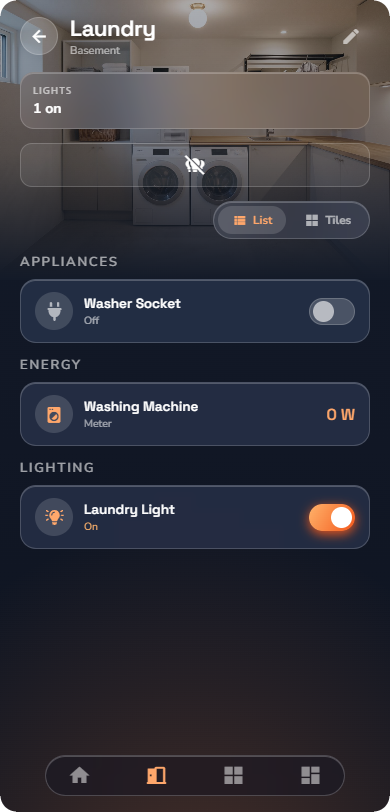
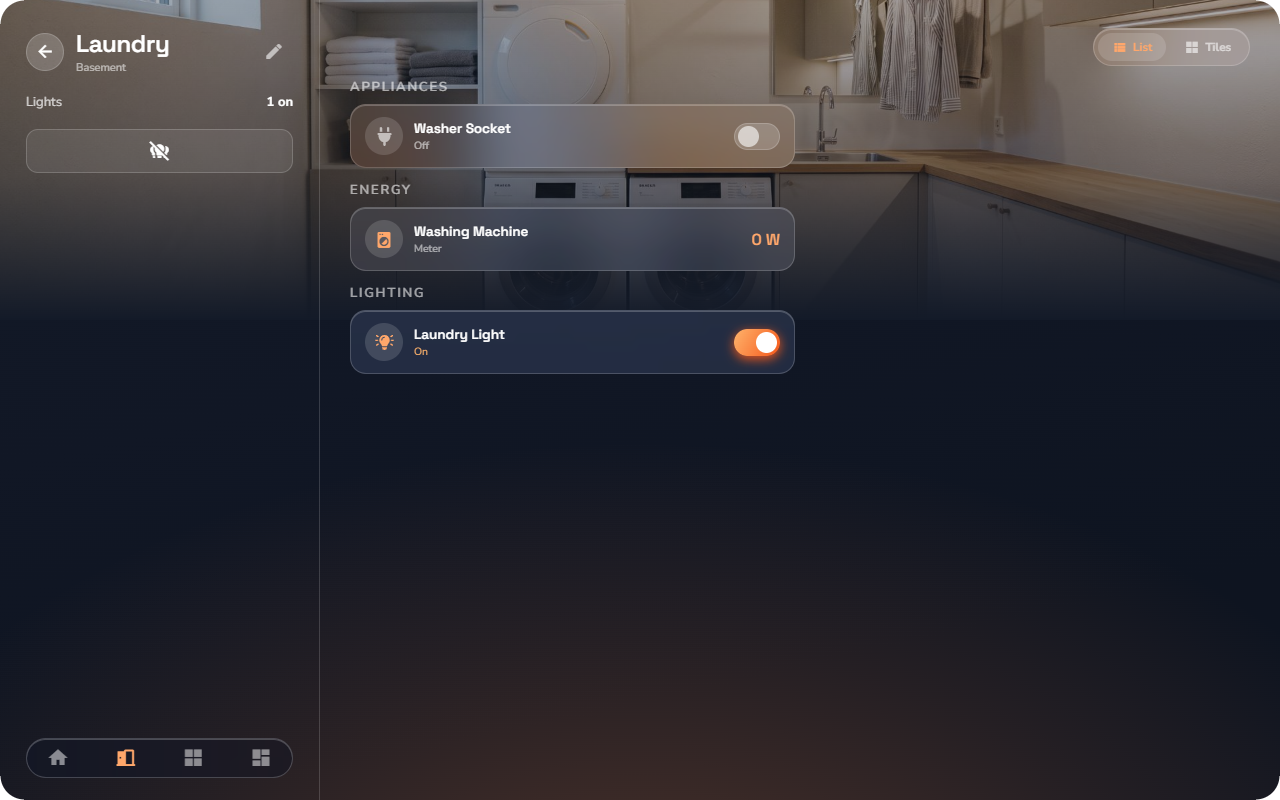
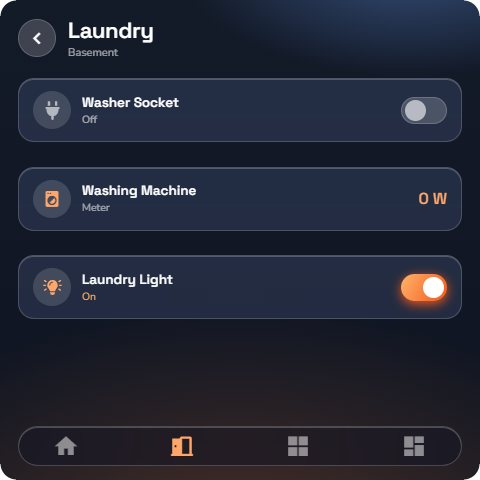
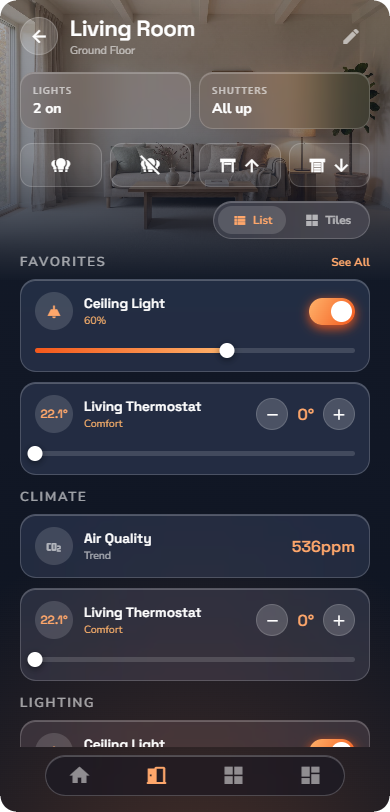
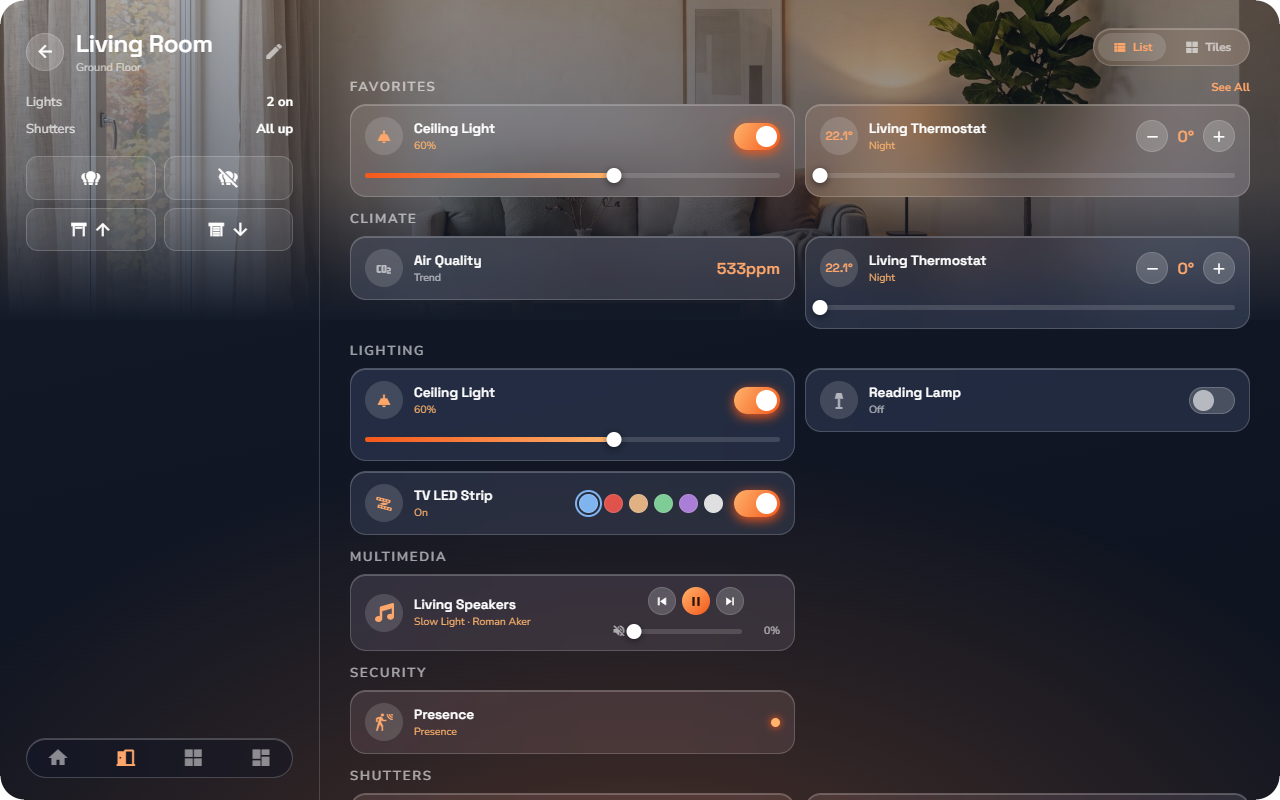
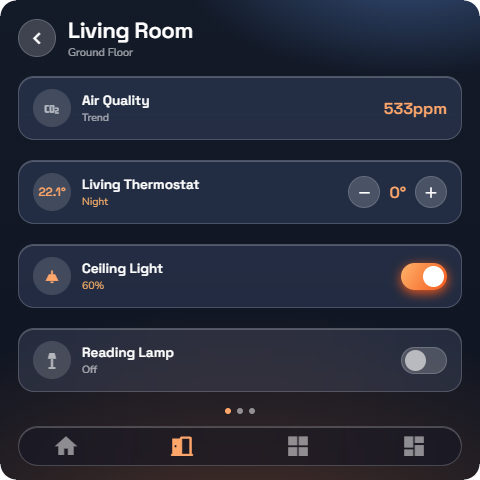
The simplest devices: something that is either ON or OFF. A Light switch is a light; a Switch is any other on/off device (a socket, a fountain, a towel dryer). Both behave identically.
At a glance: name, icon, and a pill-shaped toggle. The toggle and the panel glow orange when ON.
Controls:
| Control | What it does |
|---|---|
| Toggle | Turns the device ON or OFF. The switch flips instantly, then settles on the state the device reports. |
There is no detail page — everything happens on the row or tile.
Push button
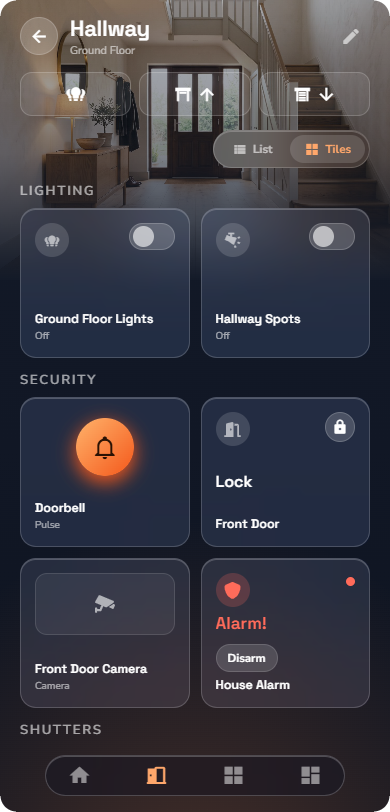
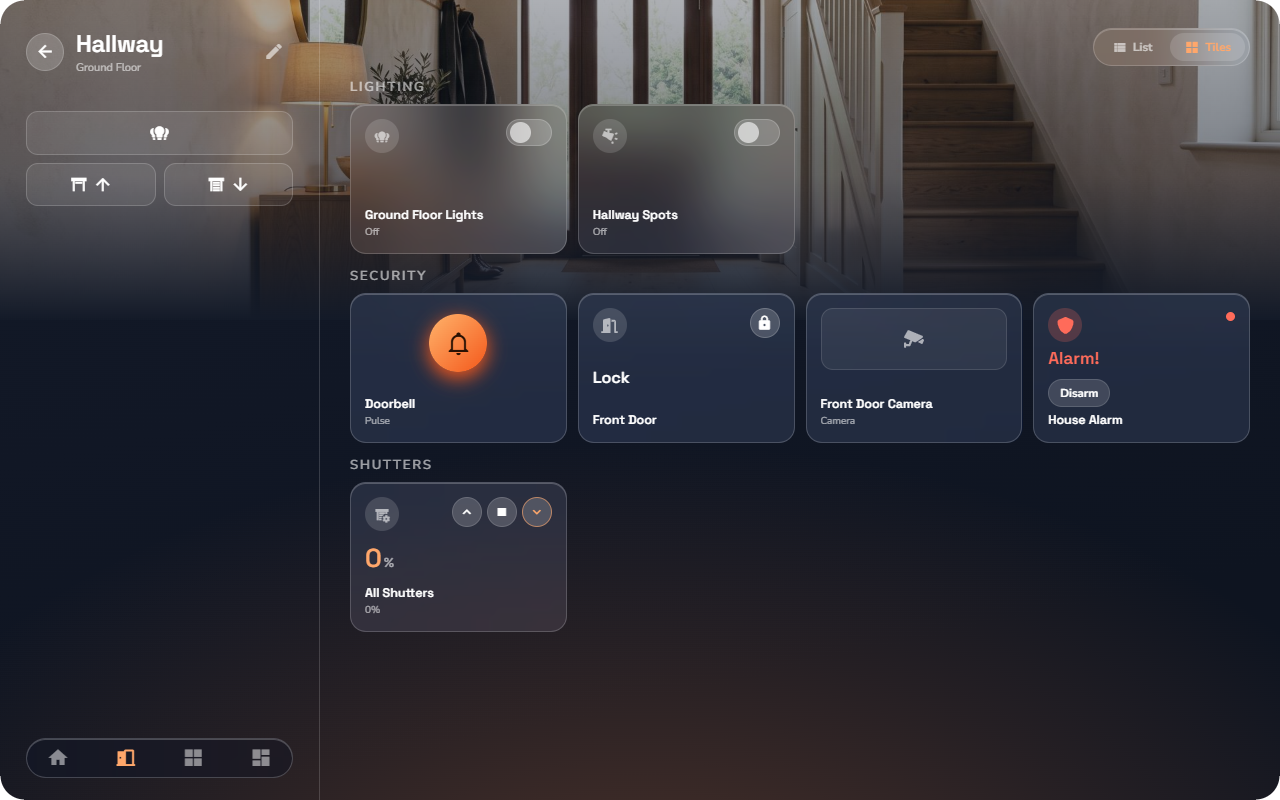
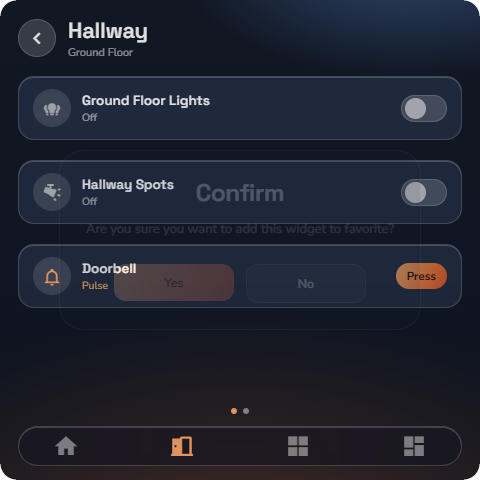
A momentary button: it sends a single press, like a doorbell or a garage-door impulse. It does not stay ON.
At a glance: name, icon, and one round press button.
Controls:
| Control | What it does |
|---|---|
| Press button | Sends one impulse. The button lights briefly while the press is sent. |
Sub-types (chosen by your installer):
- ON — every press sends ON.
- OFF — every press sends OFF.
- Toggle — each press flips the device to the opposite state.
No detail page.
Dimmer
A light whose brightness you can set, from a gentle glow to full power.
At a glance: name, icon, the current level in %, a toggle, and a level slider directly on the row or tile.
Controls on the row/tile:
| Control | What it does |
|---|---|
| Toggle | ON at the last level, or OFF. |
| Level slider | Drag to set the brightness. The light follows as you release. |
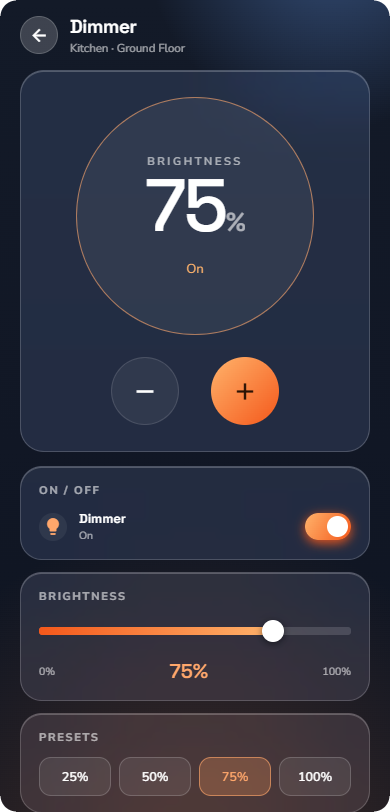
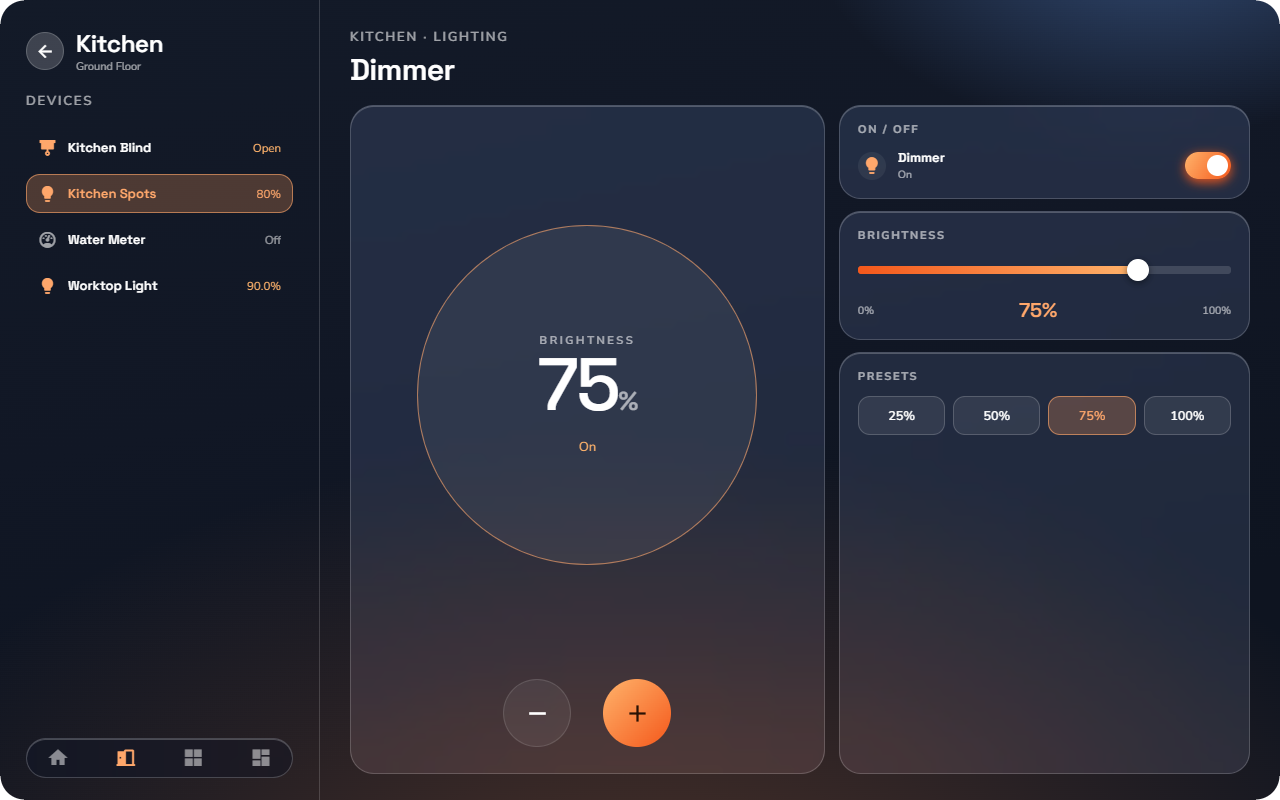
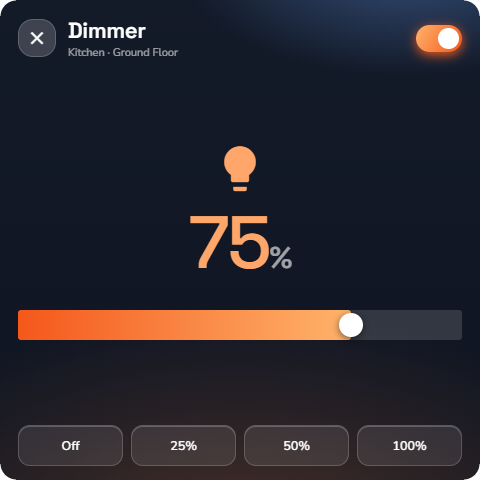
Detail page — tap the device body to open it:
- A large circular readout shows the current level in %.
- − and + step the level in 5 % increments.
- ON / OFF buttons switch the light without changing the stored level.
- The Brightness slider sets any level directly.
- Presets jump straight to 25 / 50 / 75 / 100 % — the active preset is highlighted.
RGB dimmer
A color-changing light.
At a glance: name, icon, a toggle, and a strip of color swatches — tap a swatch to jump straight to that color without opening the detail page.
Detail page:
- A full color wheel — drag anywhere on it to pick a color; the light follows live.
- A live color readout shows the color currently set.
- ON / OFF buttons.
- Favorite colors — a row of saved colors for one-tap recall.
- Whites — a row of white shades, from warm to cool, for using the light as a plain lamp.
![Phone, an RGB dimmer row ON in blue, swatch strip visible. 📷 [SCR-17.1-06] Phone, RGB dimmer detail page — Phone layout.](https://prod-files-secure.s3.us-west-2.amazonaws.com/a84e0103-97a5-4471-9980-447248f607d7/4727d97e-ec54-4668-b649-bac90e0de9fd/SCR-17.1-05_phone_w-50.png?X-Amz-Algorithm=AWS4-HMAC-SHA256&X-Amz-Content-Sha256=UNSIGNED-PAYLOAD&X-Amz-Credential=ASIAZI2LB466QOMGKISG%2F20260929%2Fus-west-2%2Fs3%2Faws4_request&X-Amz-Date=20260929T134547Z&X-Amz-Expires=3600&X-Amz-Security-Token=IQoJb3JpZ2luX2VjEIL%2F%2F%2F%2F%2F%2F%2F%2F%2F%2FwEaCXVzLXdlc3QtMiJHMEUCIQCeEcQeIRJXWF88tjlRWDrm2OIKAGhG7%2Bbzme1Qy6bzEAIgOSu0Uhr4jRcB9l%2FghFySFROniAMLLAG4wVWgeJHGQ8wq%2FwMISxAAGgw2Mzc0MjMxODM4MDUiDCNP6BHQW94OD%2FF5bSrcAxxOLQc5orRm%2F5ZGzOVSrNqAKerIWHXboLbkGZtA28L0MBhhYamAK4F5Gd5Kbvi7KR2uAgwpPiF%2BZ%2FhKSc5RJyX2h5sHRk4zVqM%2BMXE8zbxEjYHO8g4rnewoXNc1m%2Bu2YsgywESUztUi%2FlSm0hmDJVGhO4wwRo9WiOq863i3AfvgH8%2BUYfFnv%2Fap%2FPrWbuaqKbOTsNFb%2BrbuPyTb1PYt2IXVcBZmiPkUCcpYrgf%2FJZZpmYZrSkWqF9kykpZyBL89WBzuULiw7g6aAT0Gddc2BwVYshRwefvkfxAhWClI40x6O4TKus%2Bq5eqaKnOcEC%2BD%2BTAshMuwbtpmXGMtb0hQgEL4bnKh96PLcgxEkNbJhxDhIYb2erIA95pRScltZ%2BNxHtJpYDzX%2F1DG7NRxVNWX%2FHU9KL%2BZht1N7x61hCyxzkwFfs1KbTyMmdnKbajKfwoVOAvjHsrRW2wcDh2DpqvsDyVG%2FaukNz1JvSIpOUnraGk0Ncp7YWwR5fa8PFW8M1MQdepHZqSgoKWH%2Fy2GtYCJKKELbo8C4zRpghUzzOuDJ2h%2FXuG4R6AHoWoIoqtapSgQqmtX4NJ25HMh7rDa5zfu4ukBossa5dbimcmRVFFjwKcL3Vx7R%2F12L5vk%2BPQUMK%2BP7tUGOqUBrnsaU7U%2Be43XoXuRavmq9N3LfV4AWzymxLNGNOQchbFl3WU%2BUC2rfTa3H2Ocz5IU2MbP%2FJTaCQtDfzNYNtdqcquus33kPqg9zZxgiE9s8iuqPTyaukwLeL0VXgmoJm2VqoNSLfdDu%2FFeEwSSRsKWxMS6BPELXn%2F4LuKGo%2FZwy%2Bdkw3yam8a3pzxoqgvVIPu2dRzyjK2qjT1fF80mvxy%2BgpeJYmAw&X-Amz-Signature=ac28101065710ebcad1bf4557a93bc6a7a80037881e1ace6a41ccf3e454bb88c&X-Amz-SignedHeaders=host&x-amz-checksum-mode=ENABLED&x-id=GetObject)
![Phone, an RGB dimmer row ON in blue, swatch strip visible. 📷 [SCR-17.1-06] Phone, RGB dimmer detail page — Tablet layout.](https://prod-files-secure.s3.us-west-2.amazonaws.com/a84e0103-97a5-4471-9980-447248f607d7/852cd65e-52de-4f1b-b797-6422cf8e1267/SCR-17.1-05_tablet_w-75.png?X-Amz-Algorithm=AWS4-HMAC-SHA256&X-Amz-Content-Sha256=UNSIGNED-PAYLOAD&X-Amz-Credential=ASIAZI2LB466QOMGKISG%2F20260929%2Fus-west-2%2Fs3%2Faws4_request&X-Amz-Date=20260929T134547Z&X-Amz-Expires=3600&X-Amz-Security-Token=IQoJb3JpZ2luX2VjEIL%2F%2F%2F%2F%2F%2F%2F%2F%2F%2FwEaCXVzLXdlc3QtMiJHMEUCIQCeEcQeIRJXWF88tjlRWDrm2OIKAGhG7%2Bbzme1Qy6bzEAIgOSu0Uhr4jRcB9l%2FghFySFROniAMLLAG4wVWgeJHGQ8wq%2FwMISxAAGgw2Mzc0MjMxODM4MDUiDCNP6BHQW94OD%2FF5bSrcAxxOLQc5orRm%2F5ZGzOVSrNqAKerIWHXboLbkGZtA28L0MBhhYamAK4F5Gd5Kbvi7KR2uAgwpPiF%2BZ%2FhKSc5RJyX2h5sHRk4zVqM%2BMXE8zbxEjYHO8g4rnewoXNc1m%2Bu2YsgywESUztUi%2FlSm0hmDJVGhO4wwRo9WiOq863i3AfvgH8%2BUYfFnv%2Fap%2FPrWbuaqKbOTsNFb%2BrbuPyTb1PYt2IXVcBZmiPkUCcpYrgf%2FJZZpmYZrSkWqF9kykpZyBL89WBzuULiw7g6aAT0Gddc2BwVYshRwefvkfxAhWClI40x6O4TKus%2Bq5eqaKnOcEC%2BD%2BTAshMuwbtpmXGMtb0hQgEL4bnKh96PLcgxEkNbJhxDhIYb2erIA95pRScltZ%2BNxHtJpYDzX%2F1DG7NRxVNWX%2FHU9KL%2BZht1N7x61hCyxzkwFfs1KbTyMmdnKbajKfwoVOAvjHsrRW2wcDh2DpqvsDyVG%2FaukNz1JvSIpOUnraGk0Ncp7YWwR5fa8PFW8M1MQdepHZqSgoKWH%2Fy2GtYCJKKELbo8C4zRpghUzzOuDJ2h%2FXuG4R6AHoWoIoqtapSgQqmtX4NJ25HMh7rDa5zfu4ukBossa5dbimcmRVFFjwKcL3Vx7R%2F12L5vk%2BPQUMK%2BP7tUGOqUBrnsaU7U%2Be43XoXuRavmq9N3LfV4AWzymxLNGNOQchbFl3WU%2BUC2rfTa3H2Ocz5IU2MbP%2FJTaCQtDfzNYNtdqcquus33kPqg9zZxgiE9s8iuqPTyaukwLeL0VXgmoJm2VqoNSLfdDu%2FFeEwSSRsKWxMS6BPELXn%2F4LuKGo%2FZwy%2Bdkw3yam8a3pzxoqgvVIPu2dRzyjK2qjT1fF80mvxy%2BgpeJYmAw&X-Amz-Signature=831fefe2e71c6a7b1369da9b8db285b06b7b9be7261794ec131ca2eed314fb3b&X-Amz-SignedHeaders=host&x-amz-checksum-mode=ENABLED&x-id=GetObject)
![Phone, an RGB dimmer row ON in blue, swatch strip visible. 📷 [SCR-17.1-06] Phone, RGB dimmer detail page — Wall panel layout.](https://prod-files-secure.s3.us-west-2.amazonaws.com/a84e0103-97a5-4471-9980-447248f607d7/bc2377ef-004c-4194-b3fc-f201c9bee0f6/SCR-17.1-05_panel_w-50.png?X-Amz-Algorithm=AWS4-HMAC-SHA256&X-Amz-Content-Sha256=UNSIGNED-PAYLOAD&X-Amz-Credential=ASIAZI2LB466QOMGKISG%2F20260929%2Fus-west-2%2Fs3%2Faws4_request&X-Amz-Date=20260929T134547Z&X-Amz-Expires=3600&X-Amz-Security-Token=IQoJb3JpZ2luX2VjEIL%2F%2F%2F%2F%2F%2F%2F%2F%2F%2FwEaCXVzLXdlc3QtMiJHMEUCIQCeEcQeIRJXWF88tjlRWDrm2OIKAGhG7%2Bbzme1Qy6bzEAIgOSu0Uhr4jRcB9l%2FghFySFROniAMLLAG4wVWgeJHGQ8wq%2FwMISxAAGgw2Mzc0MjMxODM4MDUiDCNP6BHQW94OD%2FF5bSrcAxxOLQc5orRm%2F5ZGzOVSrNqAKerIWHXboLbkGZtA28L0MBhhYamAK4F5Gd5Kbvi7KR2uAgwpPiF%2BZ%2FhKSc5RJyX2h5sHRk4zVqM%2BMXE8zbxEjYHO8g4rnewoXNc1m%2Bu2YsgywESUztUi%2FlSm0hmDJVGhO4wwRo9WiOq863i3AfvgH8%2BUYfFnv%2Fap%2FPrWbuaqKbOTsNFb%2BrbuPyTb1PYt2IXVcBZmiPkUCcpYrgf%2FJZZpmYZrSkWqF9kykpZyBL89WBzuULiw7g6aAT0Gddc2BwVYshRwefvkfxAhWClI40x6O4TKus%2Bq5eqaKnOcEC%2BD%2BTAshMuwbtpmXGMtb0hQgEL4bnKh96PLcgxEkNbJhxDhIYb2erIA95pRScltZ%2BNxHtJpYDzX%2F1DG7NRxVNWX%2FHU9KL%2BZht1N7x61hCyxzkwFfs1KbTyMmdnKbajKfwoVOAvjHsrRW2wcDh2DpqvsDyVG%2FaukNz1JvSIpOUnraGk0Ncp7YWwR5fa8PFW8M1MQdepHZqSgoKWH%2Fy2GtYCJKKELbo8C4zRpghUzzOuDJ2h%2FXuG4R6AHoWoIoqtapSgQqmtX4NJ25HMh7rDa5zfu4ukBossa5dbimcmRVFFjwKcL3Vx7R%2F12L5vk%2BPQUMK%2BP7tUGOqUBrnsaU7U%2Be43XoXuRavmq9N3LfV4AWzymxLNGNOQchbFl3WU%2BUC2rfTa3H2Ocz5IU2MbP%2FJTaCQtDfzNYNtdqcquus33kPqg9zZxgiE9s8iuqPTyaukwLeL0VXgmoJm2VqoNSLfdDu%2FFeEwSSRsKWxMS6BPELXn%2F4LuKGo%2FZwy%2Bdkw3yam8a3pzxoqgvVIPu2dRzyjK2qjT1fF80mvxy%2BgpeJYmAw&X-Amz-Signature=a0020d5928c449ad44570b6e8c6eb4fd331491591edd7e1af124e773d60635e9&X-Amz-SignedHeaders=host&x-amz-checksum-mode=ENABLED&x-id=GetObject)
Tunable white
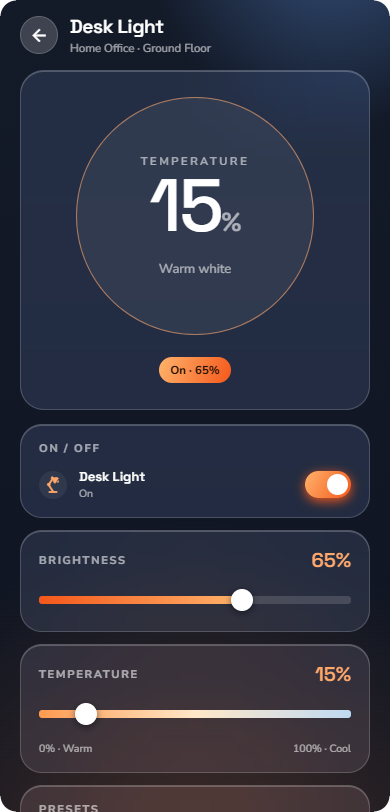
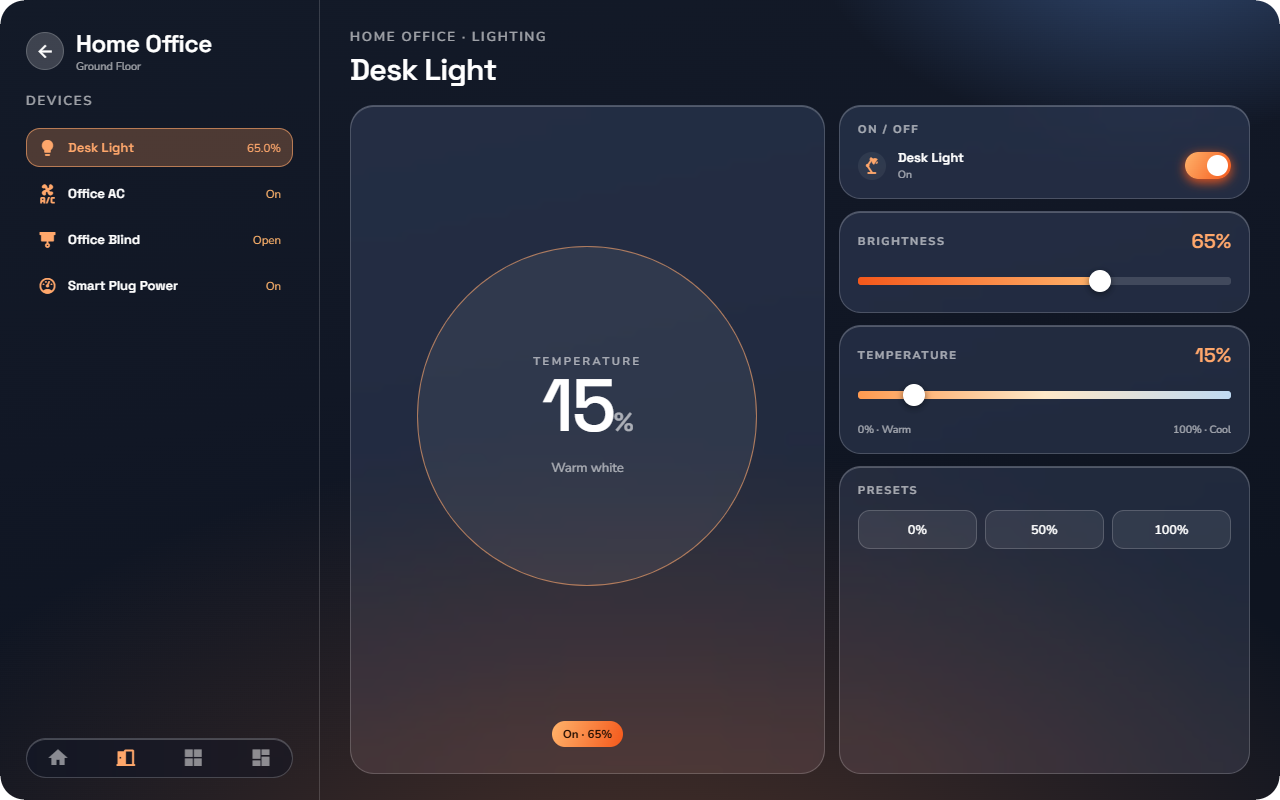
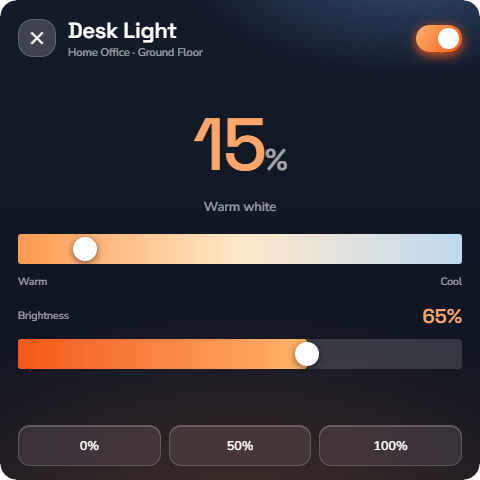
A white light whose color temperature you can change, from warm (cosy, evening) to cool (crisp, daylight).
At a glance: name, icon, a toggle, and a brightness slider. The tile background shades from warm to cool to reflect the current color temperature.
Detail page:
- Brightness control — set the level.
- A color-temperature dial — turn towards warm or cool; the light follows live.
- Presets for common moods (warm, neutral, cool).