
A new HyperVisu server has no factory default account. Instead, the very first visit to the server shows a setup screen that creates the first administrator.
The first-boot setup screen
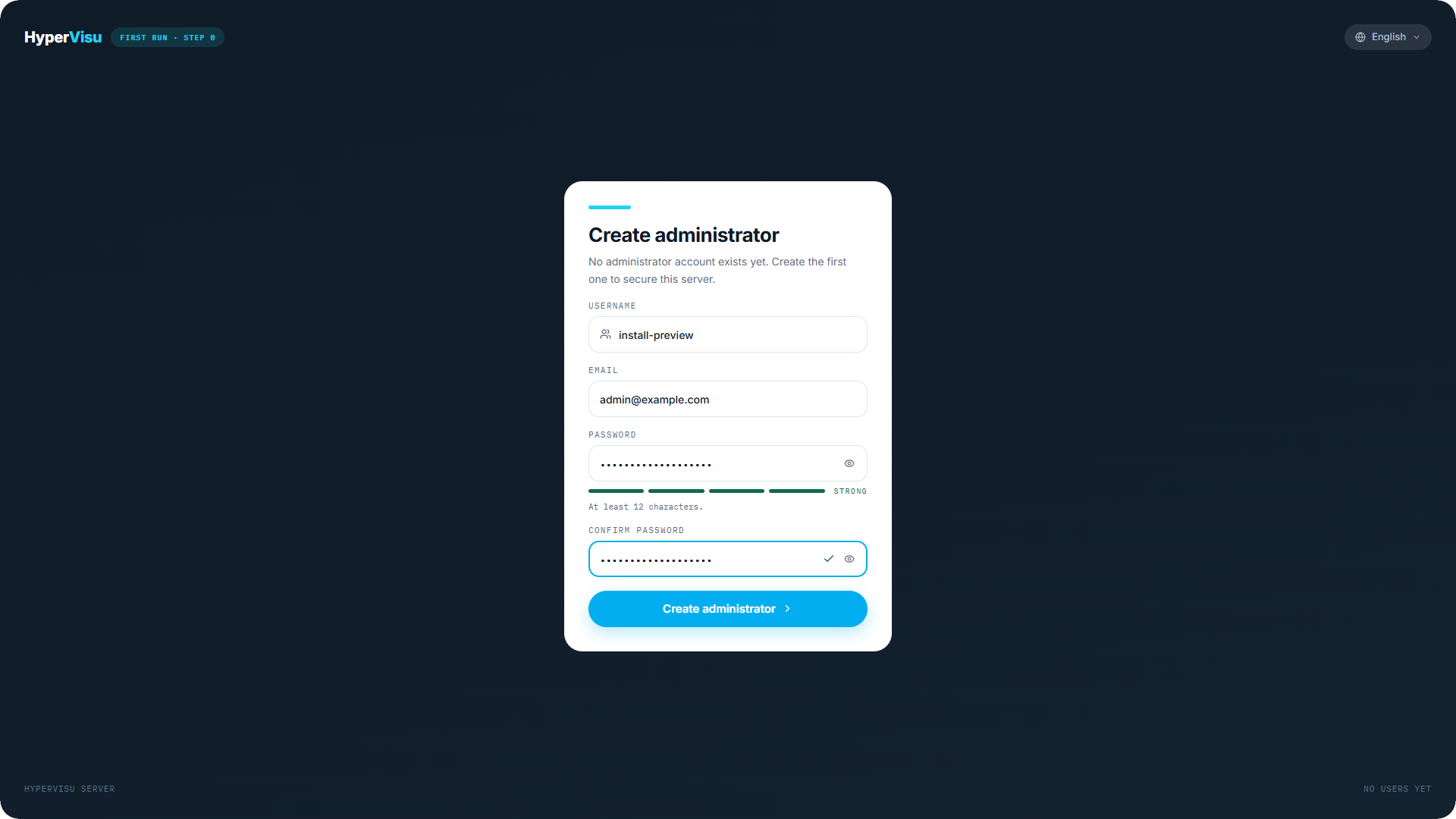
While no user exists, opening the admin panel shows Create administrator ("No administrator account exists yet. Create the first one to secure this server.").
- Choose a Username.
- Enter your Email. It is required here — it is the address the server will send a password-reset code to, so use a real one you can read.
- Choose a Password of at least 12 characters. Mix upper and lower case, digits and symbols to reach Strong.
- Re-enter it under Confirm password — a check mark appears when both match.
- Click Create administrator.
The account you create here has access level 5 — it is the account you will use to administer the server.
The one-time recovery code
Immediately after the account is created, the server shows Save your recovery code — a code displayed only once.
- Click Copy code and store the code somewhere safe: a password manager, or printed with the installation documents.
- Click I saved it, continue. The first-run setup wizard starts automatically (see “First-Run Setup Wizard”).
⚠️ Warning: The recovery code is shown only this once and cannot be displayed again — it is never e-mailed. It is the offline way to reset a lost administrator password. No code and no working e-mail means a lost password can lock you out of administration. The code belongs to this first administrator account: administrators created later on the Users page do not get one, so give every administrator account a real e-mail address.
Resetting a password later
If a password is lost, click Forgot password? on the sign-in screen. Two paths lead to the Set a new password screen:
- Emailed code — enter your username or e-mail and click Send reset code. A one-time 6-digit code is e-mailed to the account's address. This uses the Elausys mail relay, so no e-mail configuration on the server is needed, but two things must be true: the server has internet access, and the account has an e-mail address recorded. For security the screen gives the same answer whether or not the address exists, so if no code arrives, check those two things before assuming the request failed.
- Recovery code — if email is not an option, click I already have a code and enter the recovery code instead.
Then enter the code and the new password (same 12-character minimum).
📘 Note: When you reset with the recovery code, that code is consumed — the server immediately shows a new recovery code, once. Store the new one; the previous one no longer works.