
Alarm PIN
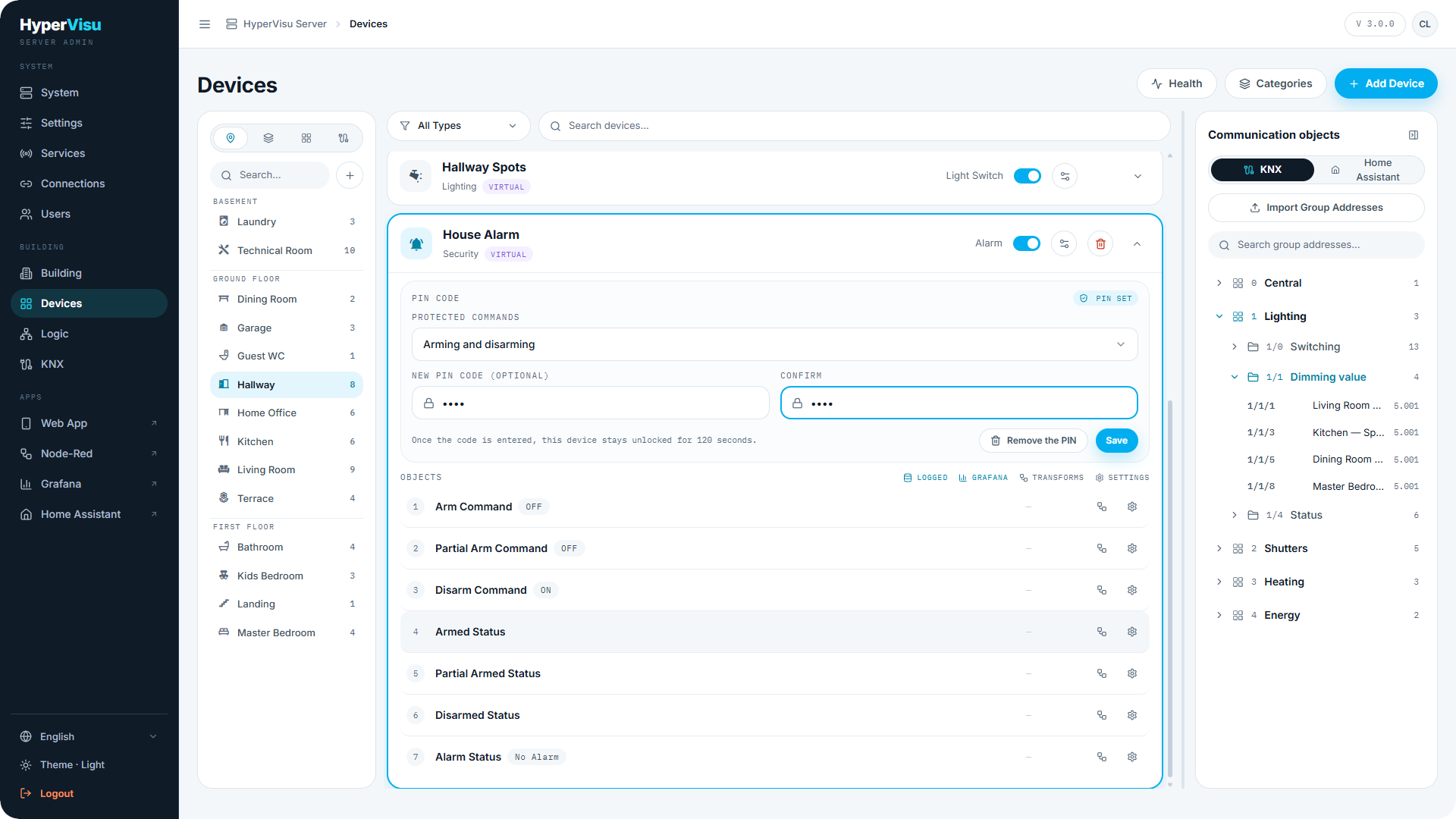
On alarm devices, a PIN CODE section lets you require a PIN before the alarm accepts commands from the app:
- Set Protected commands to Arming, Disarming, or Arming and disarming (None turns protection off).
- Enter a PIN code of 4 to 8 digits and confirm it.
- Save. The device row shows PIN SET.
Once a user enters the code in the app, the device stays unlocked for about 120 seconds, so a correction right after arming does not ask again.
To remove protection, click Remove the PIN and confirm — the commands are no longer protected.
⚠️ Warning: The PIN protects app commands only. Users who can reach the admin panel can change or remove it — keep alarm devices in rooms with an appropriate permission level (see “Building Structure & Categories”).
Global-command exclusion
Lights and shutters offer Exclude from global commands. An excluded device ignores the room, category and building on/off sweeps (the "all lights off" style buttons, see “Global Commands”) — it can still be controlled directly, and by scenarios and automations that name it.
The device row shows the NO GLOBAL badge.
💡 Tip: Typical candidates: the aquarium light, the freezer socket, a shutter that must never close automatically.