The energy price service fetches day-ahead electricity spot prices for your market area from ENTSO-E, the European transmission operators' transparency platform. HyperVisu classifies every hour as cheap, average or expensive, shows prices in the app, and lets automations and the Logic engine react to them.
What you need: a free ENTSO-E API key.
Enabling and configuring the source
- Open Services in the sidebar.
- In Application services, find Energy Price Service and click Configure.
- The Energy Price Provider is ENTSO-E. The hint links to the platform where you get a free API key (register, then generate an API key from your account).
- Paste your API Key.
- Choose your Bidding Zone — your country or region's electricity market area (for example Belgium, Germany-Luxembourg, France). Day-ahead prices differ per zone, so pick the one your electricity contract belongs to.
- Set the Update interval in minutes. This is how often the server recalculates statistics (current hour, percentile, tiers) — not how often it calls the API. Prices themselves are published once a day and fetched only 1–2 times per day.
- Click Save Configuration.
- Turn the service on with the toggle in the page header if it is off. The status pill switches to Service Enabled.
- Click Test Configuration to force a refresh. A successful test shows Last test passed with the time.
📘 Note: Keep this order. Turning the service on fetches the prices at once with the saved configuration; if that fetch fails (no API key, wrong bidding zone, no internet), the toggle goes back to off. Test Configuration also uses the saved configuration, not what is typed in the form — save first, then test.
Price modifiers — from market price to your real price
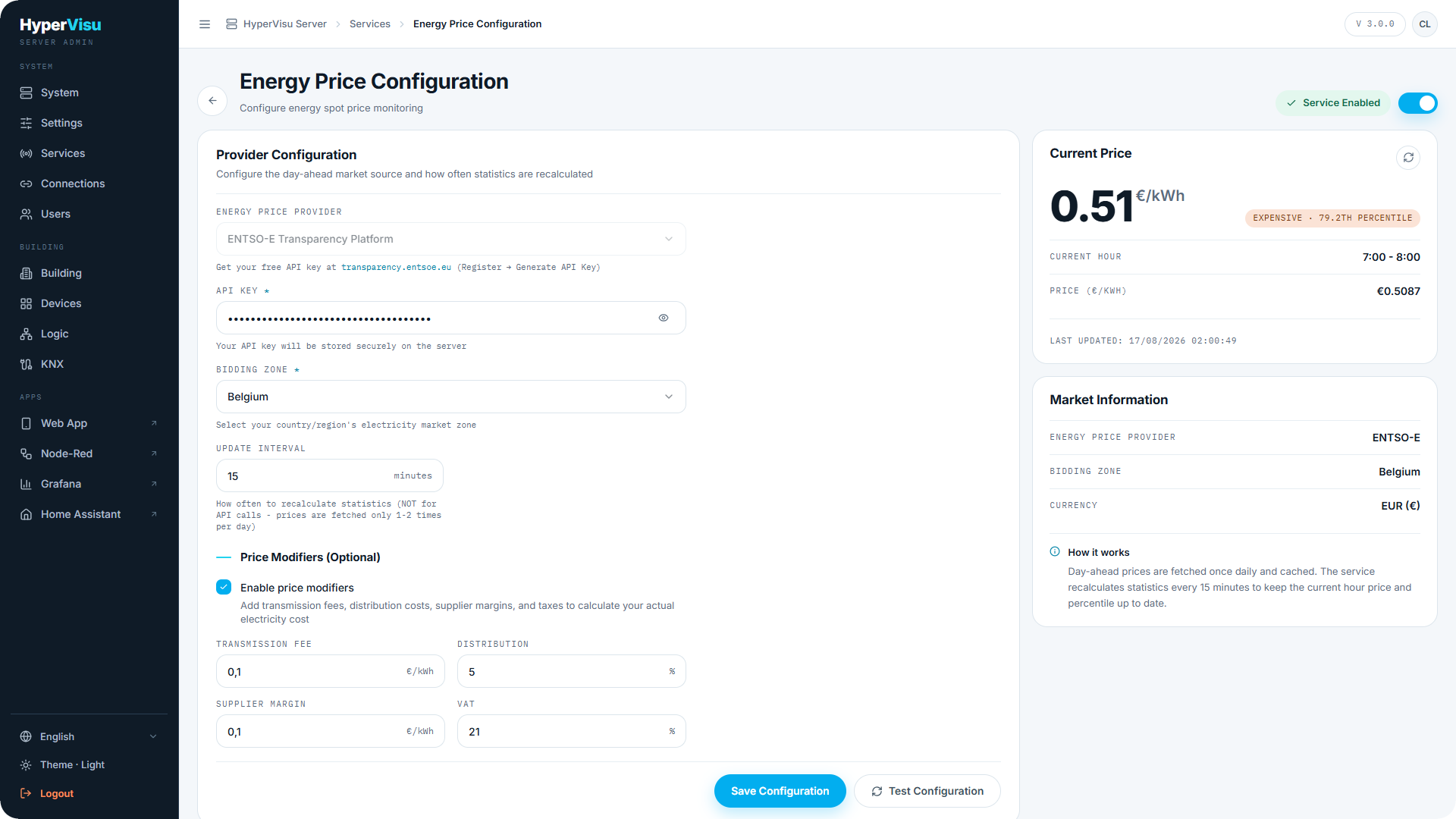
The ENTSO-E price is the bare wholesale price. To see what a kilowatt-hour actually costs you, tick Enable price modifiers under Price Modifiers (Optional) and fill in the extra components from your electricity bill:
| Field | Unit | What it is |
|---|---|---|
| Transmission fee | €/kWh | Fixed grid transmission cost per kWh |
| Distribution | % | Distribution cost as a percentage of the price |
| Supplier margin | €/kWh | Your supplier's fixed margin per kWh |
| VAT | % | Value-added tax |
The modifiers are applied in a fixed order:
- The transmission fee is added to the market price.
- The distribution percentage is applied to that sum.
- The supplier margin is added.
- VAT is applied to the total.
Click Save Configuration to apply the modifiers.
With modifiers enabled, every price HyperVisu shows and every automation threshold uses the resulting consumer price instead of the raw market price.
📘 Note: A distribution fee charged as a fixed amount per kWh has no field of its own: add it to the transmission fee or the supplier margin. Standing charges and other costs that are not per kWh are not included.
The live price panel
The right-hand side of the page proves the service is working:
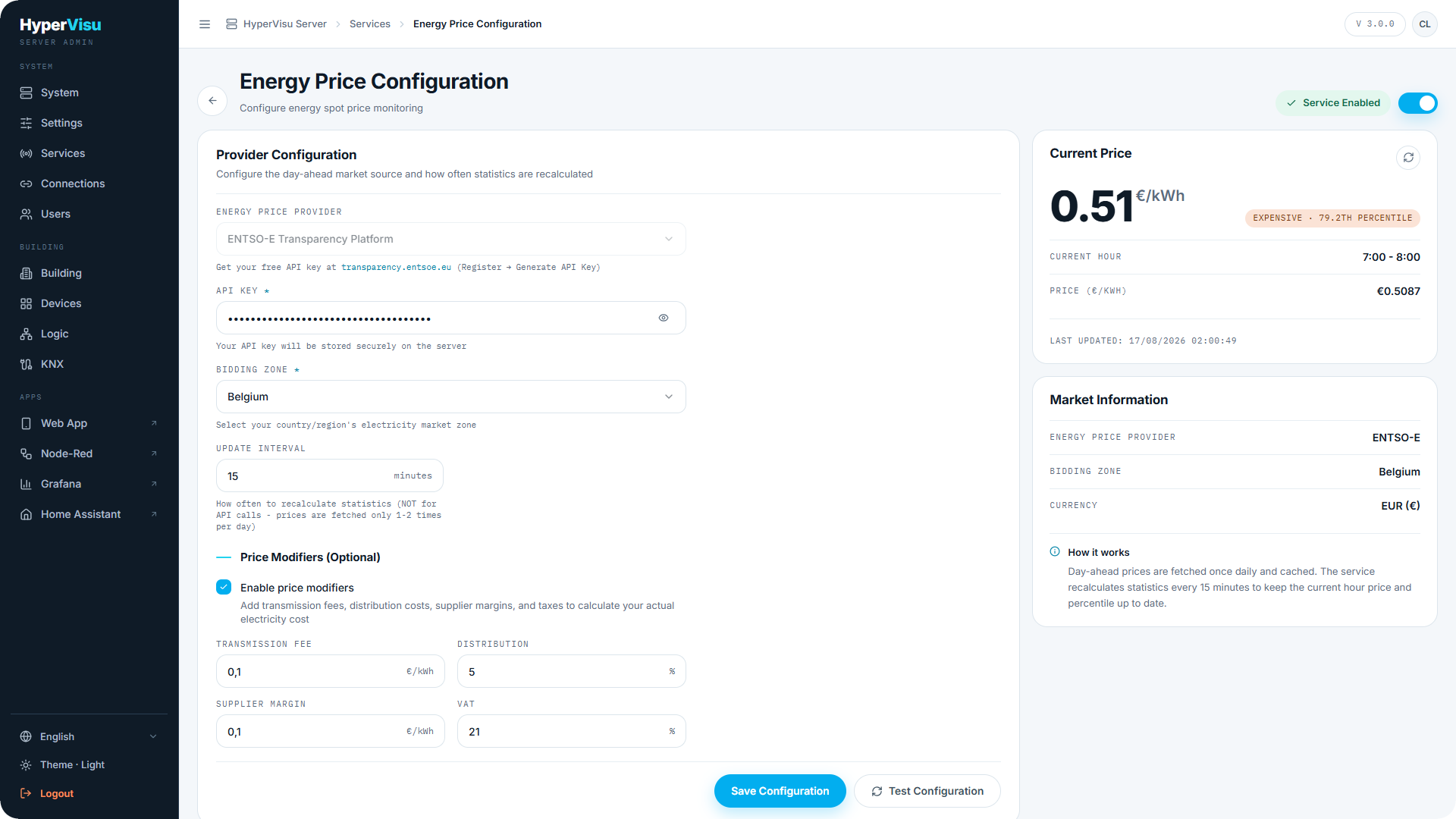
- Current Price — the price for the current hour in €/kWh, with a colored chip: Cheap, Average or Expensive, plus the hour's percentile within the day. The three cheapest hours of the day are Cheap, the three most expensive are Expensive, and every other hour is Average; the percentile is shown as a figure only. The app uses the same rule.
- The Current Hour window and the exact Price (€/kWh).
- A highlight when the current hour is one of the cheapest or one of the most expensive hours today.
- Market Information — provider (ENTSO-E), your bidding zone, and the Currency (EUR).
- Last updated timestamp and a How it works note explaining the fetch-once-daily model.
Hours are those of the installation's local time: a day runs from local midnight to local midnight.
Where prices appear
- The app's Energy prices page: current price and tier, today/tomorrow day-ahead bars, the cheapest window and the peak window (see “Energy Overview”).
- Automation triggers and conditions on price thresholds and tiers (see “Automations”).
- Logic engine inputs — the price as a service source on the function canvas (see “Logic Engine — Concepts & Canvas”).