
Services (sidebar group SYSTEM) is where you switch on the building blocks of the system: the optional services that run on the server, the communication protocols, and the application services.
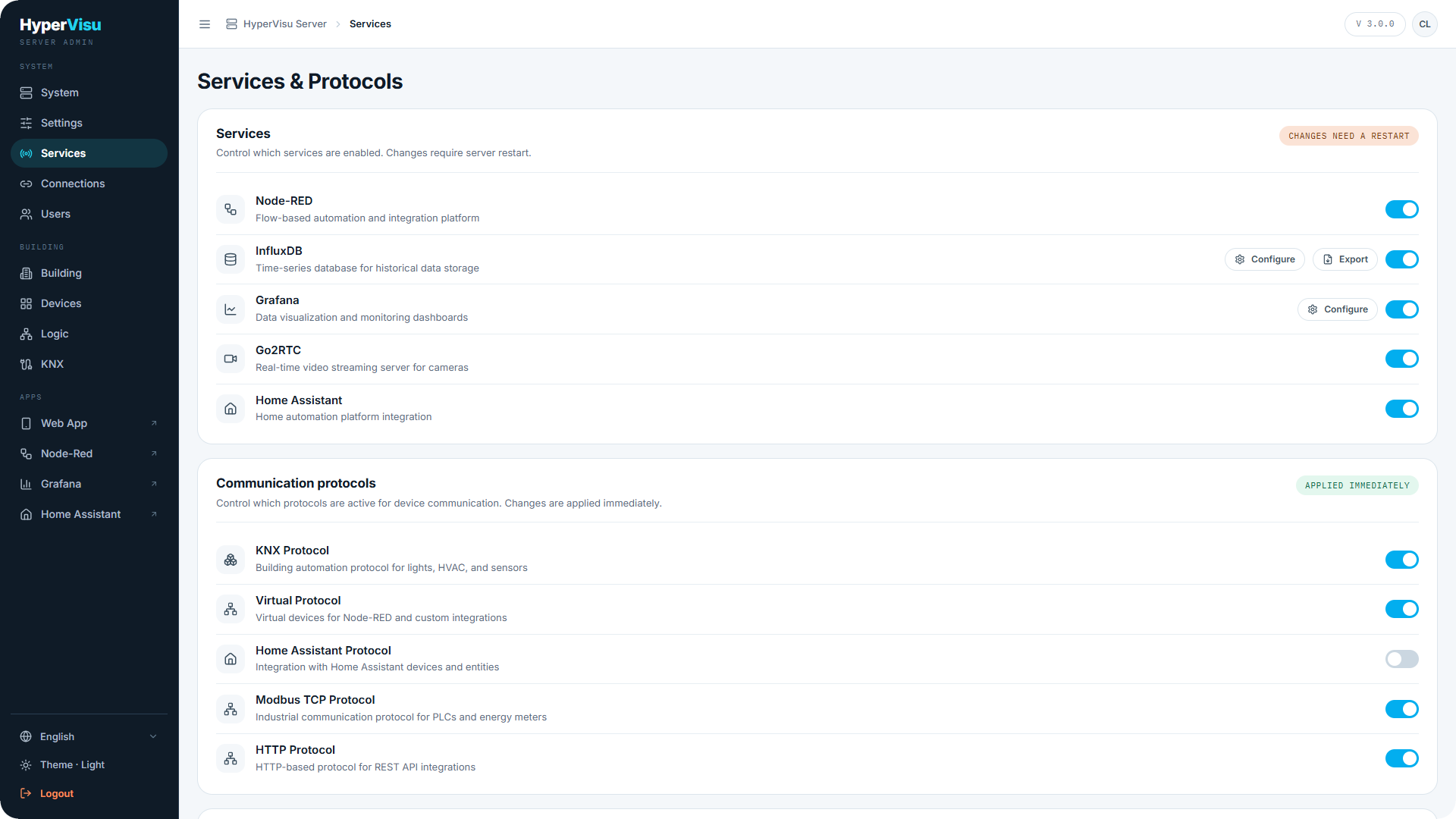
Optional services (restart required)
The Services list controls the optional services the server can run:
| Service | What it provides |
|---|---|
| InfluxDB | Time-series database for historical data (trends, meters, charts). |
| Grafana | Dashboards over the historical data. |
| Node-RED | Flow-based automation and custom integrations. |
| Go2RTC | Real-time camera streaming. |
| Home Assistant | A local Home Assistant instance (for Zigbee, Z-Wave and more). |
| MQTT Broker | A message broker on the server itself, so MQTT devices connect to HyperVisu directly (see “The Built-in MQTT Broker”). |
Toggling a service does not apply immediately:
- Toggle the services you want on or off. Each change goes to a Pending Changes panel showing the count.
- When ready, click Restart Server. The server restarts and applies all pending service changes at once (this takes a few minutes; the page waits and reconnects).
- To back out instead, click Cancel in the pending panel — the toggles return to their saved state.
Services can depend on each other. The panel shows Requires and Required by relationships, and refuses to enable a service whose requirements are missing (Cannot enable: Missing required services).
Some services carry a Configure button next to their toggle, which opens their own settings: InfluxDB (with an Export button beside it, see “History & Data Logging”), Grafana, and the MQTT Broker (see “The Built-in MQTT Broker”). The button works only once the service is running.
💡 Tip: Batch your service changes and restart once, rather than restarting for every toggle.
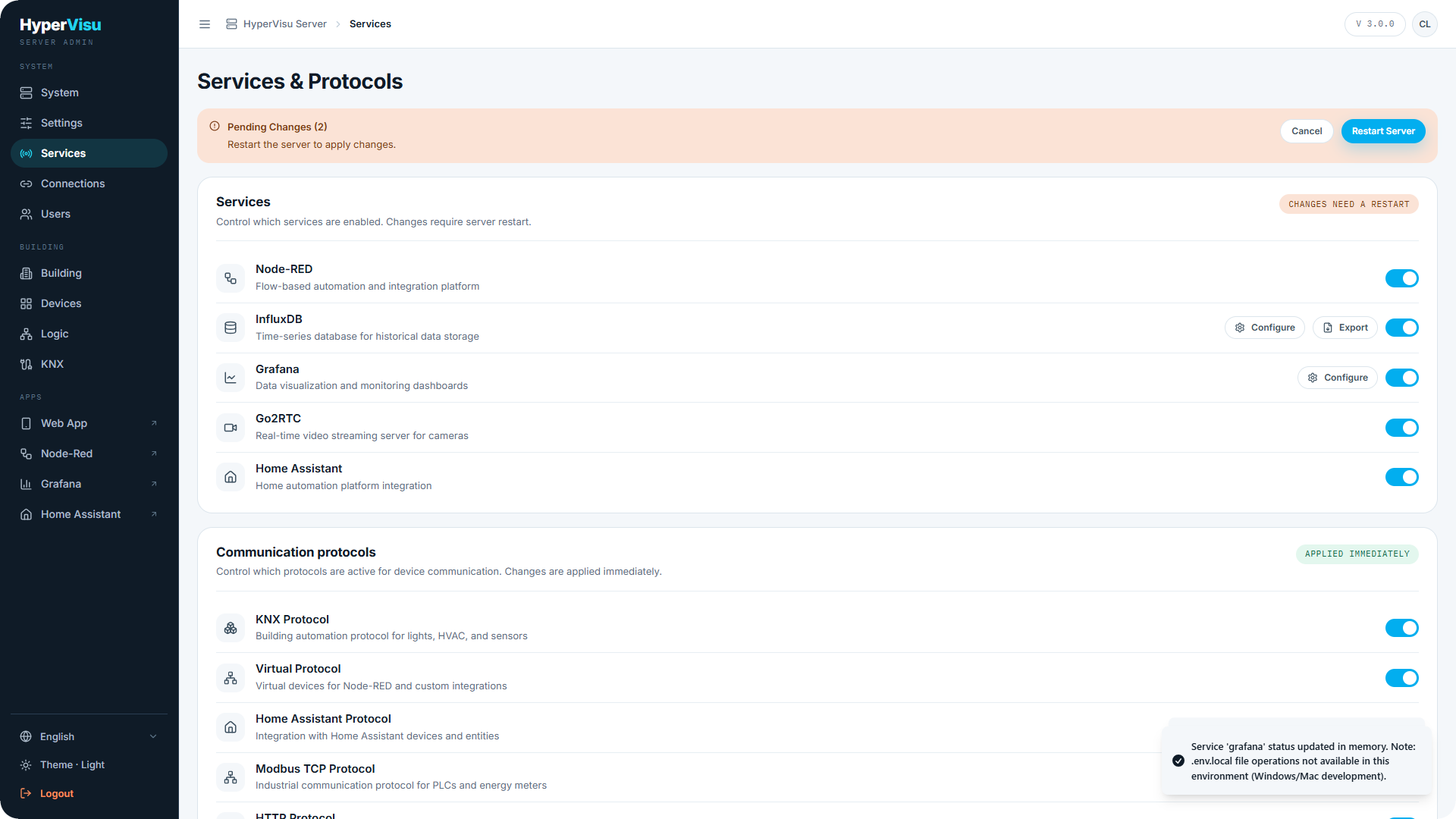
Communication protocols (applied immediately)
The Communication protocols list enables the protocols the server speaks:
- KNX — building automation bus for lights, HVAC and sensors.
- Virtual — virtual devices for Node-RED and custom integrations.
- Home Assistant — devices and entities from Home Assistant.
- Modbus TCP — meters, inverters and PLCs over TCP.
- HTTP — REST APIs and web endpoints.
- MQTT — publish/subscribe devices through a message broker (Local Broker, Zigbee2MQTT, Tasmota, Shelly).
- TCP/UDP — raw socket commands for AV gear and custom devices.
- BACnet/IP — building automation protocol for HVAC controllers, VAVs and meters.
- Sonos — Sonos speakers over the local network, with no cloud account (see “Sonos Integration”).
Protocol toggles are applied immediately — no restart needed. Enabling a protocol makes its pages and binding tools appear (for example, the KNX sidebar entry, see “Admin Panel Tour”); the actual link to the bus or server is configured on the Connections page (see “Connections”).
Application services
The Application services section lists software services that run inside HyperVisu, each with its own Configure link or dialog:
| Service | Configuration |
|---|---|
| Weather Service | Provider, API key, units, refresh — own page (see “Weather Service”). |
| Energy Price Service | Day-ahead electricity prices — own page (see “Energy Price Service”). |
| Email Service | Outbound SMTP for automation emails — own page (see “Email Service”). |
| AI Assistants (MCP) | Let Claude, ChatGPT and other assistants read, control, diagnose and configure the installation — per person, per capability |
| HomeKit | Control selected devices from Apple's Home app and with Siri |
Each application service shows whether it is Configured or Not Configured.