KNX Bridge
The KNX Bridge exposes devices from other protocols — Home Assistant, Modbus TCP, HTTP, MQTT, BACnet/IP, TCP/UDP, Virtual — on the KNX bus, as if they were native KNX devices. A KNX push button can then switch a Home Assistant light; a KNX energy display can show a Modbus inverter's power.
It lives on the Bridge tab, below the connection controls.
Adding a device to the bridge:
- On the Bridge tab, click the add action and pick the device from the picker (only bridgeable, non-KNX devices are offered).
- For each of the device's group objects you want on the bus:
- choose a datatype (DPT) — search or pick from the list;
- assign one or more group addresses (type them, e.g.
1/0/1, or pick existing ones); - choose the send behavior: only when the value changes or every value.
- Close the settings — changes apply on the bus immediately. The footer confirms how many objects are bridged.
Per device you can also:
- Enable/disable the device on the bridge without losing its mappings.
- Delete the device from the bridge — this removes its group-address mappings (the device itself is untouched).
📘 Note: Loop prevention is automatic. A value that arrives from the bus is not echoed back to the bus, so bridging a device cannot create a telegram loop.
KNX triggers
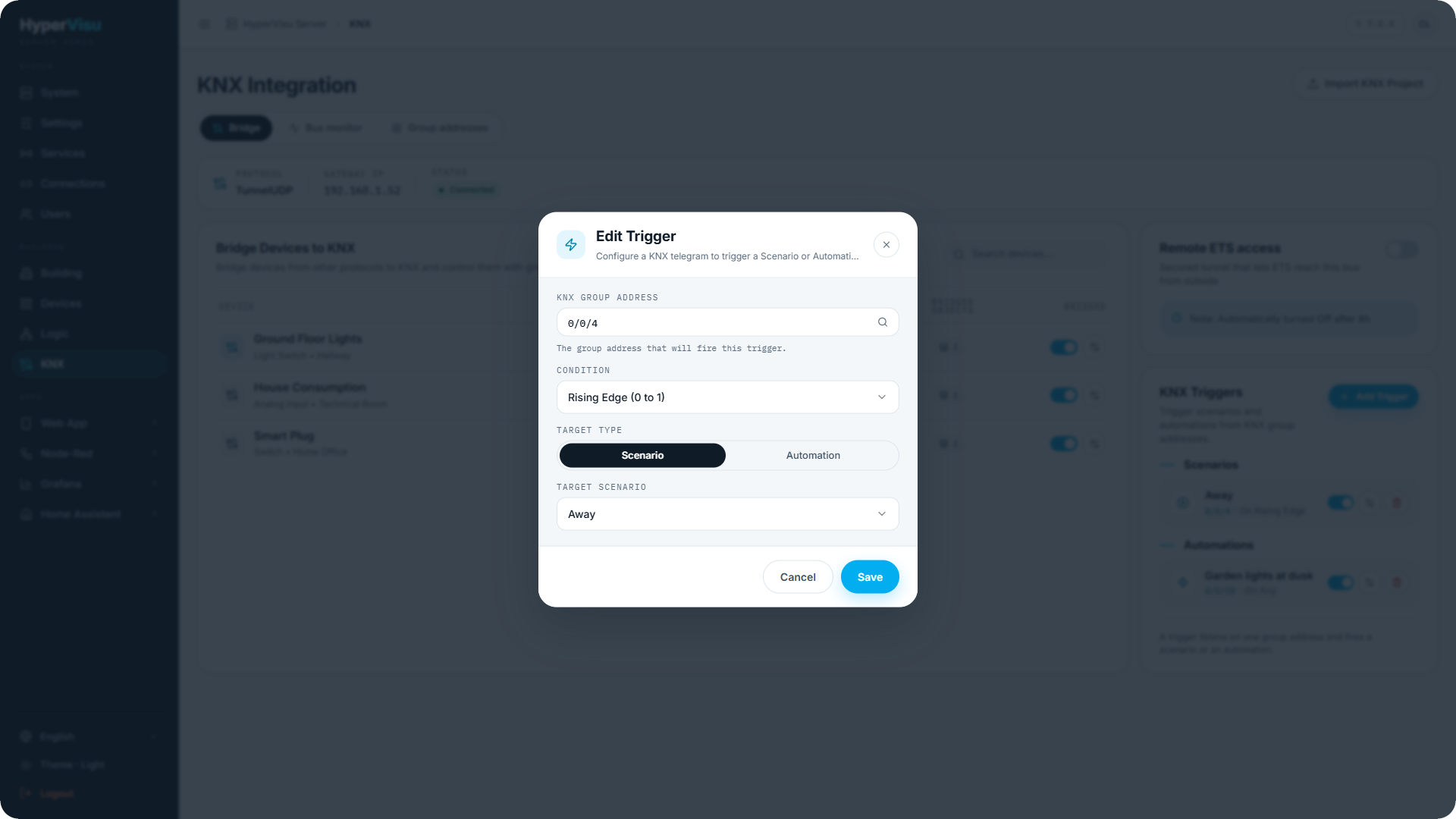
A KNX trigger fires a scenario or an automation when a telegram arrives on a group address — the classic "wall push button runs the Leaving scene". Triggers live at the bottom of the Bridge tab.
- Click the add-trigger action.
- Pick the group address to listen on.
- Choose what to run: a scenario or an automation.
- Choose the condition:
| Condition | Fires when |
|---|---|
| Any change | Every telegram on the address. |
| On true (1) | The received value is 1/true. |
| On false (0) | The received value is 0/false. |
| Rising edge | The value goes from 0 to 1. |
| Falling edge | The value goes from 1 to 0. |
Each trigger can be enabled/disabled and deleted from the list.